9.6.1 框架路线图:只在需要时选择
框架不会让 Agent 自动变聪明。它们是在任务复杂度足够高时,帮助你组织状态、工具、工作流、记忆、日志和协作。
先看选择地图
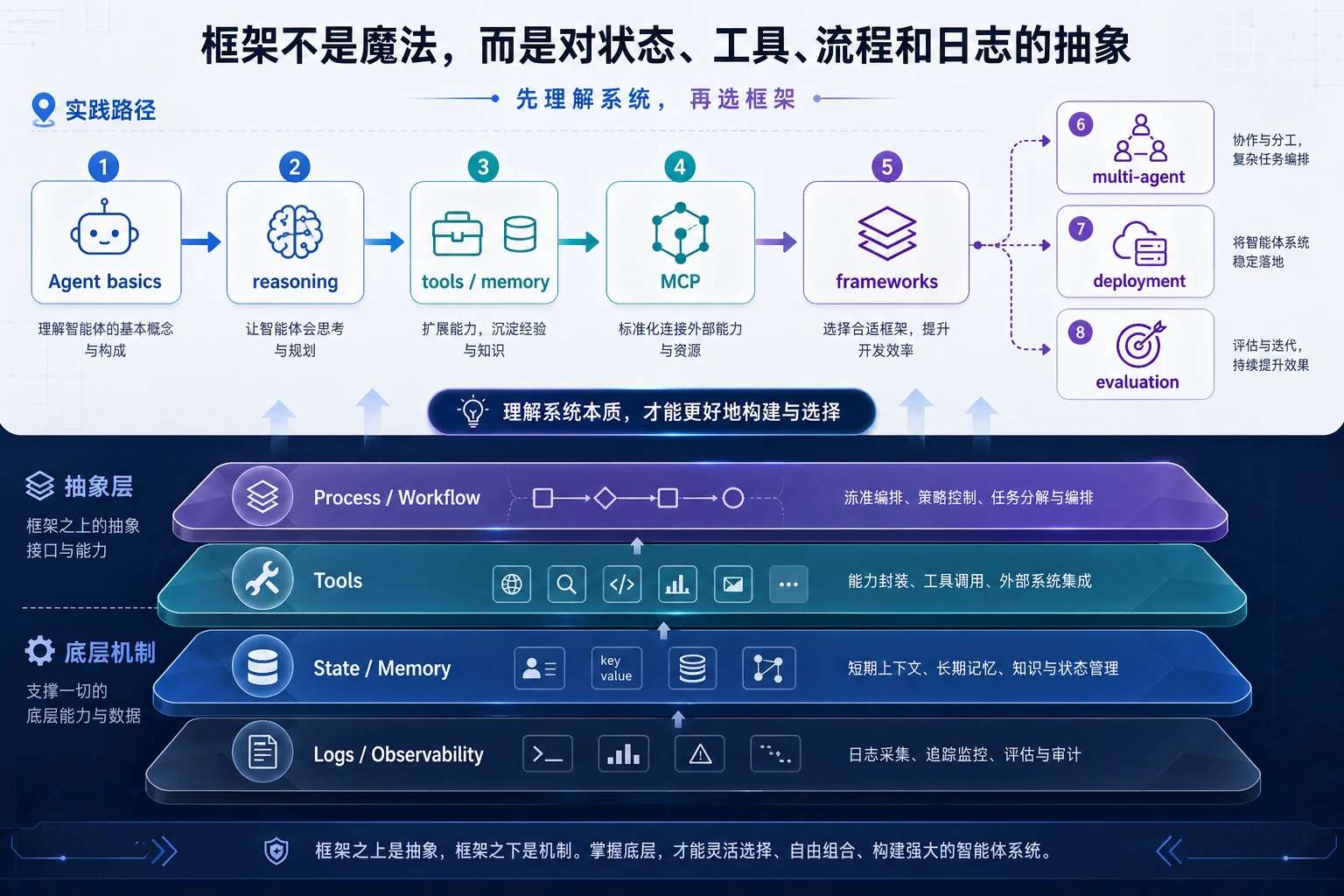
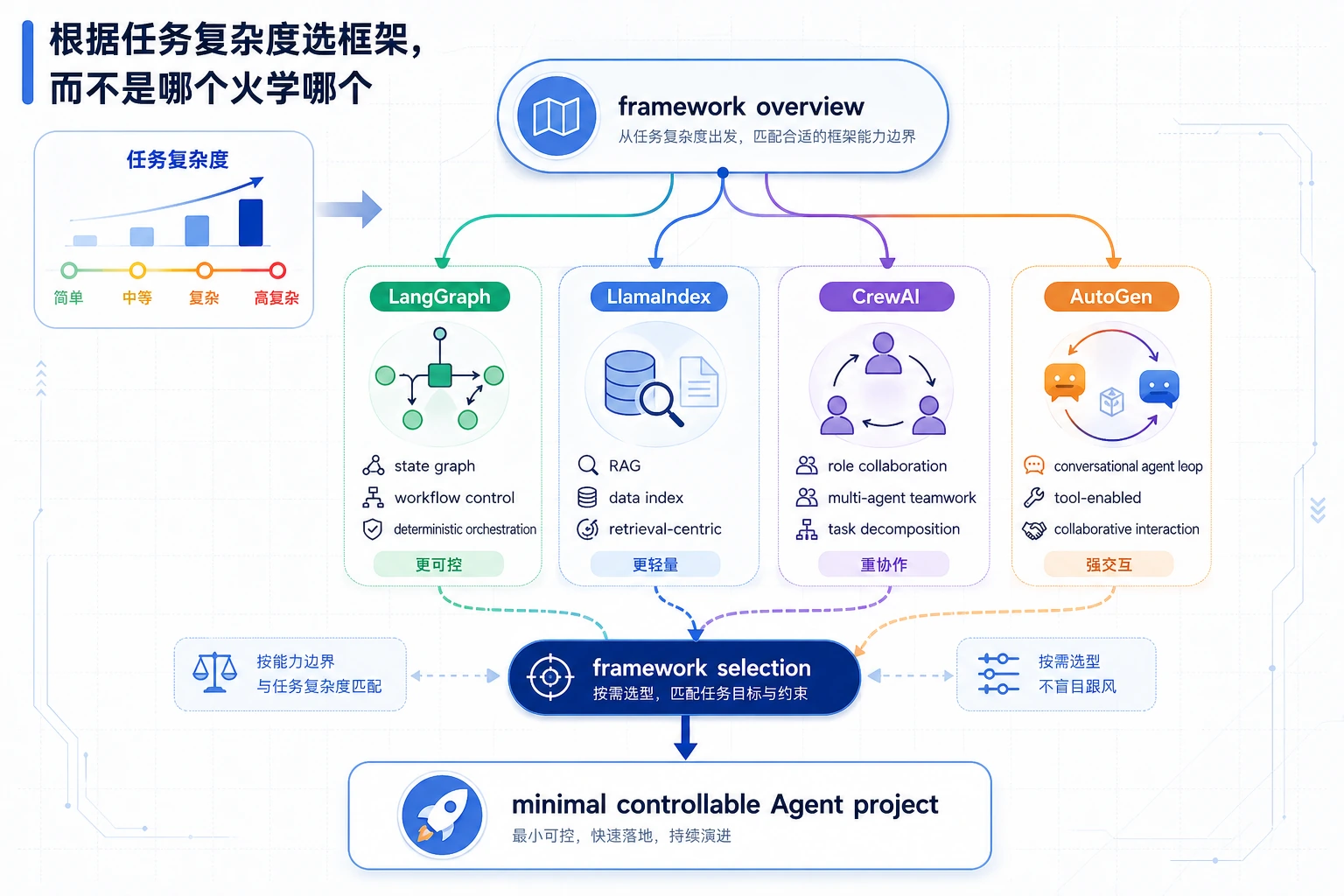
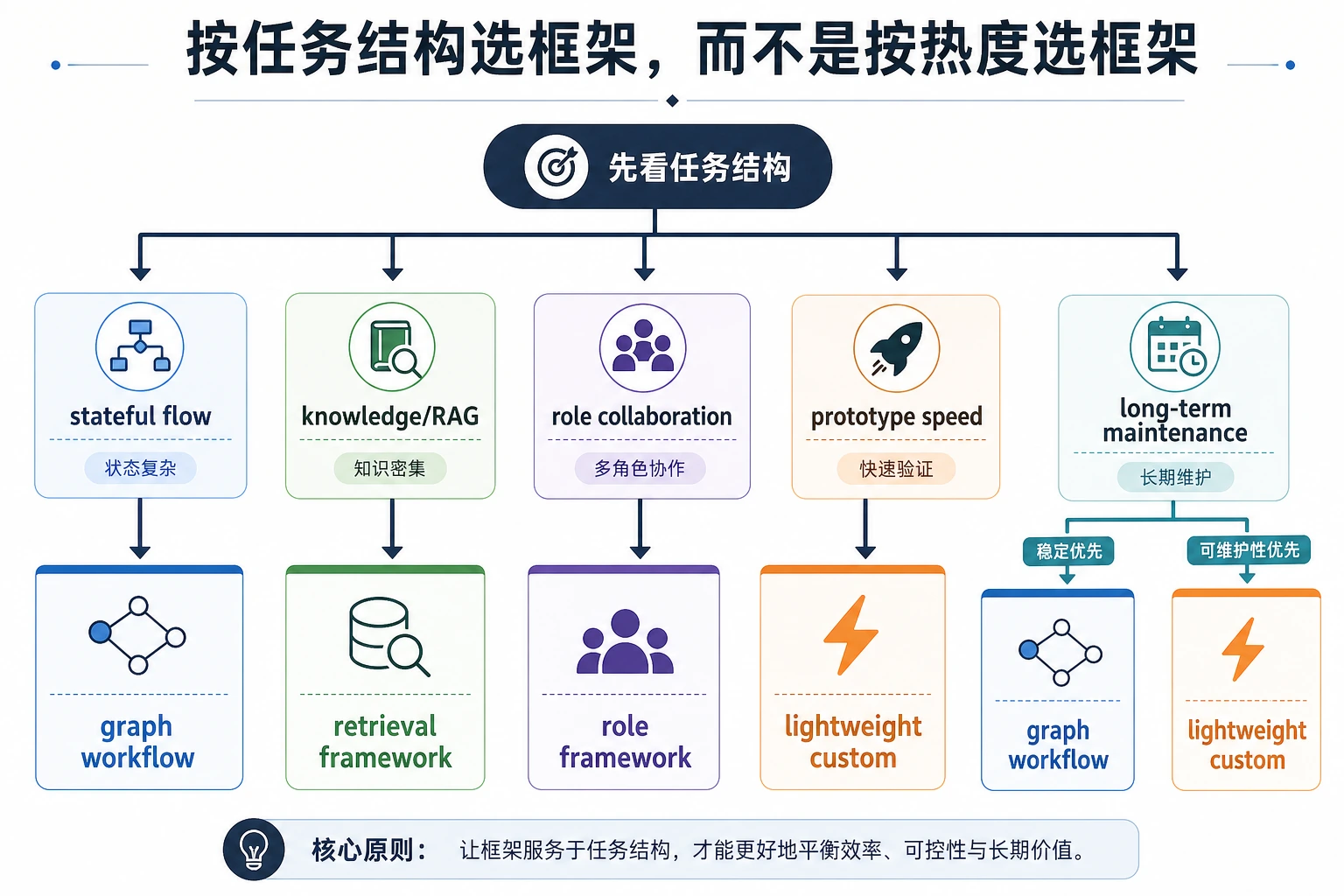
如果任务只有三个固定步骤,普通 Python 函数可能更好。只有当状态、分支、恢复、数据连接或角色协作开始难以管理时,再加入框架。
跑一个框架路线检查
不要因为框架热门就选择它,先跑这个检查。
task = {
    "needs_state": True,
    "needs_rag": False,
    "needs_roles": False,
    "needs_resume": True,
}

if task["needs_state"] or task["needs_resume"]:
    route = "LangGraph-style state graph"
elif task["needs_rag"]:
    route = "LlamaIndex-style data app"
elif task["needs_roles"]:
    route = "CrewAI or AutoGen-style collaboration"
else:
    route = "plain functions first"

print("route:", route)
print("reason:", "choose the smallest abstraction that exposes state")
预期输出:
route: LangGraph-style state graph
reason: choose the smallest abstraction that exposes state
框架选择应该写进 README,作为取舍说明,而不是藏在依赖里。
按这个顺序学
| 步骤 | 阅读 | 实操产出 |
|---|---|---|
| 1 | 框架概览 | 解释框架抽象了什么 |
| 2 | LangChain / LangGraph | 建模状态、节点、边、分支、恢复 |
| 3 | LlamaIndex | 连接文档、索引、检索、评估 |
| 4 | CrewAI / AutoGen | 比较角色协作和多 Agent 对话 |
| 5 | 框架选择 | 写出决策表和无框架基线 |
通过标准
如果你能用普通函数和一个框架实现同一个小任务,并解释哪一版更容易调试、为什么,就通过了本章。