9.5.1 MCP ロードマップ:Server、Client、Capability
MCP は、tools、resources、prompt templates をより標準的に model applications へ接続する protocol layer です。Agent や tools を置き換えるものではなく、capabilities を一貫して expose/use しやすくします。
まず MCP boundary を見る
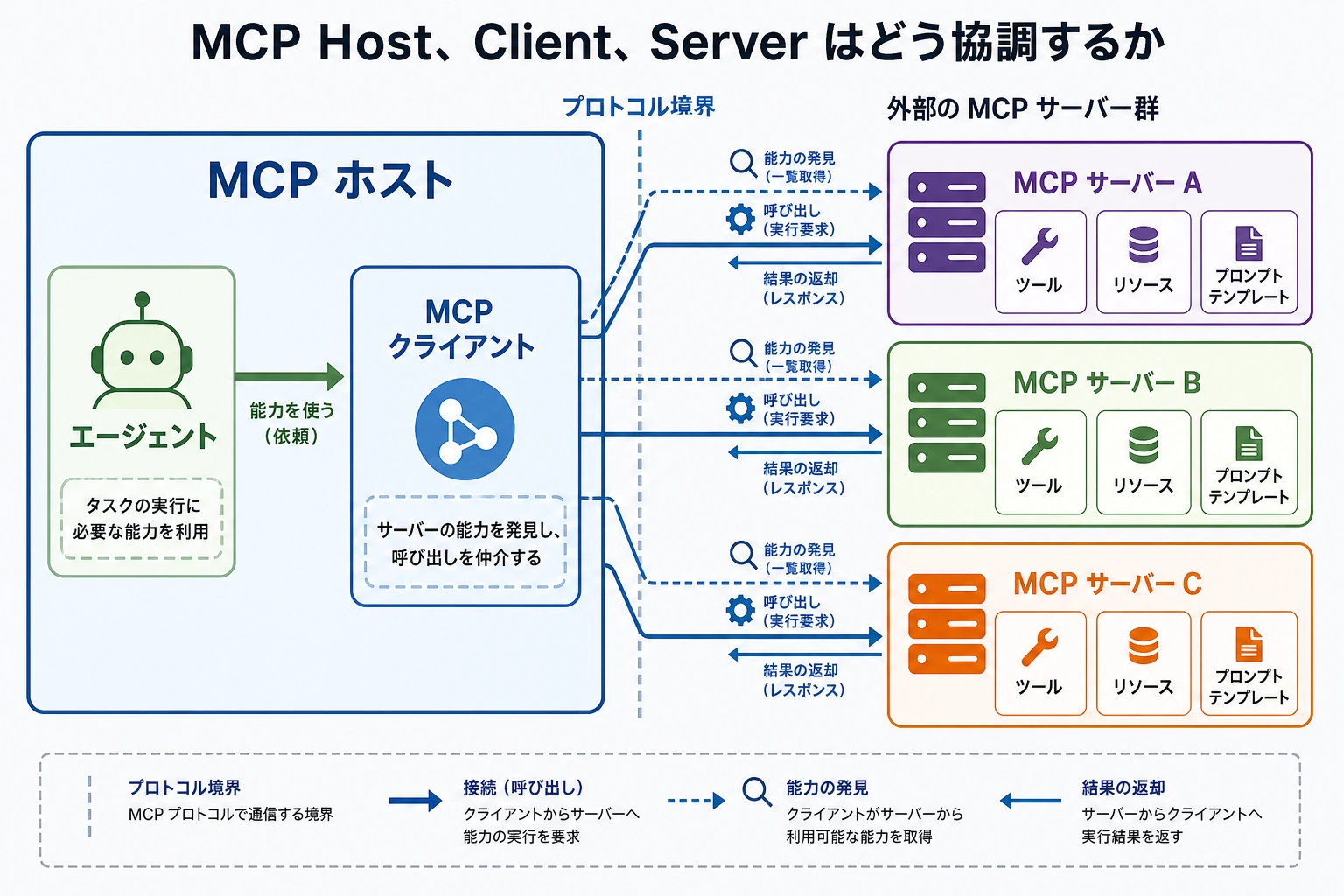
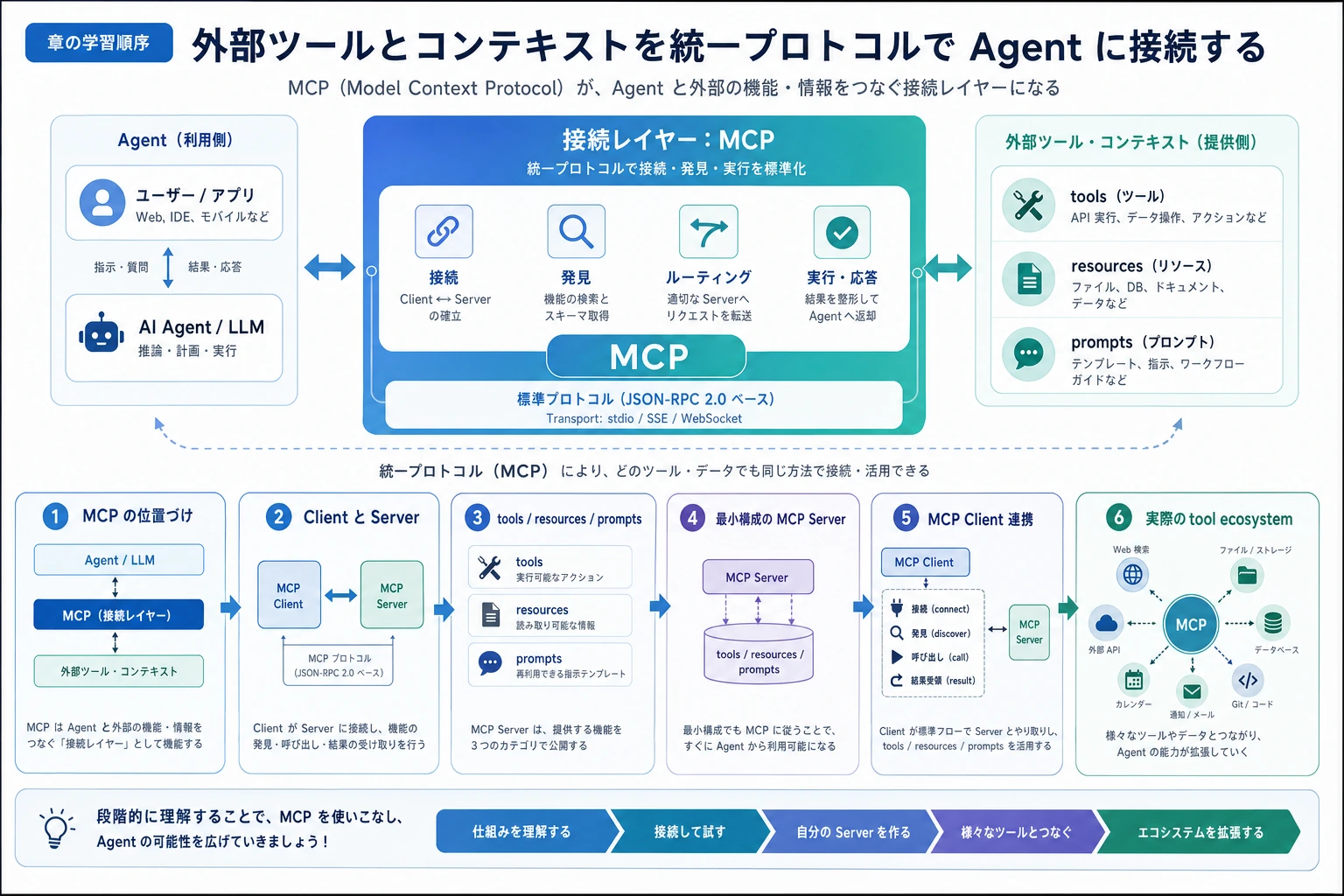
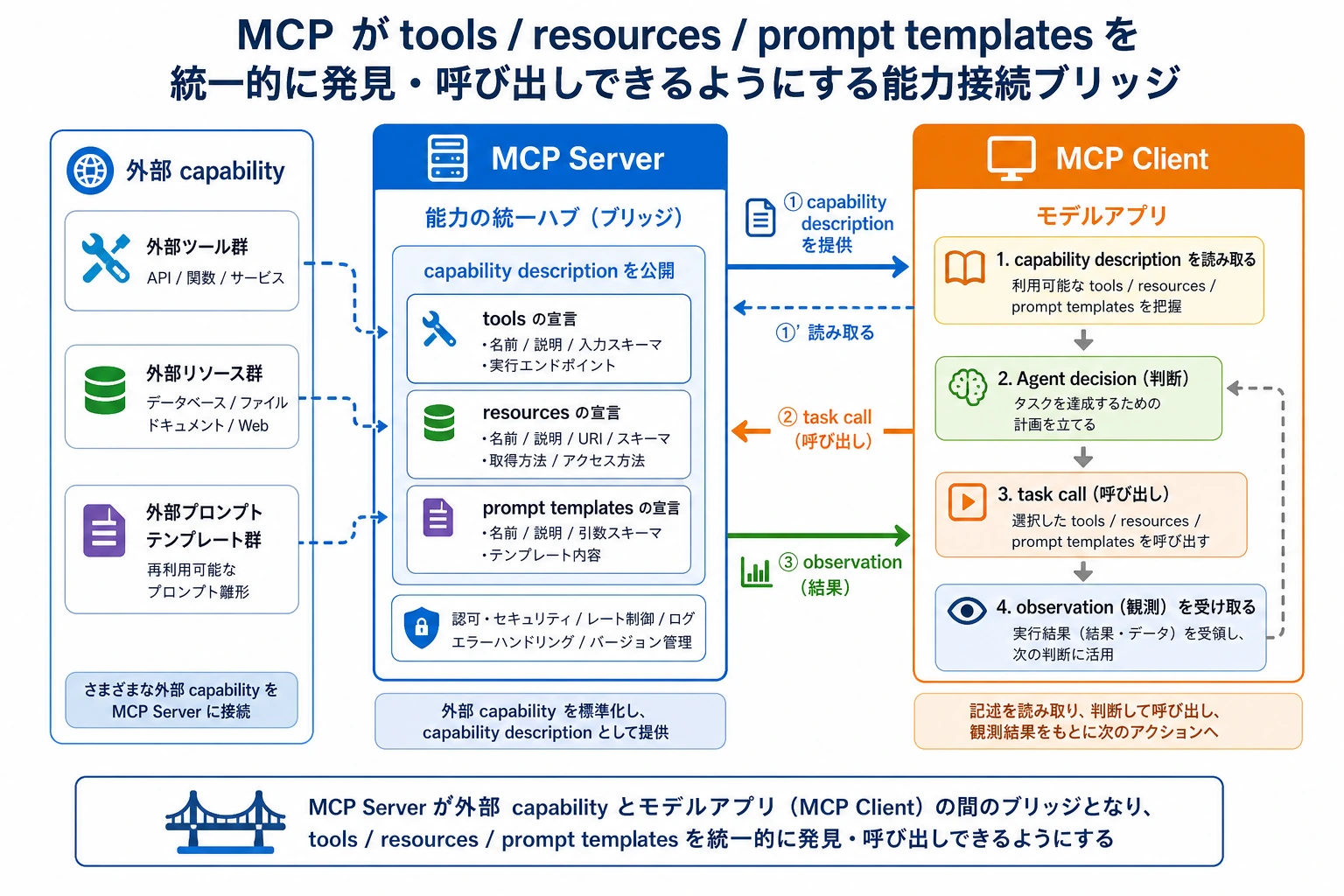
Function Calling は structured calls に注目します。MCP は external capabilities が protocol を通じて discovered、described、called、governed される方法に注目します。
Capability registry check を動かす
本物の MCP Server を実装する前に、何を expose し、Client が何を call できるか列挙します。
server = {
    "tools": ["search_docs"],
    "resources": ["course://ch09-agent"],
    "prompts": ["study_plan"],
}

client_request = "search_docs"

print("server_ready:", all(server.values()))
print("can_call:", client_request in server["tools"])
print("boundary:", "server exposes, client calls")
出力:
server_ready: True
can_call: True
boundary: server exposes, client calls
boundary が曖昧だと、permissions と debugging も曖昧になります。
この順番で学ぶ
| 手順 | 読む内容 | 実践アウトプット |
|---|---|---|
| 1 | MCP concept | protocol layer が integration の混乱を減らす理由を説明する |
| 2 | MCP architecture | Host、Client、Server、tools、resources、prompts を区別する |
| 3 | Server development | 1 つの capability を明確な input、output、errors で包む |
| 4 | Client integration | Server capabilities を安全に discover/call する |
| 5 | Ecosystem | MCP を IDE、database、browser、knowledge base、Agent につなげる |
合格ライン
Host-Client-Server 関係を描き、Server が何を expose し、Client が何を call し、permissions がどこで checked されるか説明できれば、この章は合格です。
出口ミニプロジェクトは course-materials MCP Server design です:1 つの search tool、1 つの resource URI pattern、1 つの prompt template、1 つの failure-handling rule を含めます。