9.5.1 MCP Roadmap: Server, Client, Capability
MCP is a protocol layer for connecting tools, resources, and prompt templates to model applications in a more standard way. It does not replace Agents or tools; it makes capabilities easier to expose and use consistently.
See the MCP Boundary First
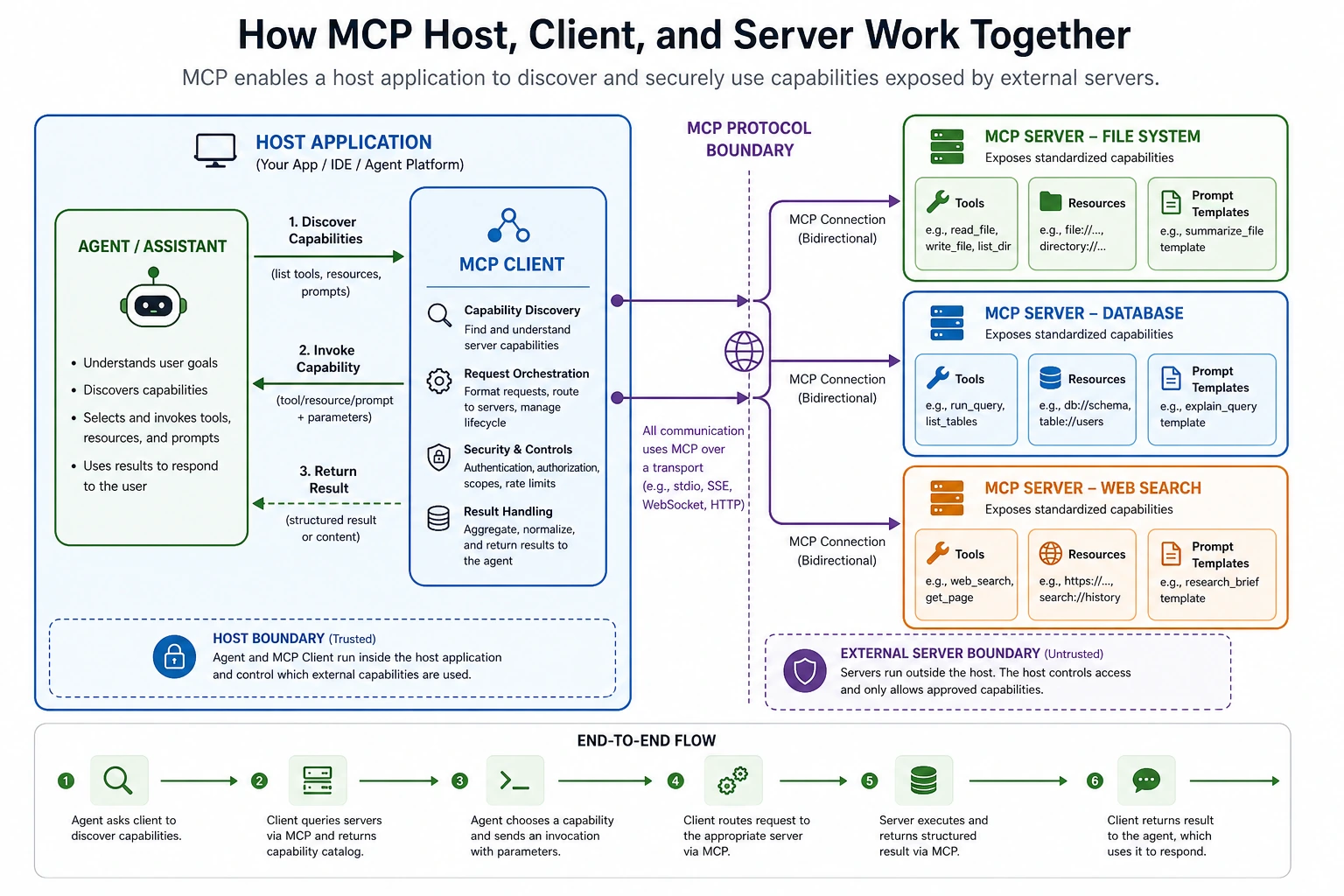
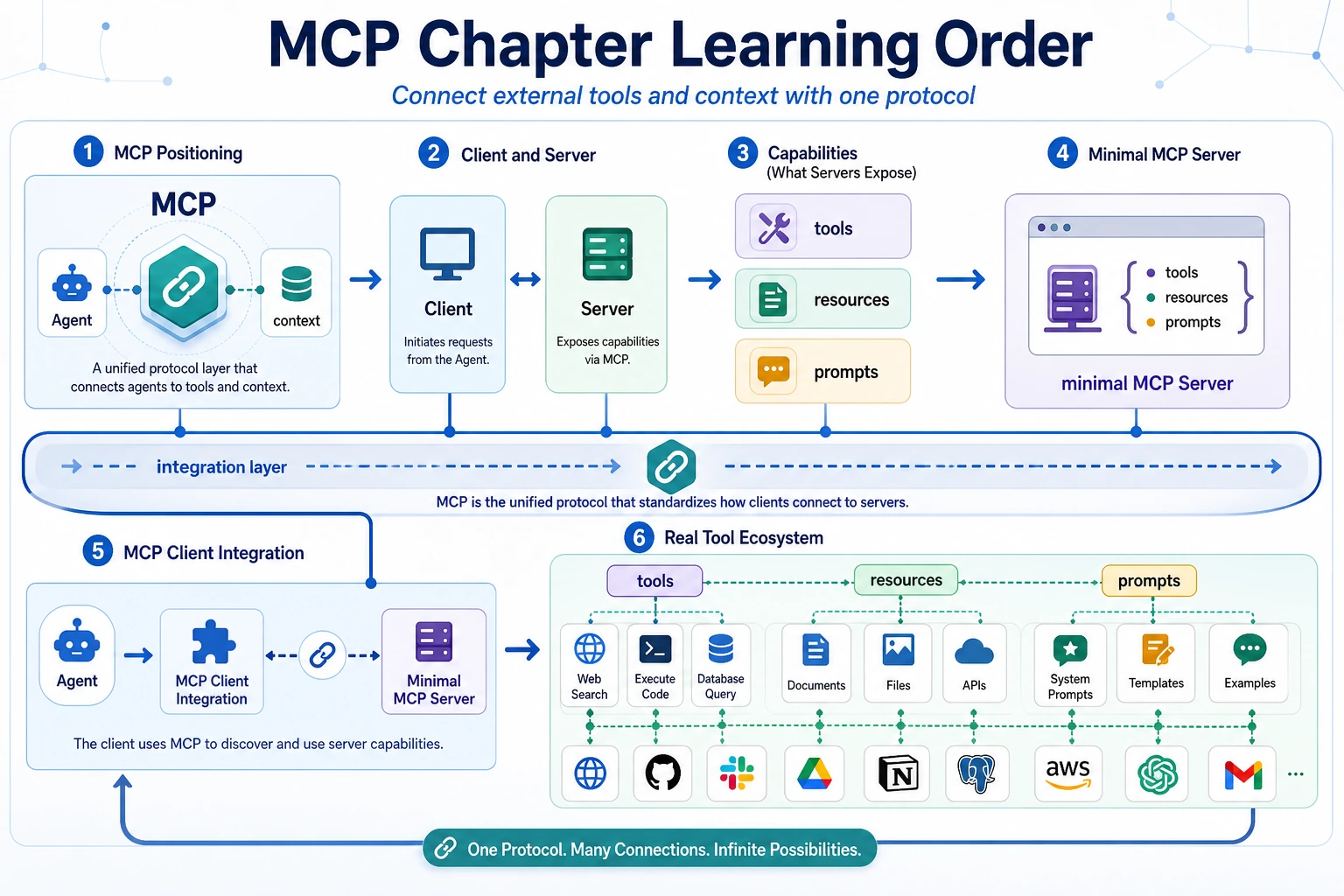
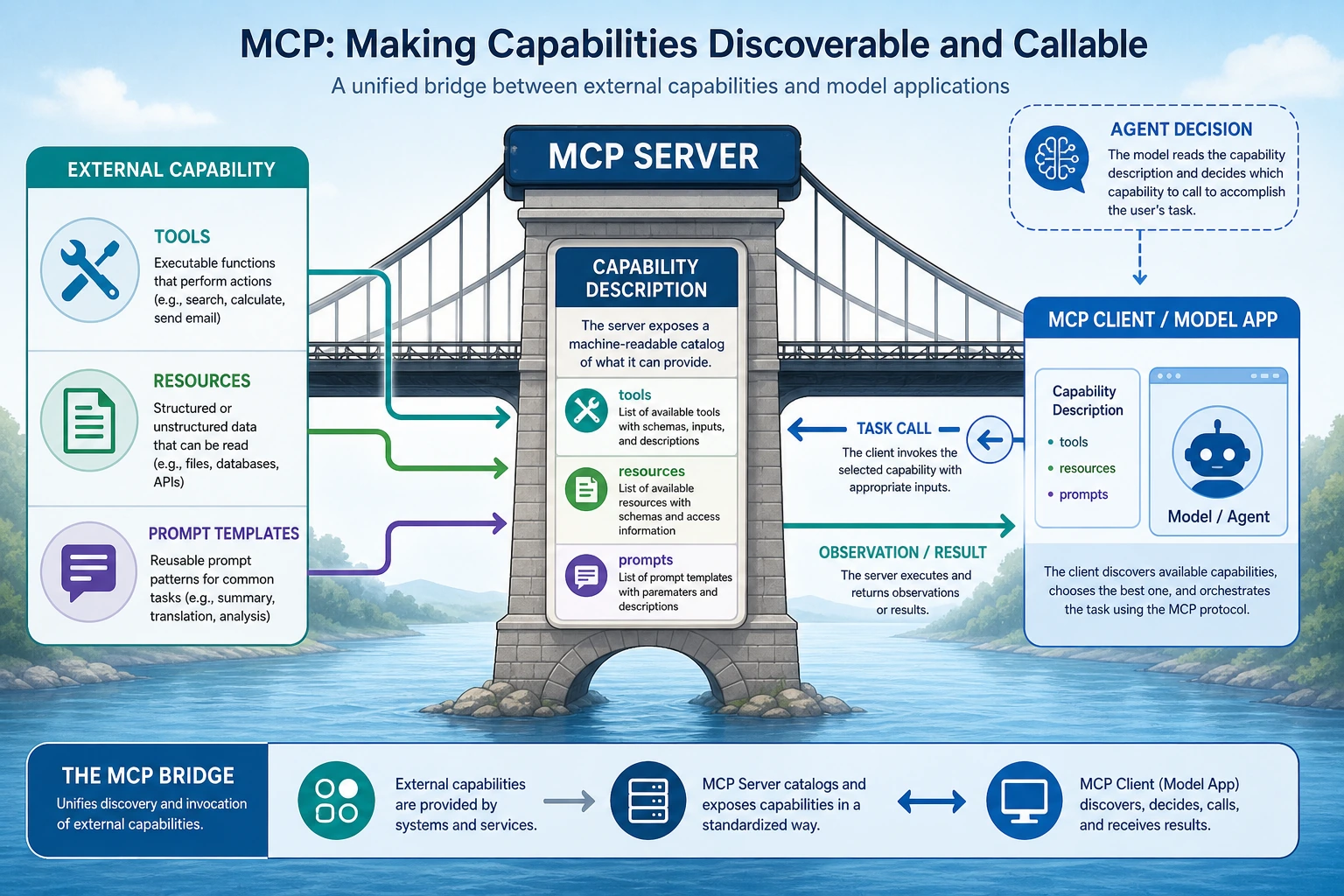
Function Calling focuses on structured calls. MCP focuses on how external capabilities are discovered, described, called, and governed through a protocol.
Run a Capability Registry Check
Before implementing a real MCP Server, list what it exposes and what the Client may call.
server = {
    "tools": ["search_docs"],
    "resources": ["course://ch09-agent"],
    "prompts": ["study_plan"],
}

client_request = "search_docs"

print("server_ready:", all(server.values()))
print("can_call:", client_request in server["tools"])
print("boundary:", "server exposes, client calls")
Expected output:
server_ready: True
can_call: True
boundary: server exposes, client calls
If the boundary is vague, permissions and debugging will be vague too.
Learn in This Order
| Step | Read | Practice Output |
|---|---|---|
| 1 | MCP concept | Explain why a protocol layer reduces integration mess |
| 2 | MCP architecture | Distinguish Host, Client, Server, tools, resources, prompts |
| 3 | Server development | Wrap one capability with clear input, output, and errors |
| 4 | Client integration | Discover and call server capabilities safely |
| 5 | Ecosystem | Connect MCP to IDEs, databases, browsers, knowledge bases, and Agents |
Pass Check
You pass this chapter when you can draw the Host-Client-Server relationship and explain what the Server exposes, what the Client calls, and where permissions are checked.
The exit mini project is a course-materials MCP Server design: one search tool, one resource URI pattern, one prompt template, and one failure-handling rule.