
E.B Advanced Python Roadmap
Use this elective when your prototype starts repeating logic, waiting on slow calls, streaming data, or registering tools dynamically.
See the Engineering Path First
Section titled “See the Engineering Path First”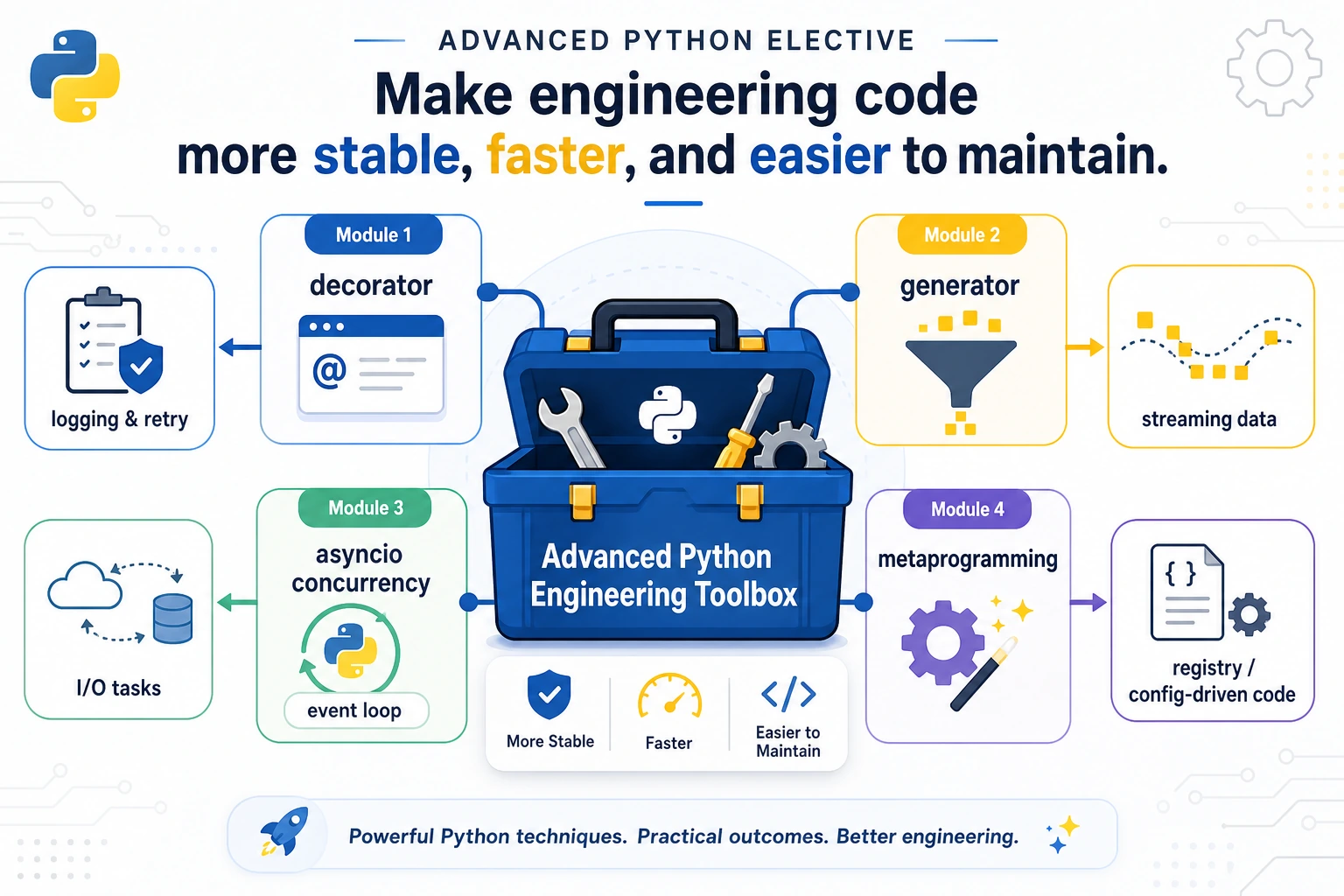
Advanced Python is useful when it makes code more observable, reusable, and easier to control.
Run the Smallest Async Trace
Section titled “Run the Smallest Async Trace”import asyncio
async def fetch(name, delay): await asyncio.sleep(delay) return f"{name}:done"
async def main(): results = await asyncio.gather( fetch("retrieval", 0.1), fetch("rerank", 0.05), ) print(results)
asyncio.run(main())Expected output:
['retrieval:done', 'rerank:done']This is the smallest async habit: launch independent work, wait for all results, then keep a trace.
How To Use This Module In A Real Project
Section titled “How To Use This Module In A Real Project”Use these patterns only when they make a pipeline easier to inspect. A decorator should make repeated behavior visible, a generator should make data movement lighter, async should expose waiting and timeouts, and a registry should make available tools explicit. If the pattern hides the important work, it is not helping.
For every advanced Python pattern, keep a tiny trace. The trace can be a log line, printed batch, timeout count, or registry listing. That trace is what turns a clever language feature into engineering evidence.
Learn in This Order
Section titled “Learn in This Order”| Step | Lesson | Practice Output |
|---|---|---|
| 1 | E.B.1 Decorators | Add timing or logging without changing business code |
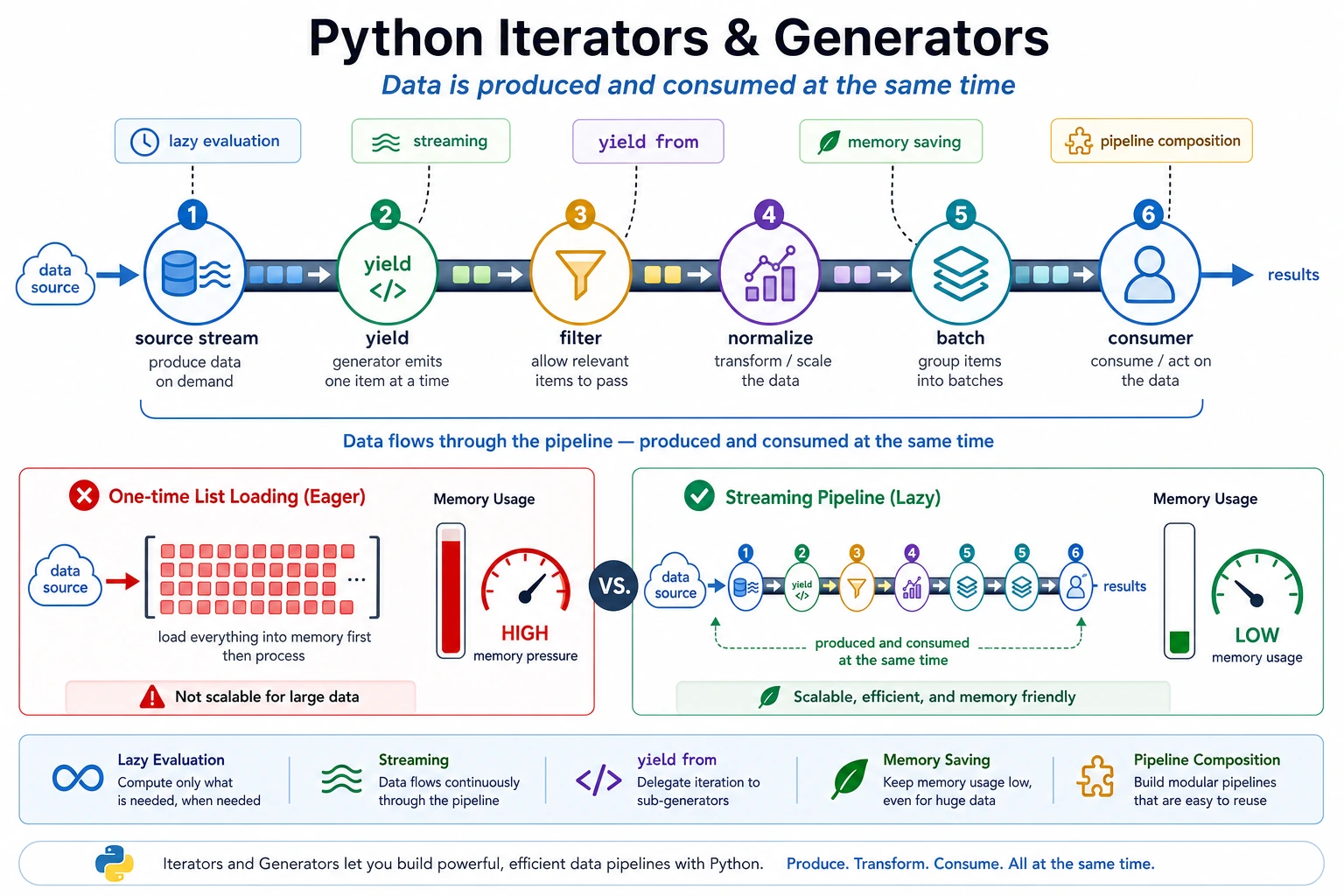
| 2 | E.B.2 Iterators and Generators | Stream rows without loading everything at once |
| 3 | E.B.3 Concurrency | Run async tasks with timeout and cancellation thinking |
| 4 | E.B.4 Metaprogramming | Register tools or handlers explicitly |
How To Use This Module In A Real Project
Section titled “How To Use This Module In A Real Project”Use this module when code starts needing observability and control. Decorators add the same timing or logging behavior to many functions. Generators let data move through a pipeline without loading everything. Async code prevents slow I/O from blocking independent work. Registries make tools explicit.
Do not use these patterns just to look advanced. A good use has a visible trace, a small runnable example, and a debugging benefit. If a beginner teammate cannot explain where the data enters, where it waits, and where it exits, simplify the pattern.
Evidence to Keep
Section titled “Evidence to Keep”Keep this page’s proof of learning as a small evidence card:
- Python Pattern
- decorator, iterator, generator, concurrency primitive, or metaprogramming hook
- Code Artifact
- minimal runnable example plus printed output
- Use Case
- where this pattern improves an AI app, pipeline, tool, or server
- Failure Check
- hidden side effects, unreadable abstraction, race condition, or overengineering
- Expected Output
- small advanced-Python example with a practical AI-system use note
Pass Check
Section titled “Pass Check”You pass this module when you can build one traceable pipeline that uses a decorator, generator, async call, or registry, and can explain why the code became easier to debug.
Check reasoning and explanation
A passing answer can use any one advanced Python pattern, but it must show why the pattern helps. For example, a decorator may add logging without touching business logic, a generator may stream rows without loading all data, and an async call may make multiple I/O waits visible in one trace.
The explanation should include one failure mode too: hidden decorator order, exhausted generators, missing timeouts, or over-clever metaprogramming.