3.5.1 Database Roadmap: Tables That Live Beyond One File
This chapter is optional in Chapter 3. Read it when you want to understand where real project data lives before it becomes a CSV or DataFrame.
Look at the Database Map First
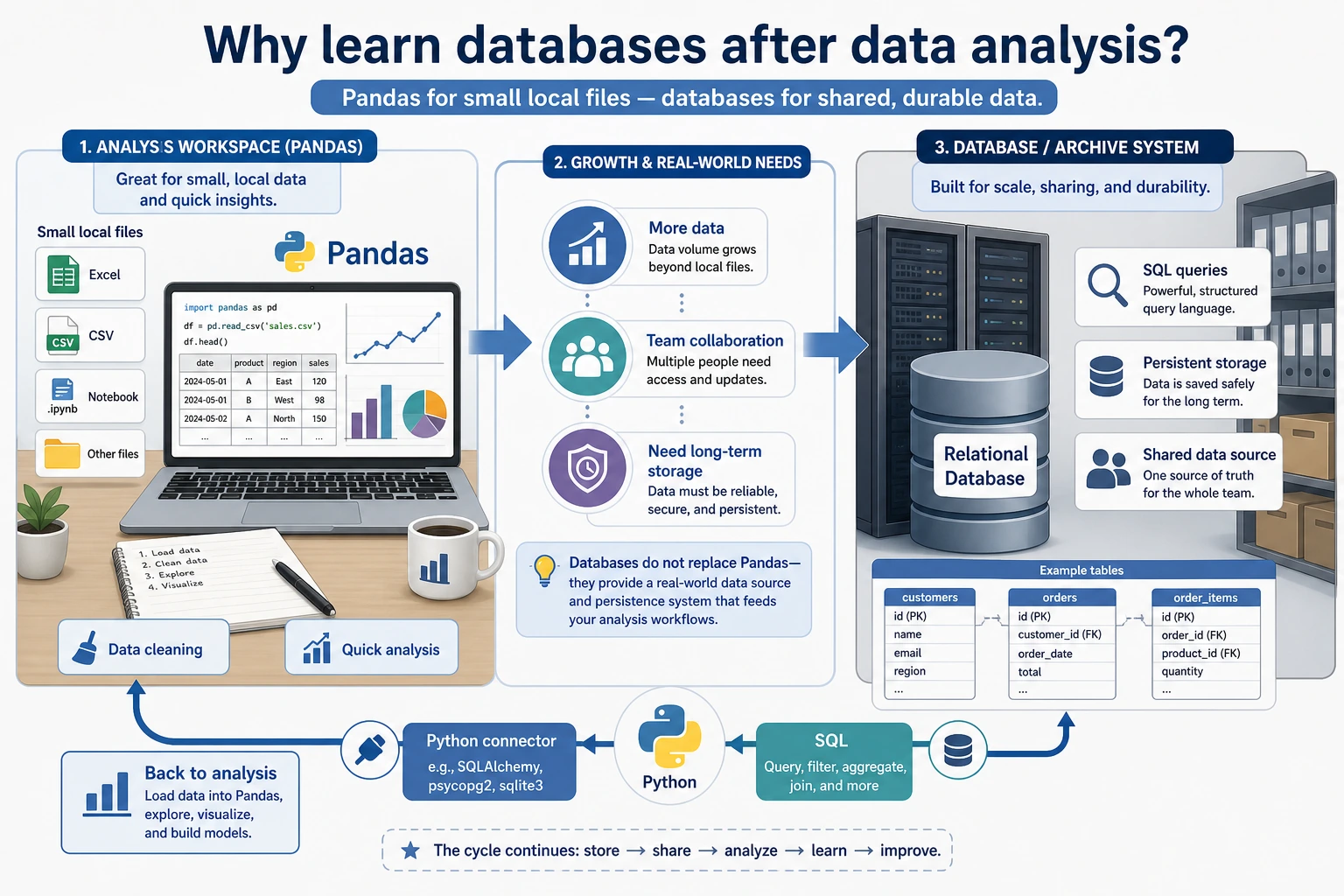
Remember the simple comparison:
| CSV or DataFrame | Database |
|---|---|
| good for one local analysis | good for long-term shared data |
| easy to move around | safer for querying, permissions, and updates |
| usually one file or one table | often many linked tables |
You do not need to become a database administrator. You only need enough database literacy to query data and connect it to Python.
Run One SQLite Query Once
Create sqlite_first_loop.py. It uses sqlite3, which comes with Python.
import sqlite3

conn = sqlite3.connect(":memory:")
conn.execute("CREATE TABLE orders (category TEXT, amount INTEGER)")
conn.executemany(
    "INSERT INTO orders VALUES (?, ?)",
    [("book", 120), ("tool", 80), ("book", 150)],
)

rows = conn.execute(
    "SELECT category, SUM(amount) AS total FROM orders GROUP BY category ORDER BY category"
).fetchall()

for category, total in rows:
    print(category, total)
Expected output:
book 270
tool 80
This is the database loop: create a table, insert rows, ask a question with SQL, and receive a result table.
Learn in This Order
| Order | Read | What to practice |
|---|---|---|
| 1 | 3.5.2 Relational Database Basics | tables, rows, columns, primary keys, foreign keys |
| 2 | 3.5.3 SQL Basics | SELECT, WHERE, JOIN, GROUP BY |
| 3 | 3.5.4 Python Database Operations | sqlite3, Pandas read/write, query results |
| 4 | 3.5.5 Database Design | split tables, avoid duplication, keep relationships clear |
Pass Check
You pass this optional subchapter when you can explain why a database is different from a CSV, write one SELECT ... GROUP BY query, and read the result from Python.