E.A.4 Inference Engines
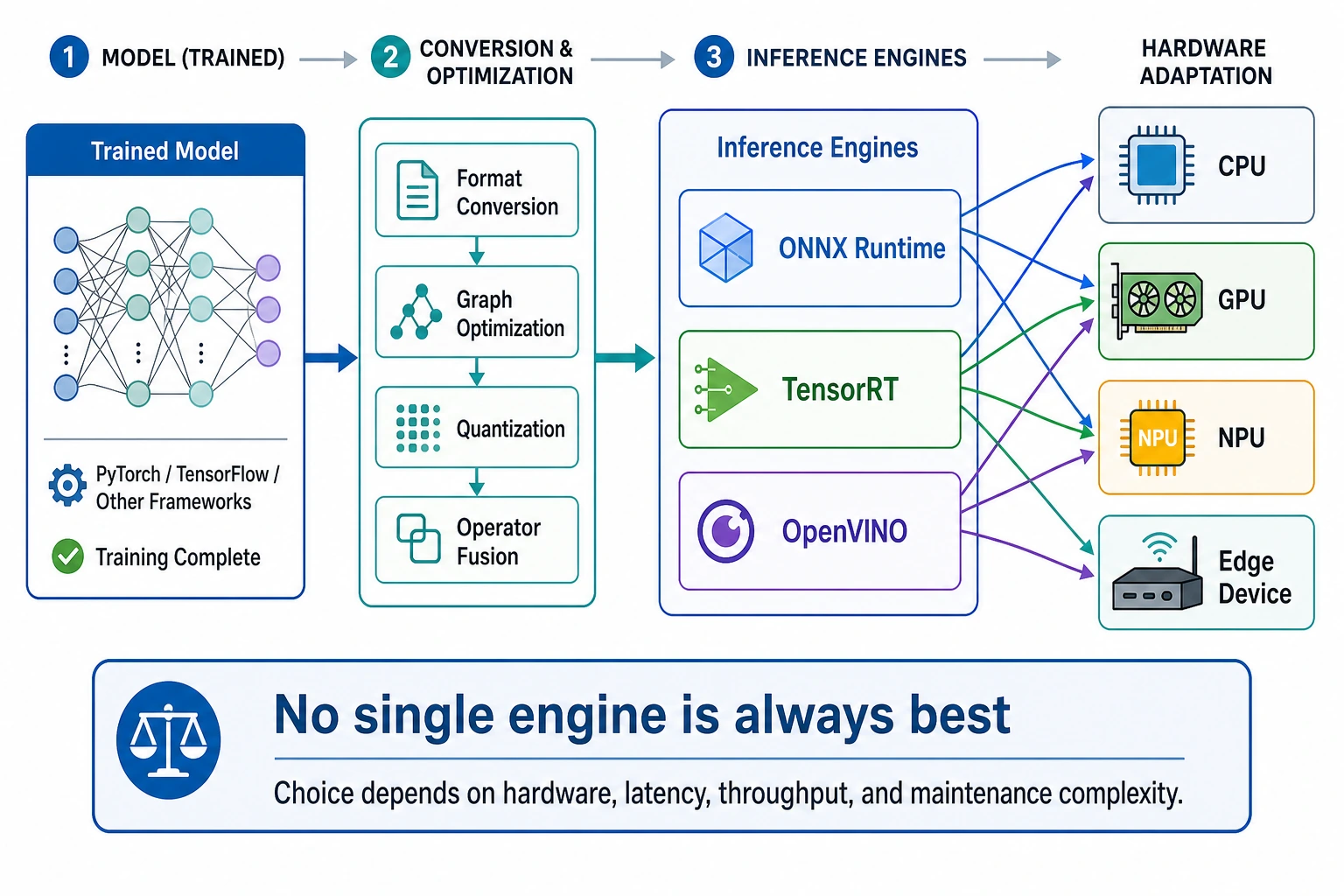
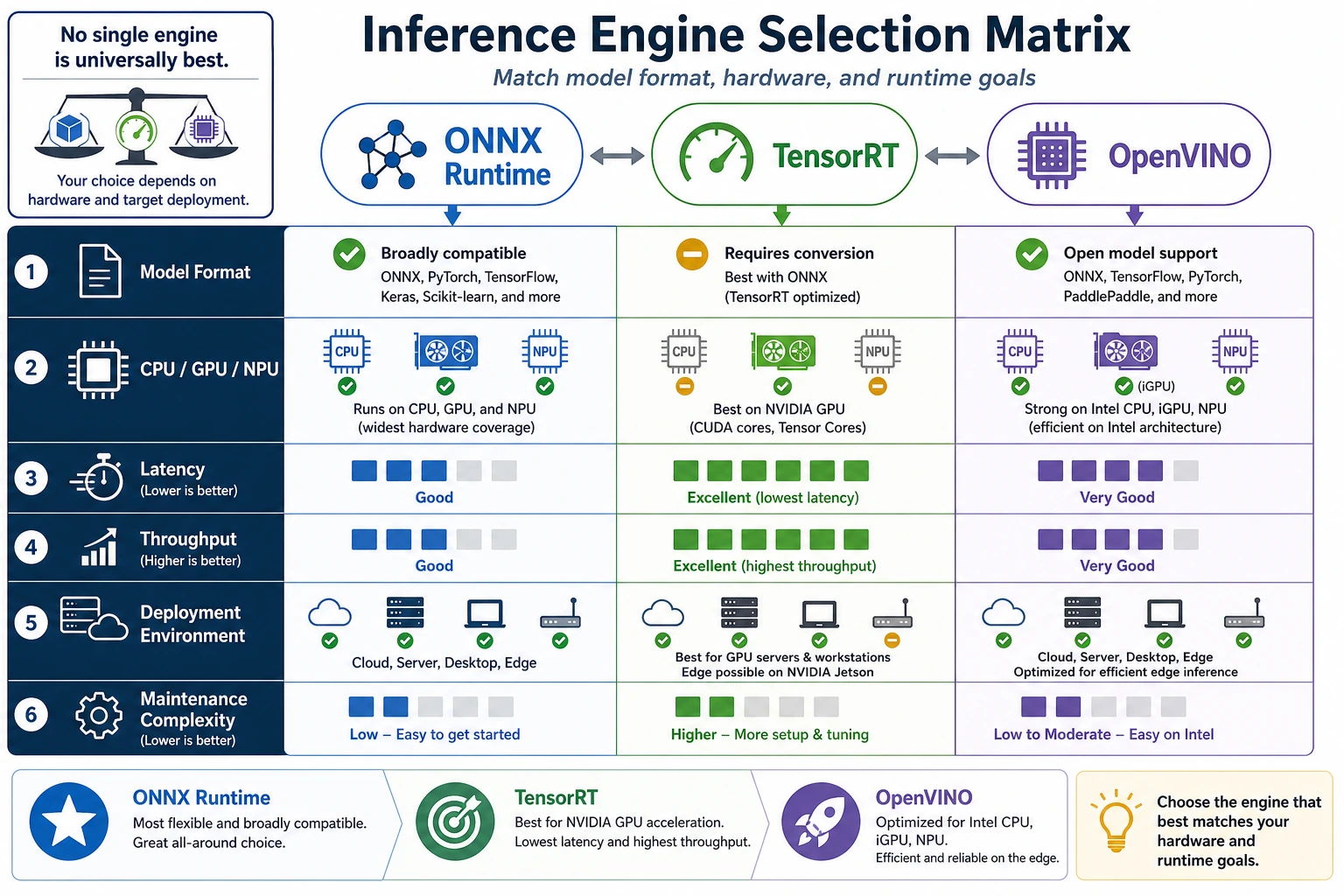
An inference engine is the runtime layer between a trained model and real hardware. The model says what to compute; the engine decides how to execute that graph efficiently on CPU, GPU, NPU, or edge hardware.
Use this lesson as a first selection drill. Do not memorize one engine as always best. Match the engine to the deployment constraint.
What You Need
- Python 3.10+
- No external packages
- Five minutes to run and edit the scoring script
Key Terms
- Latency: how long one request waits for a result.
- Throughput: how many requests the system can finish per second.
- Backend: the hardware-specific execution path, such as CPU, CUDA, TensorRT, or OpenVINO.
- ONNX: a common model exchange format.
- Operator: one model graph operation, such as matrix multiplication, convolution, or normalization.
Run The Engine Selector
Create engine_selector.py:
engines = [
    {
        "name": "ONNX Runtime",
        "hardware": ["cpu", "nvidia"],
        "formats": ["onnx"],
        "latency": "medium",
        "ops": "easy",
    },
    {
        "name": "TensorRT",
        "hardware": ["nvidia"],
        "formats": ["onnx", "engine"],
        "latency": "low",
        "ops": "hard",
    },
    {
        "name": "OpenVINO",
        "hardware": ["cpu", "intel"],
        "formats": ["onnx", "ir"],
        "latency": "low",
        "ops": "medium",
    },
]

need = {"hardware": "nvidia", "format": "onnx", "latency": "low"}

for engine in engines:
    score = 0
    score += 2 if need["hardware"] in engine["hardware"] else -3
    score += 2 if need["format"] in engine["formats"] else -2
    score += 1 if need["latency"] == engine["latency"] else 0
    score -= 1 if engine["ops"] == "hard" else 0
    engine["score"] = score

best = max(engines, key=lambda item: item["score"])

for engine in engines:
    print(engine["name"], engine["score"])

print("selected:", best["name"])
Run it:
python engine_selector.py
Expected output:
ONNX Runtime 4
TensorRT 4
OpenVINO 0
selected: ONNX Runtime
The script gives ONNX Runtime and TensorRT the same score, then selects the first one. That is intentional: in real deployment, if a faster path adds extra operational cost, the simpler path can be the better first release.
Change One Constraint
Now change:
need = {"hardware": "nvidia", "format": "onnx", "latency": "low"}
print(need)
Expected output for the first snippet:
{'hardware': 'nvidia', 'format': 'onnx', 'latency': 'low'}
to:
need = {"hardware": "intel", "format": "onnx", "latency": "low"}
print(need)
Expected output for the second snippet:
{'hardware': 'intel', 'format': 'onnx', 'latency': 'low'}
Run again. Expected result:
ONNX Runtime -1
TensorRT -2
OpenVINO 5
selected: OpenVINO
This is the core idea: engine choice changes when hardware changes.
Practical Selection Rule
Use this order before trying advanced tuning:
- Confirm the target hardware.
- Confirm the model format the engine can load.
- Check whether unsupported operators exist.
- Compare latency and throughput with the same input size.
- Choose the simplest engine that meets the target.
Common Mistakes
- Choosing TensorRT only because it is fast, even when the team cannot maintain the engine build pipeline.
- Testing with a tiny input, then discovering production input is much slower.
- Forgetting unsupported operators until the final deployment week.
Practice
Add a memory field to each engine and subtract one point if it uses more memory than your device allows. Then rerun the selector for CPU-only, NVIDIA GPU, and Intel device scenarios.