5.1.3 Scikit-learn Follow-Along: Fit, Transform, Pipeline
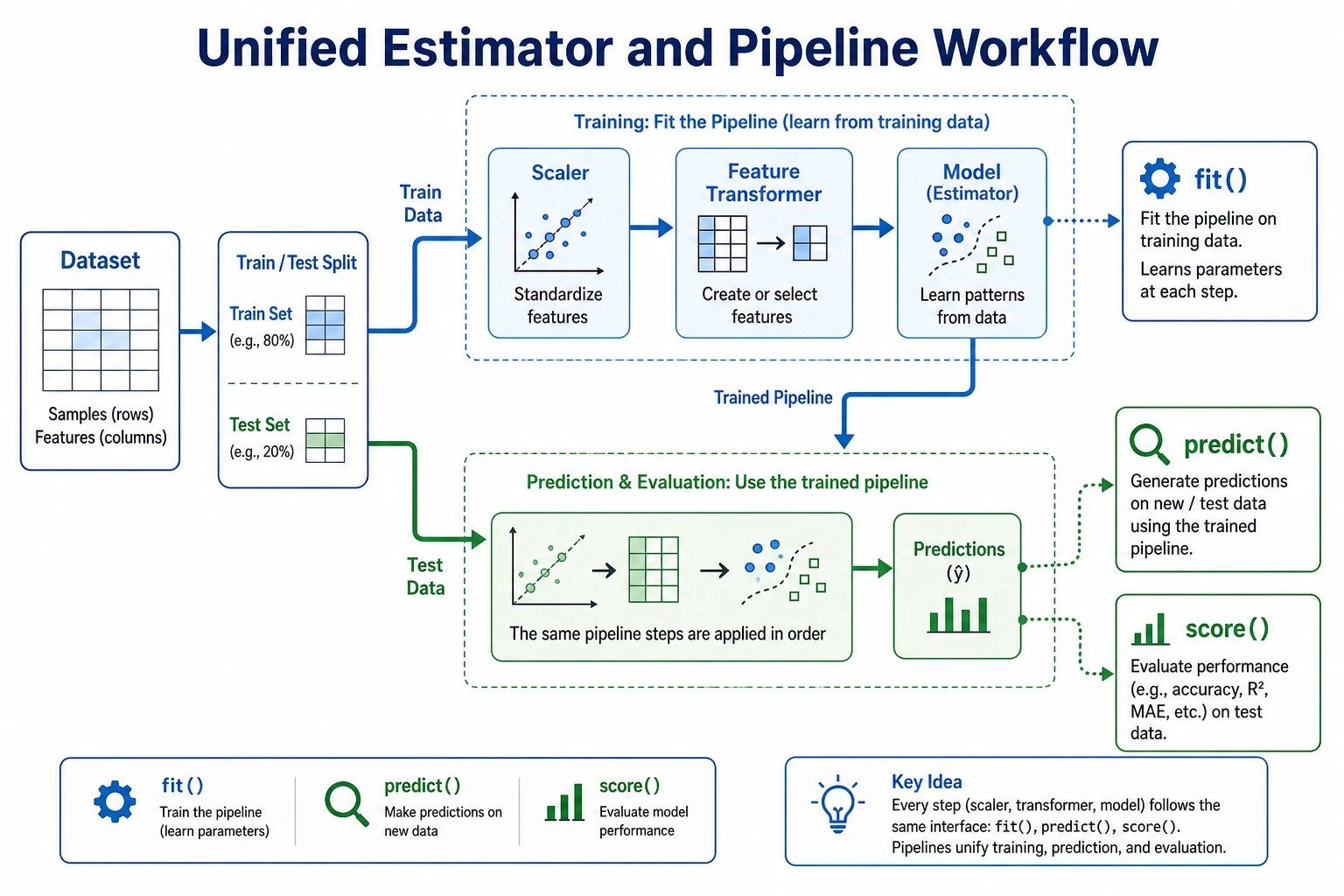
Scikit-learn is the standard Python library for classic machine learning. This page is intentionally short: first see the workflow, then run one complete script.
Look at the Workflow First
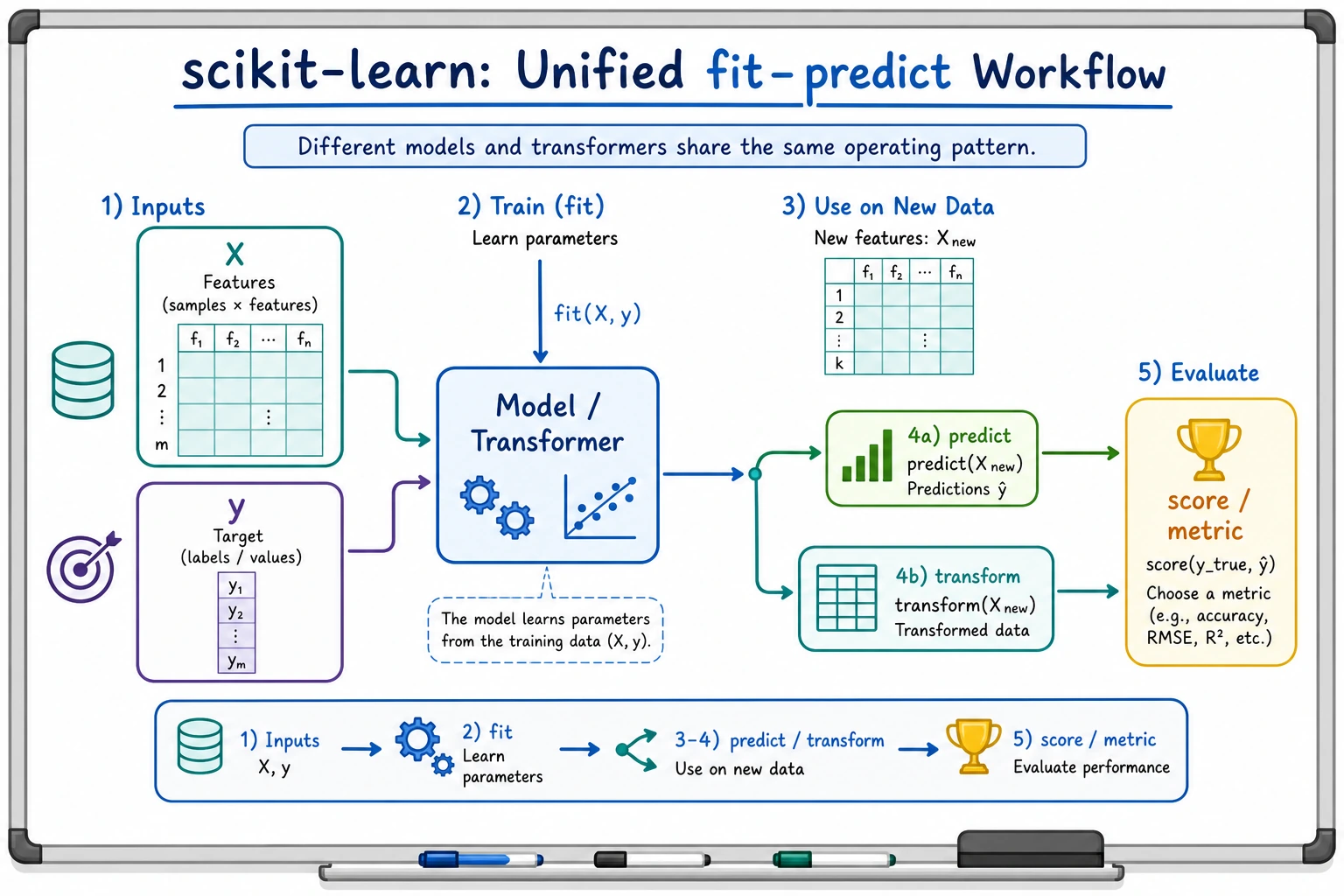
Most sklearn work follows the same loop:
load data -> split train/test -> fit on train -> predict on test -> score -> save evidence
The four verbs to remember:
| Verb | Meaning | Common object |
|---|---|---|
fit | learn parameters from training data | estimator or transformer |
transform | apply learned preprocessing | transformer |
predict | produce labels or numbers | estimator |
score | return a quick metric | estimator or pipeline |
Three Roles
| Role | Job | Example |
|---|---|---|
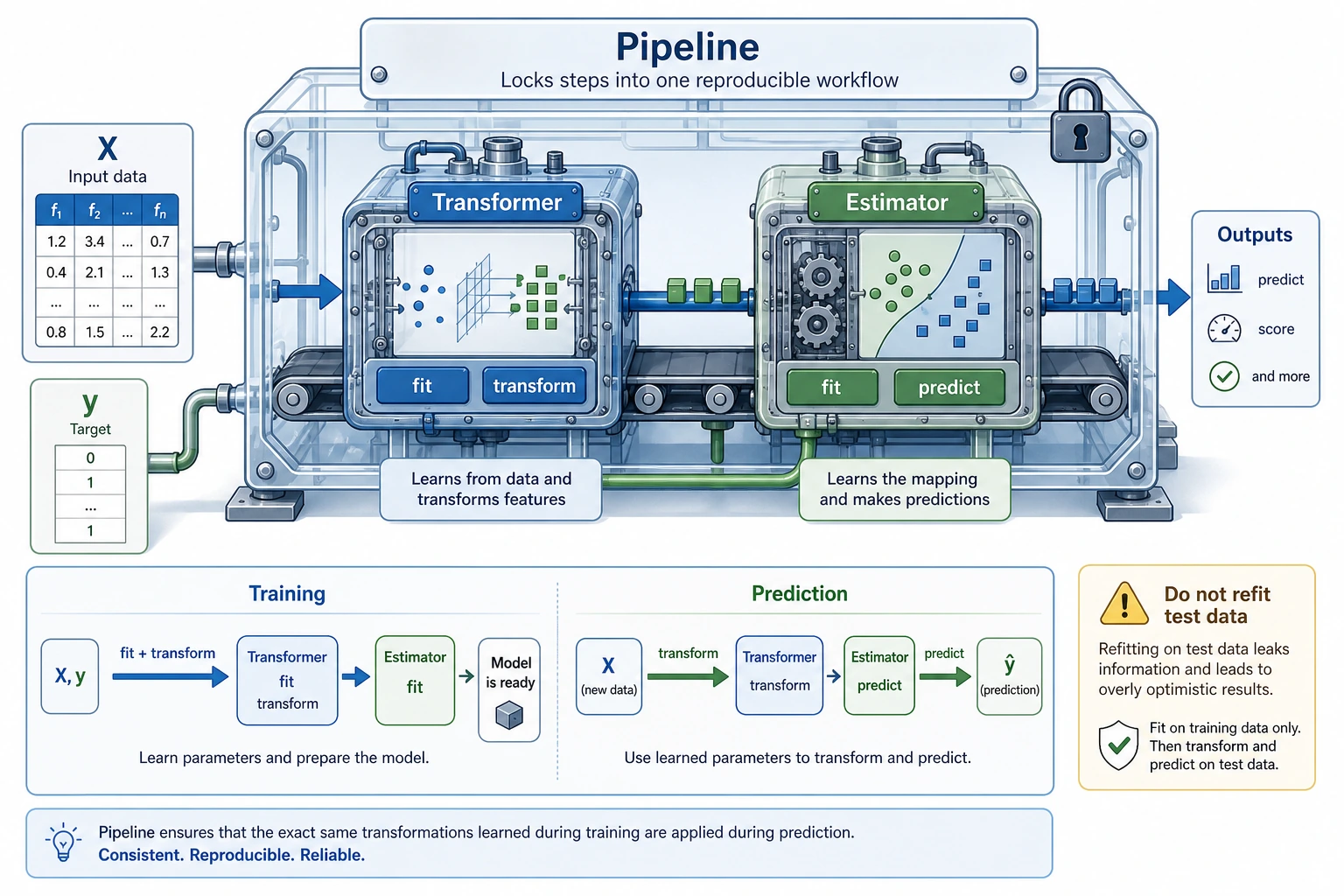
| Estimator | learn and predict | LogisticRegression, DecisionTreeClassifier |
| Transformer | change data shape, scale, or representation | StandardScaler, OneHotEncoder, PCA |
| Pipeline | connect preprocessing and model into one reusable workflow | scaler -> classifier |
The beginner rule: fit preprocessing only on the training set. A Pipeline helps you follow that rule automatically.
Install and Check
python -m pip install --upgrade scikit-learn joblib
python - <<'PY'
import sklearn
print(sklearn.__version__)
PY
Expected output is a version number such as:
1.8.0
scikit-learn is the package name you install. sklearn is the module name you import.
Run the Complete Workflow
Create ch05_sklearn_workflow.py.
from pathlib import Path

from joblib import dump, load
from sklearn.datasets import load_iris
from sklearn.linear_model import LogisticRegression
from sklearn.metrics import accuracy_score, classification_report
from sklearn.model_selection import train_test_split
from sklearn.neighbors import KNeighborsClassifier
from sklearn.pipeline import Pipeline
from sklearn.preprocessing import StandardScaler
from sklearn.tree import DecisionTreeClassifier

iris = load_iris()
X_train, X_test, y_train, y_test = train_test_split(
    iris.data,
    iris.target,
    test_size=0.25,
    random_state=42,
    stratify=iris.target,
)

models = {
    "logistic": Pipeline([
        ("scale", StandardScaler()),
        ("model", LogisticRegression(max_iter=1000, random_state=42)),
    ]),
    "tree": Pipeline([
        ("model", DecisionTreeClassifier(max_depth=3, random_state=42)),
    ]),
    "knn": Pipeline([
        ("scale", StandardScaler()),
        ("model", KNeighborsClassifier(n_neighbors=5)),
    ]),
}

scores = {}
for name, pipe in models.items():
    pipe.fit(X_train, y_train)
    pred = pipe.predict(X_test)
    scores[name] = accuracy_score(y_test, pred)
    print(f"{name:<8} accuracy={scores[name]:.3f}")

best_name = max(scores, key=scores.get)
best_model = models[best_name]
print(f"best={best_name}")
print("first_prediction=", iris.target_names[best_model.predict(X_test[:1])][0])
print("report_for_best:")
print(classification_report(
    y_test,
    best_model.predict(X_test),
    target_names=iris.target_names,
    zero_division=0,
))

output_path = Path("iris_pipeline.joblib")
dump(best_model, output_path)
reloaded = load(output_path)
print("reloaded_prediction=", iris.target_names[reloaded.predict(X_test[:1])][0])
Run it:
python ch05_sklearn_workflow.py
Expected output:
logistic accuracy=0.921
tree     accuracy=0.895
knn      accuracy=0.921
best=logistic
first_prediction= setosa
report_for_best:
              precision    recall  f1-score   support

      setosa       1.00      1.00      1.00        12
  versicolor       0.86      0.92      0.89        13
   virginica       0.92      0.85      0.88        13

    accuracy                           0.92        38
   macro avg       0.92      0.92      0.92        38
weighted avg       0.92      0.92      0.92        38

reloaded_prediction= setosa
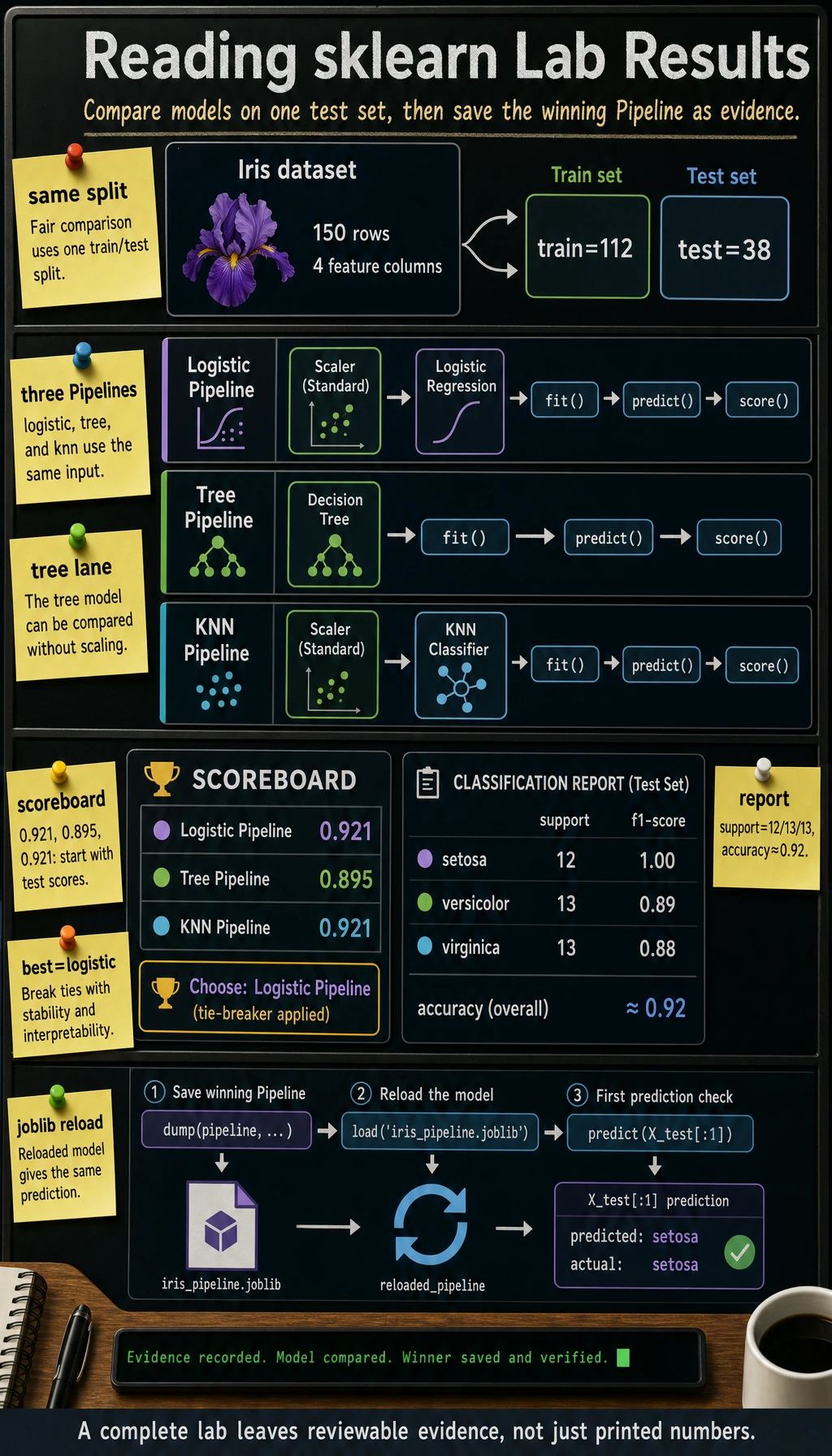
Different sklearn versions may break ties differently when two models have the same score. That is fine. The important evidence is: every model fits, predicts, scores, and the saved pipeline can predict after reload.
Why Pipeline Prevents a Common Mistake
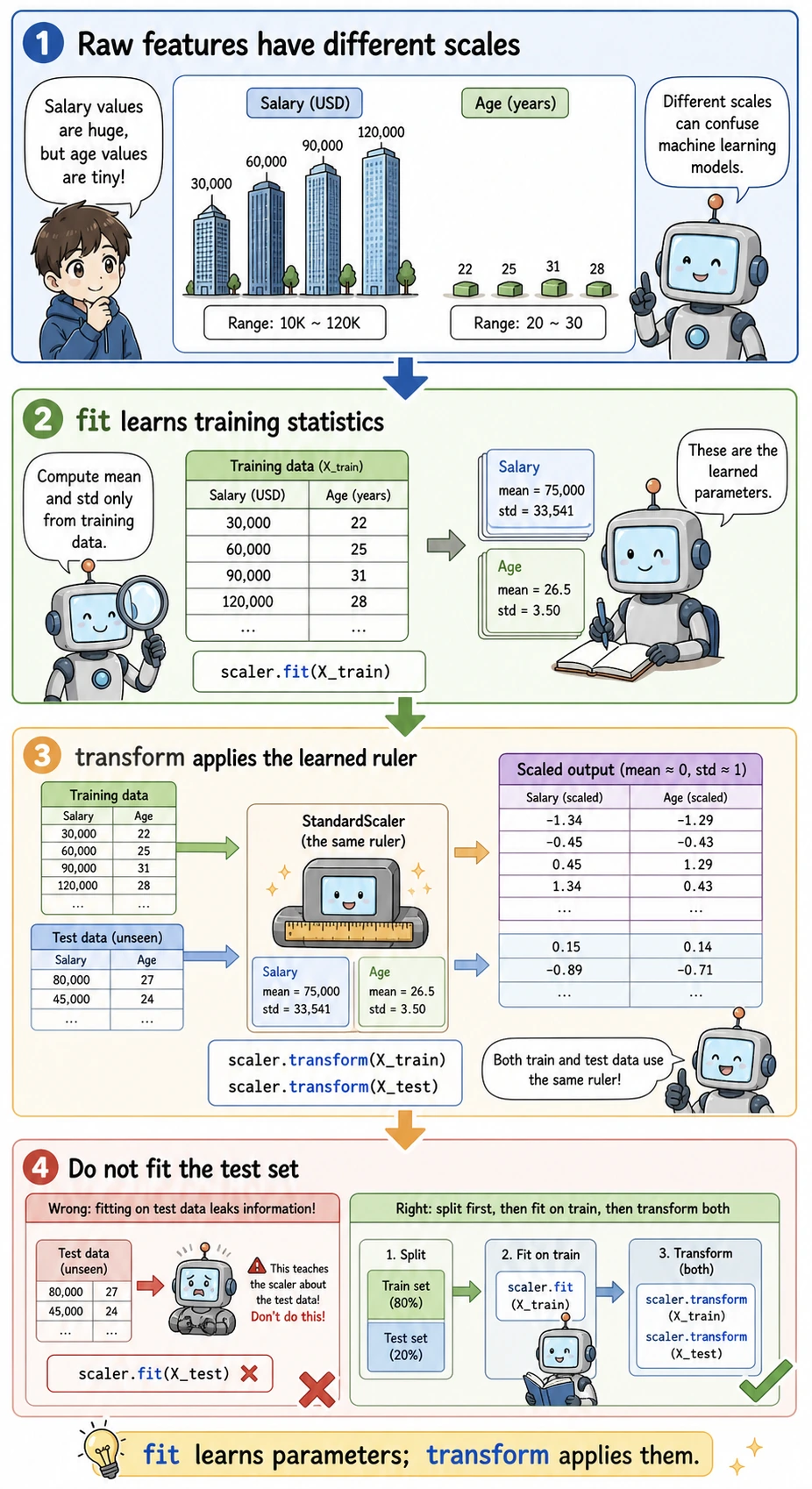
Wrong workflow:
fit scaler on all data -> split -> evaluate
Why wrong: the test set already influenced preprocessing, so the score is too optimistic.
Correct workflow:
split -> fit scaler on training data -> transform test data -> evaluate
Using Pipeline([("scale", StandardScaler()), ("model", ...)]) keeps that order for both training and prediction.
Common Failures
| Symptom | First check | Usual fix |
|---|---|---|
ModuleNotFoundError: sklearn | active Python environment | install with python -m pip install scikit-learn |
| score changes every run | missing random_state | set random_state=42 for split and models that support it |
| great test score, poor real result | data leakage | use Pipeline, split before fitting preprocessing |
| cannot save or load model | missing joblib or wrong path | install joblib, print Path.cwd() |
| model comparison feels unfair | different preprocessing paths | put each model inside a comparable Pipeline |
Practice
- Change
test_sizefrom0.25to0.2and record the score change. - Change
KNeighborsClassifier(n_neighbors=5)ton_neighbors=3. - Add one more model, such as
SVC, using the same Pipeline pattern. - Save the terminal output and
iris_pipeline.joblibas your evidence.
Pass Check
You are ready for the next lesson when you can explain:
- what
fit,transform,predict, andscoredo; - why preprocessing must learn from training data only;
- why
Pipelineis safer than manual preprocessing; - how to compare two models with the same train/test split;
- how to save and reload the final model.