10.6.1 Project Roadmap: Build a Vision Evidence Pack
A computer vision project is not “I used a model.” It is a loop of data, annotation, model output, metrics, failure cases, and presentation.
See the Project Loop First
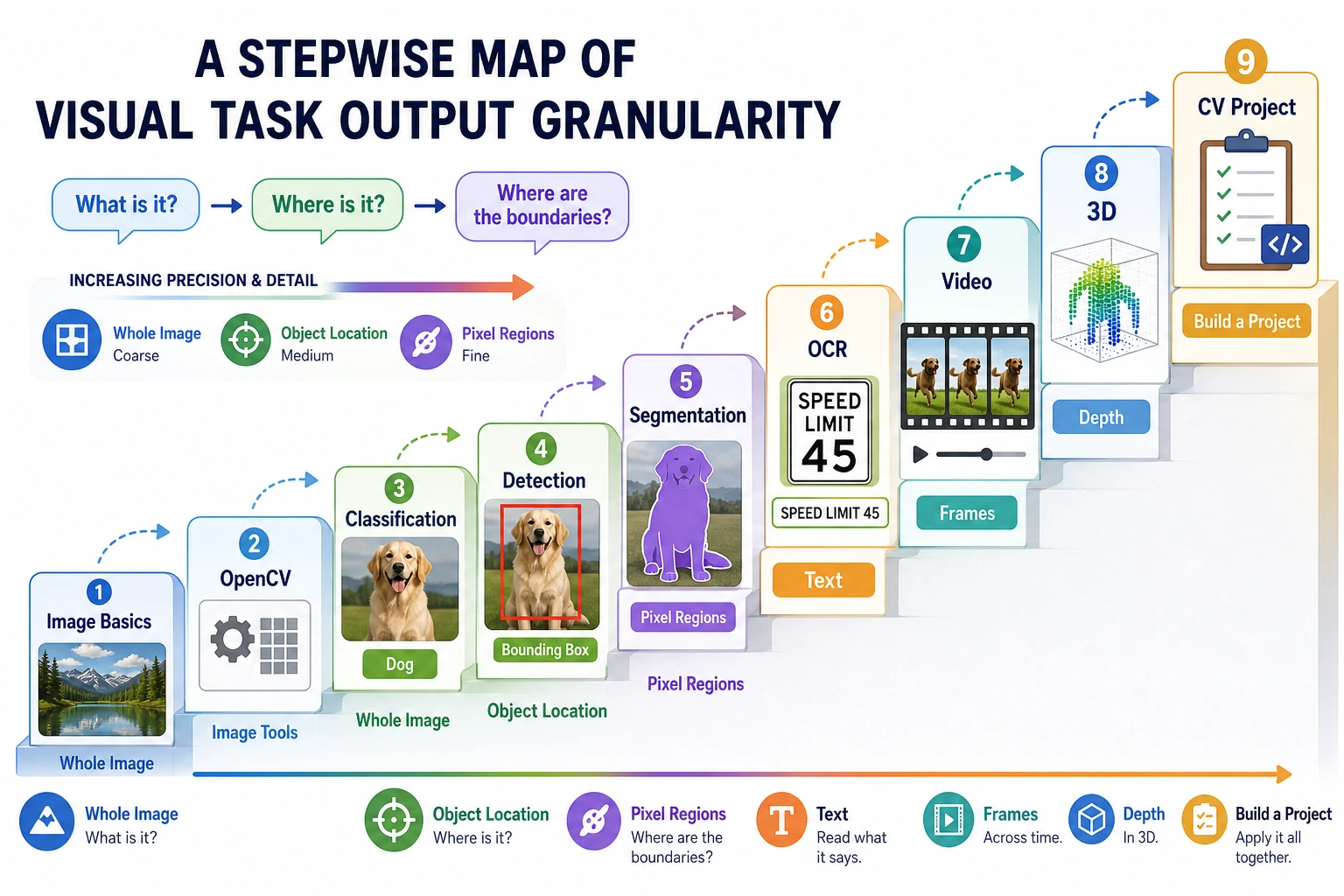
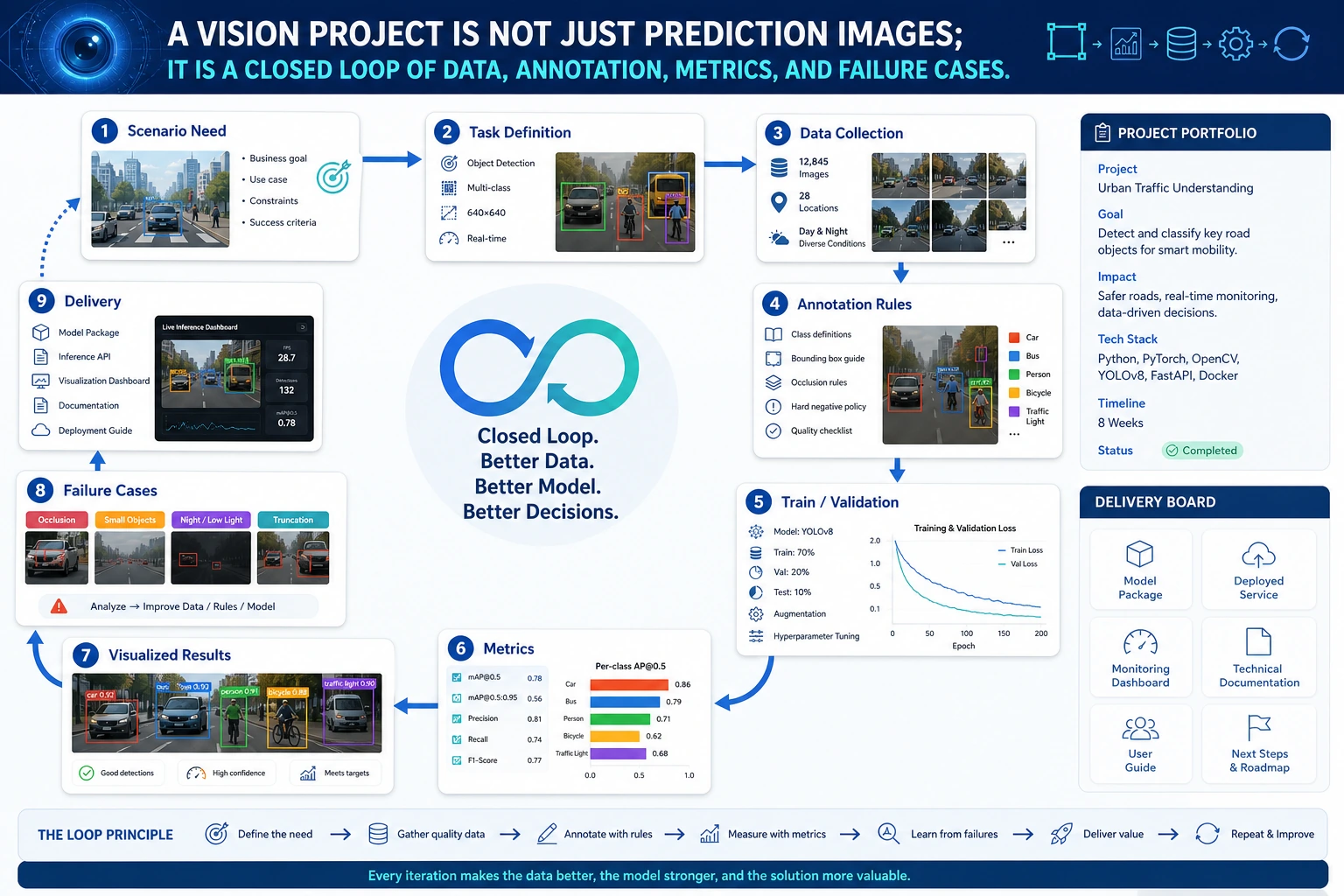
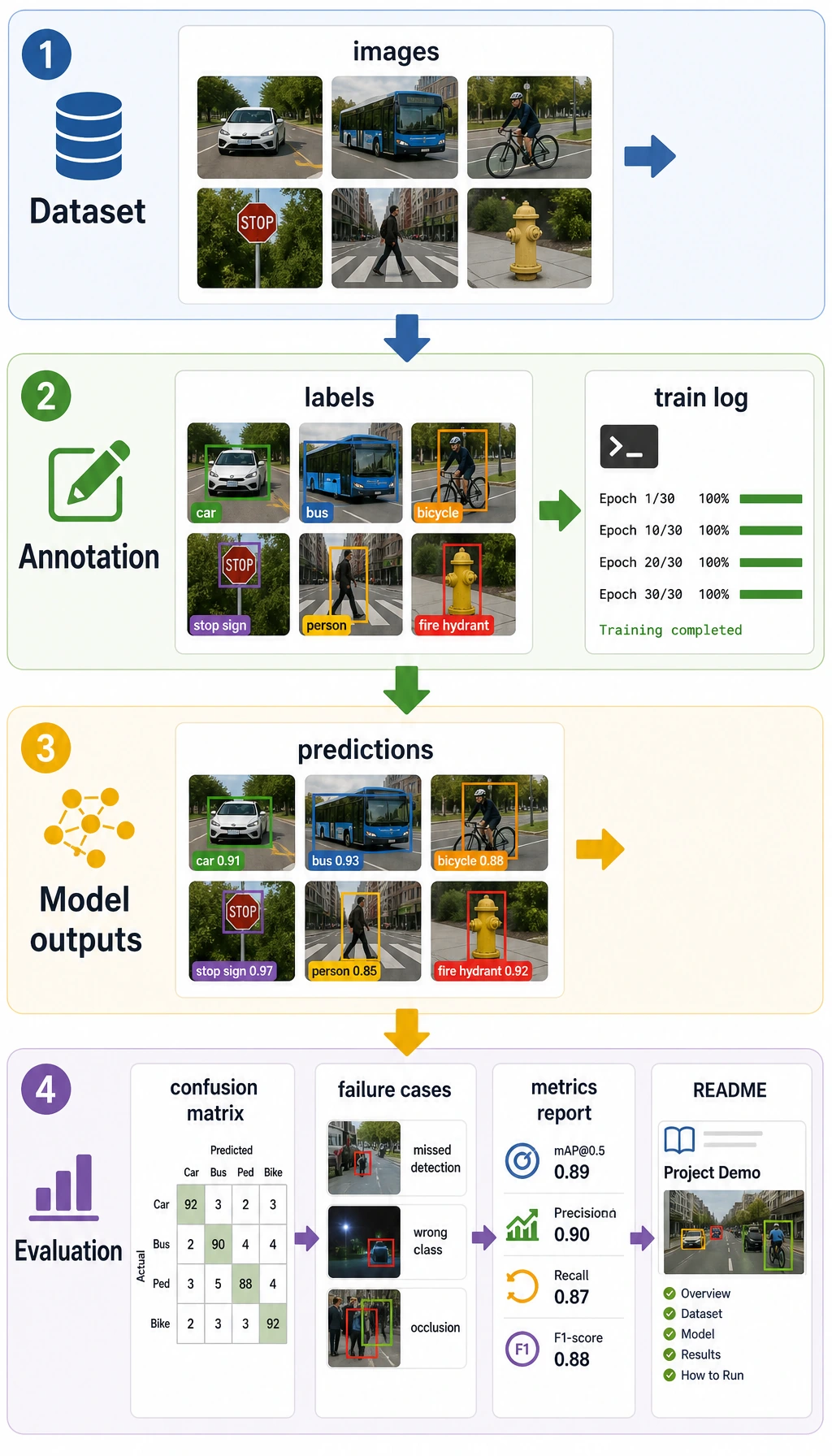
Start with classification if you need the fastest complete loop. Move to detection for boxes, segmentation for masks, and OCR/video/3D for specialized scenarios.
Run a Project Readiness Check
Use this before you call the project presentable.
project = {
    "task": "helmet detection",
    "has_data_note": True,
    "has_metric": True,
    "has_failure_case": True,
    "has_annotation_rule": True,
}

ready = all(project[key] for key in ["has_data_note", "has_metric", "has_failure_case", "has_annotation_rule"])

print("task:", project["task"])
print("presentable:", ready)
Expected output:
task: helmet detection
presentable: True
If a project has no annotation rule or failure case, it is still a demo, not a portfolio project.
Learn in This Order
| Step | Project Type | Evidence |
|---|---|---|
| 1 | Classification | Dataset split, accuracy/F1, confusion examples |
| 2 | Detection | Box annotations, IoU/mAP, false positives and missed detections |
| 3 | Segmentation | Masks, IoU/Dice, boundary failures |
| 4 | Industry scenario | Risk notes, user impact, deployment idea |
| 5 | Hands-on workshop | Reproducible mini pipeline before larger project pages |
Run 10.6.4 Hands-on: Build a Reproducible Vision Mini Pipeline before expanding the project.
Project Deliverable Standards
| Deliverable | Minimum Requirement | Stronger Portfolio Version |
|---|---|---|
| README | Goal, run command, dependencies, examples | Add task boundary, data source, deployment idea |
| Data and annotation | Image source, class list, annotation format | Add annotation examples, quality checks, bias notes |
| Results | At least 1 input image and prediction result | Add correct, false positive, false negative, boundary cases |
| Evaluation | Accuracy, F1, mAP, IoU, Dice, or OCR hit rate | Add error analysis by class, scenario, lighting, clarity |
| Failure analysis | At least 1 real failure | Add suspected cause, fix action, regression check |
| Presentation | Screenshot or short GIF proving it runs | Build a clear visual project page |
Pass Check
You pass this chapter when your vision project can be reproduced, has clear data and annotation rules, reports proper metrics, and shows where the model fails.