10.2.1 Image Classification Roadmap: Image In, Label Out
Image classification answers one question: given a whole image, which class best describes it?
See the Classification Loop First
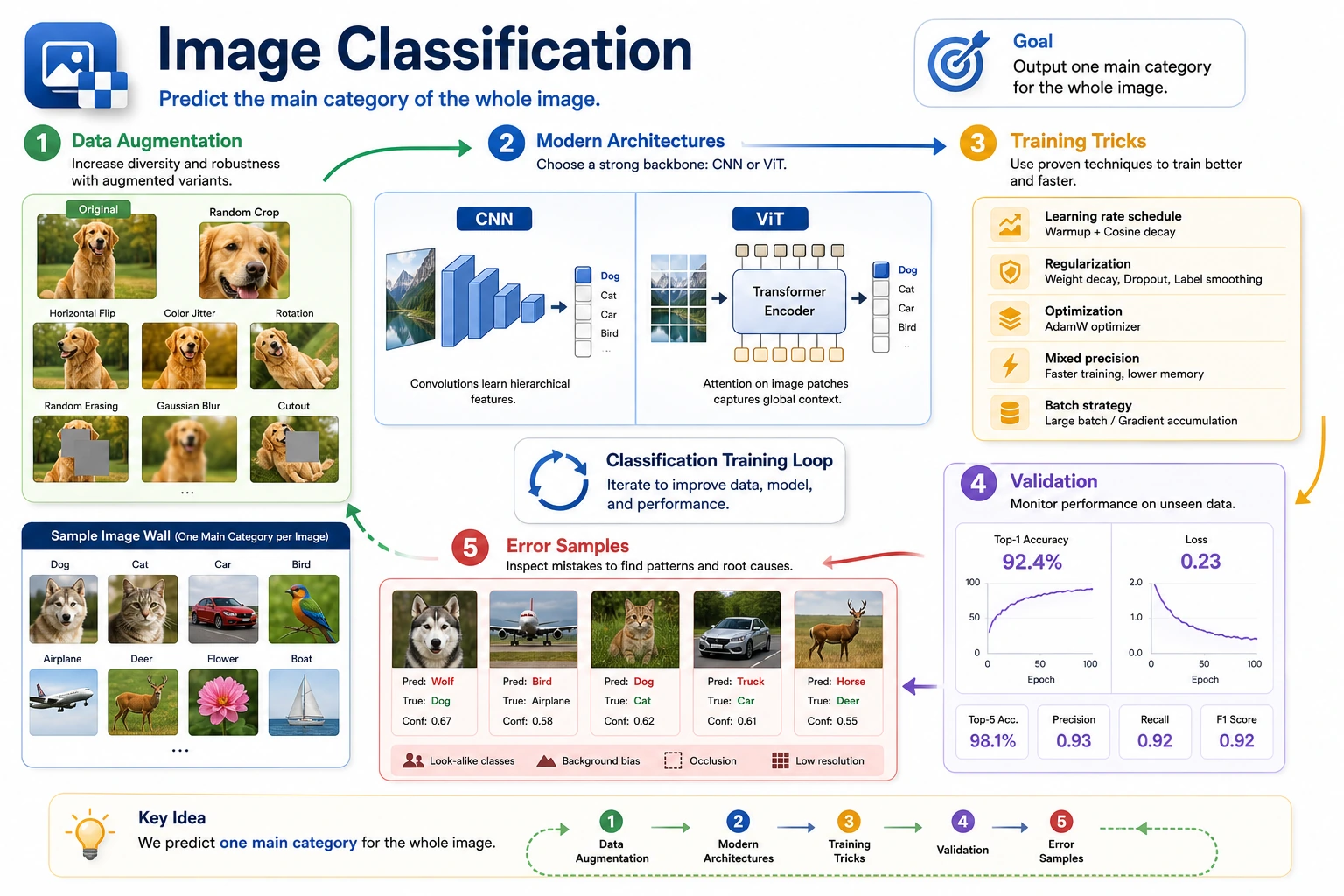
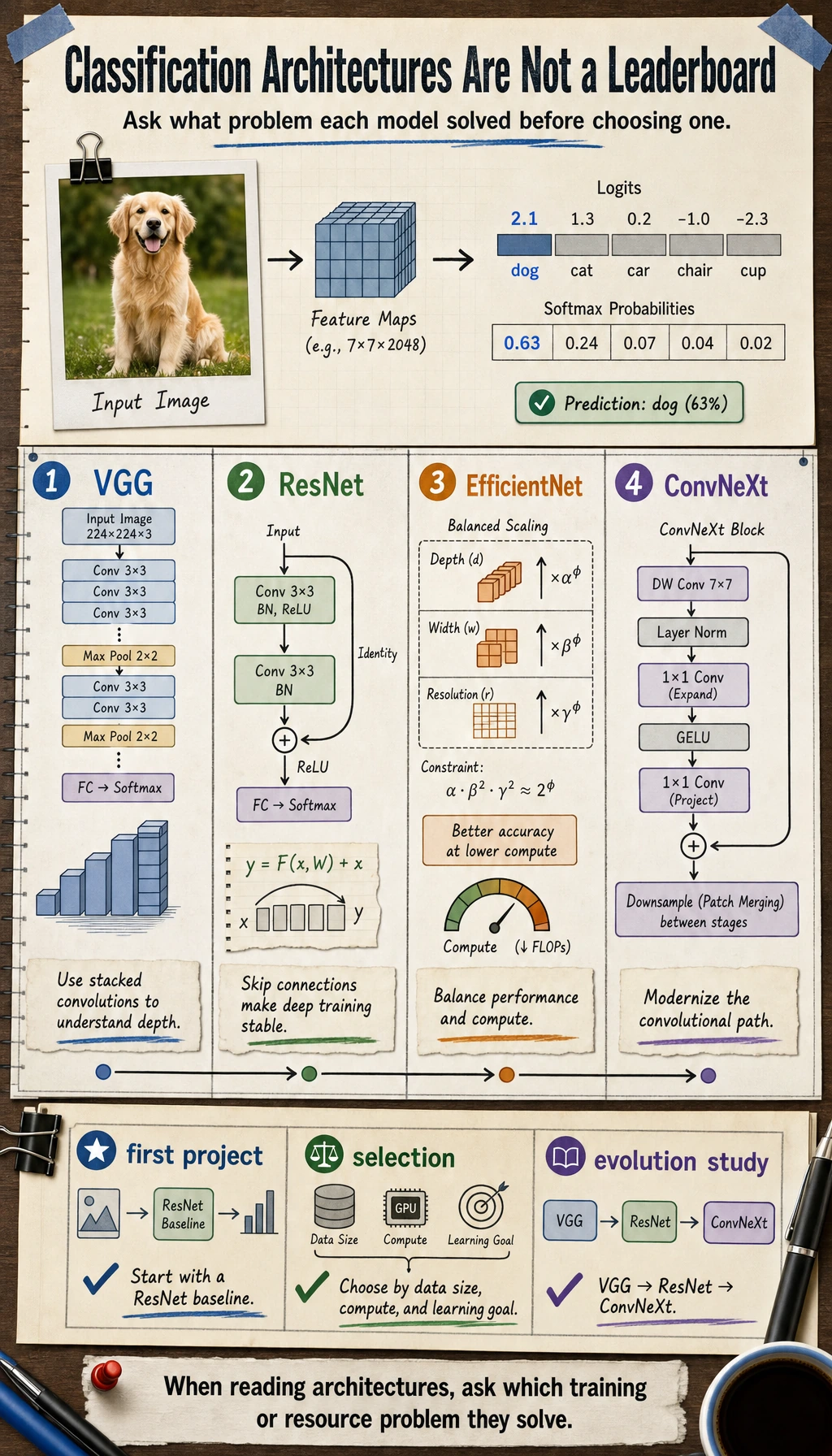

Classification is the simplest vision output, but it still depends on data split, augmentation, architecture, loss, metrics, and error examples.
Run a Prediction Check
This script mimics the last step of a classifier: choose the label with the highest score.
labels = ["cat", "dog", "panda"]
scores = [0.12, 0.74, 0.14]

best_index = max(range(len(scores)), key=lambda index: scores[index])

print("prediction:", labels[best_index])
print("confidence:", scores[best_index])
Expected output:
prediction: dog
confidence: 0.74
In real projects, never show only the top class. Keep confidence, wrong examples, and confusion patterns.
Learn in This Order
| Step | Read | Practice Output |
|---|---|---|
| 1 | Data augmentation | Explain which changes preserve the class and which create risk |
| 2 | Modern architectures | Compare feature extractor, classifier head, and pretrained backbone |
| 3 | Training techniques | Track split, loss, accuracy, overfitting, and error samples |
Pass Check
You pass this chapter when you can run a minimal classifier, show train/validation metrics, and explain at least one failure image.