10.1.1 Vision Basics Roadmap: Pixels, Channels, Processing
Computer vision starts with input intuition. Before classification, detection, or segmentation, you need to know what an image looks like as numbers.
See the Image Pipeline First
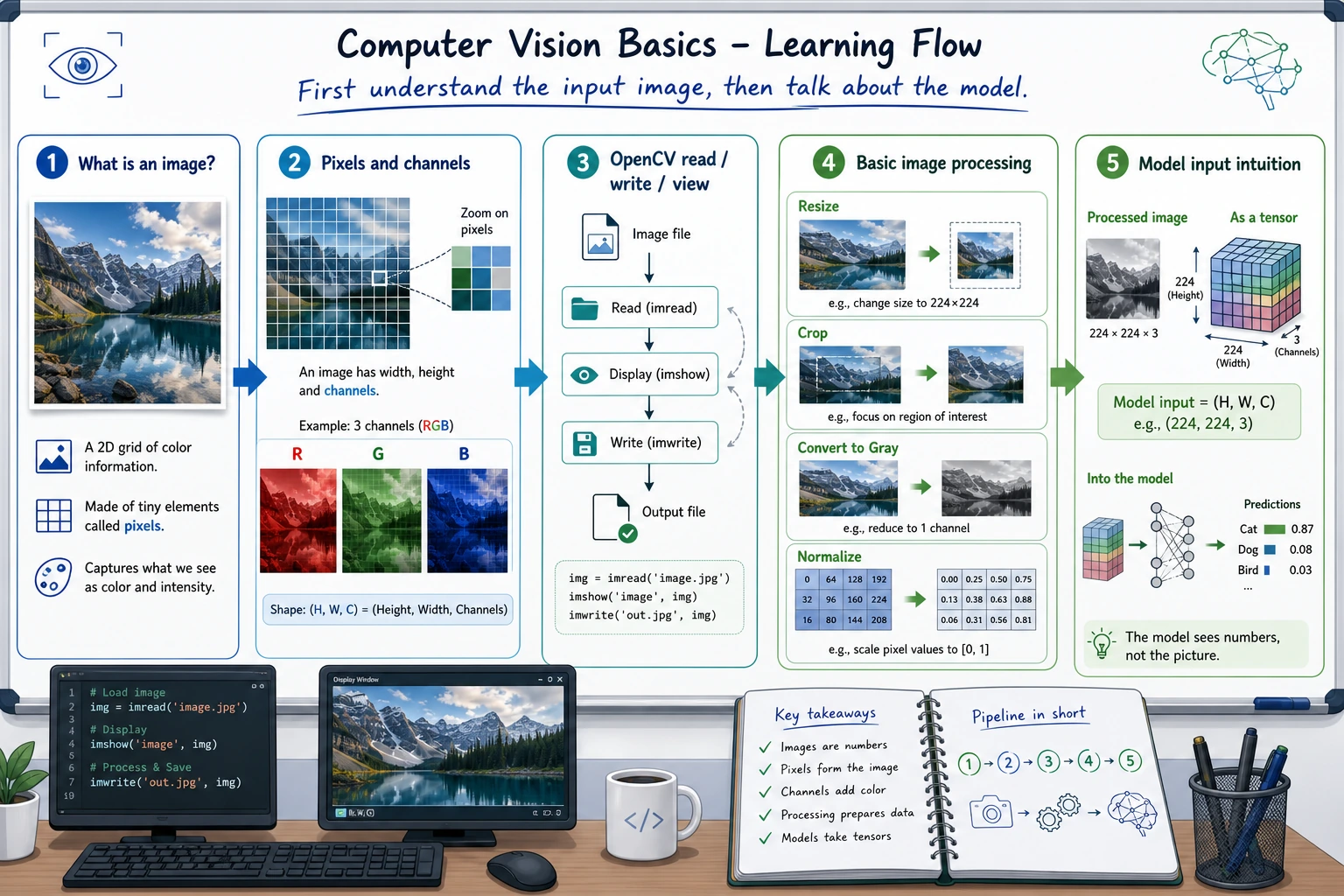
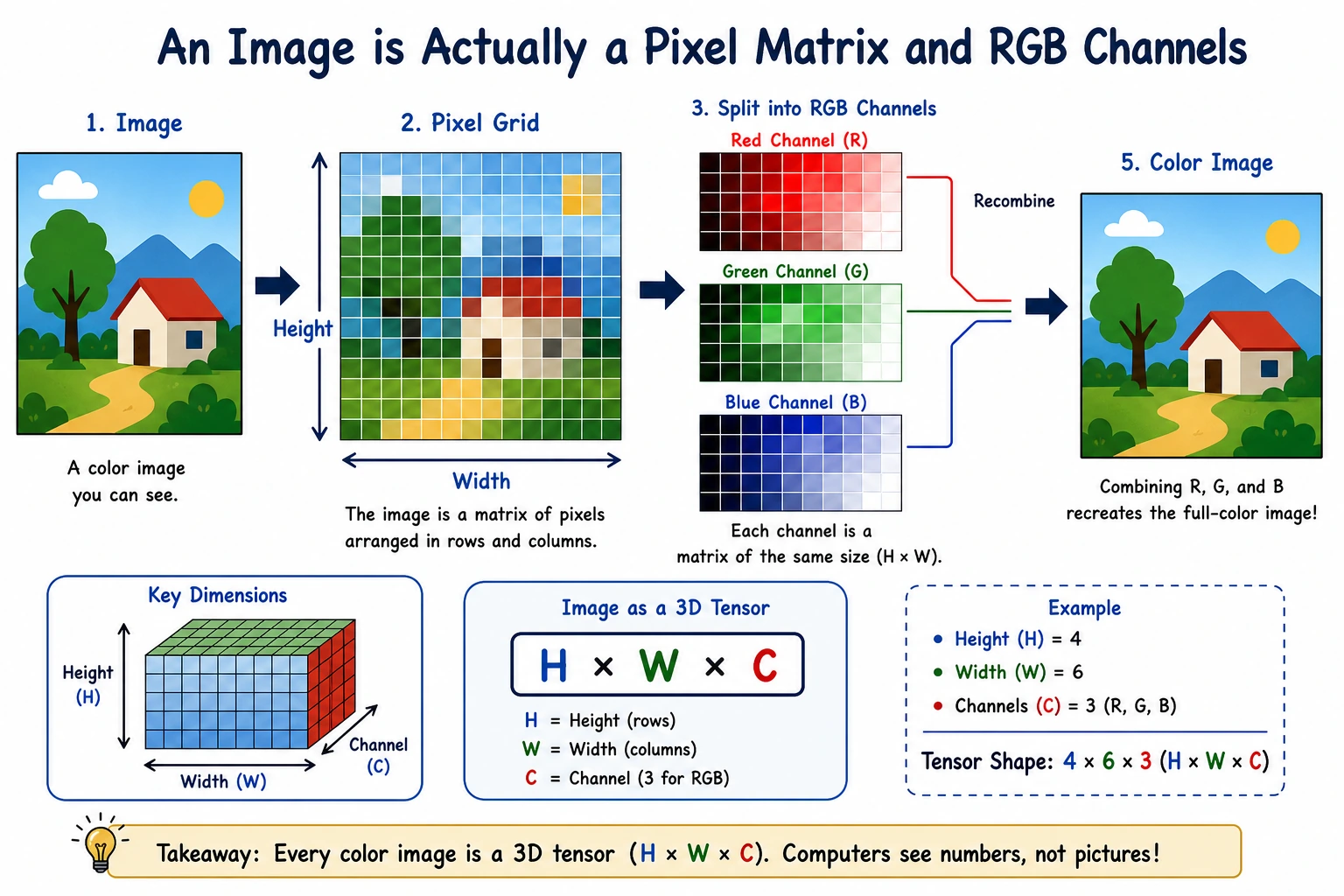
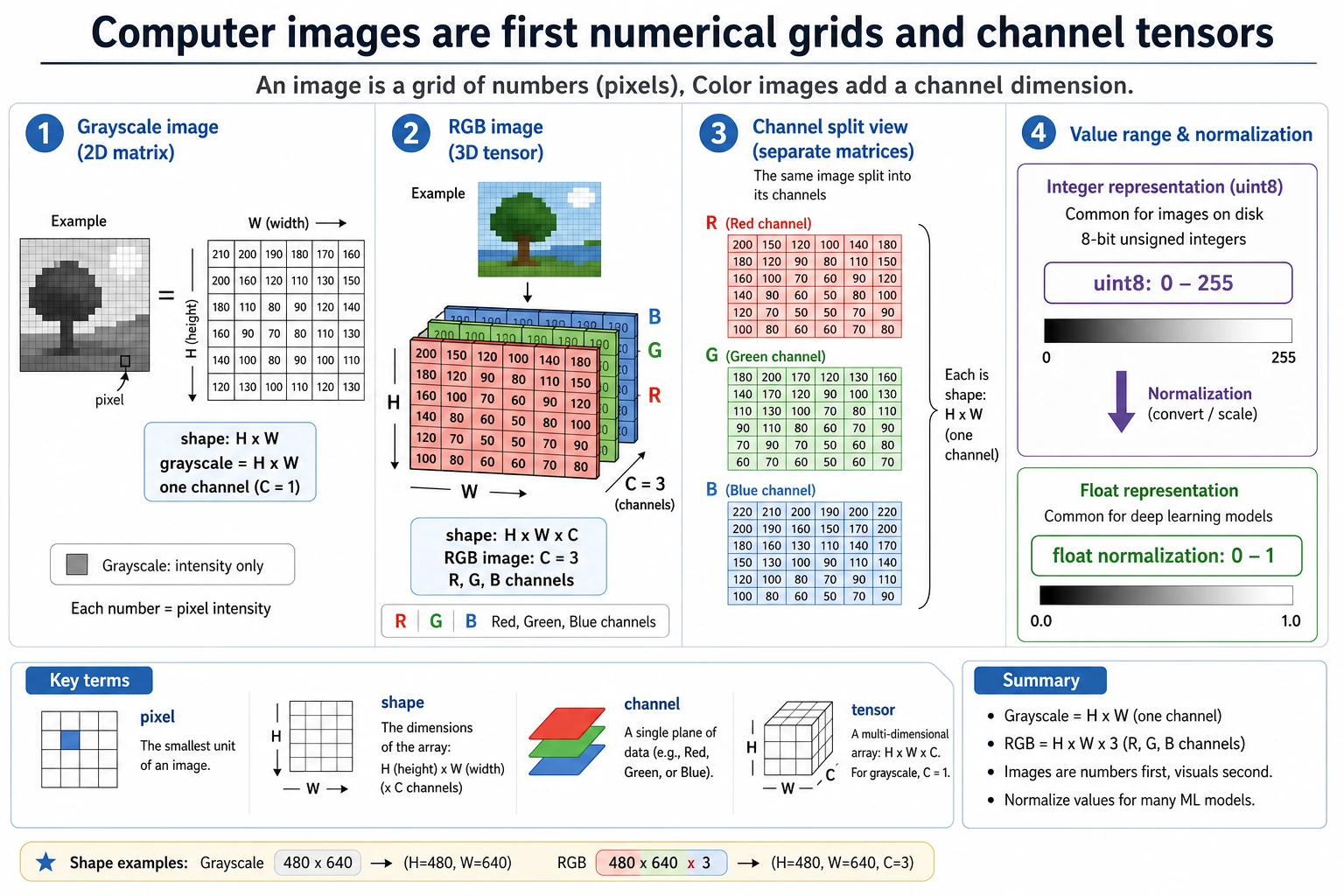
The first mental model is simple: image = height × width × channels. Most later bugs come from shape, channel order, coordinates, or color-space confusion.
Run a Tiny Image Shape Check
This toy image has 2 rows, 3 columns, and RGB values.
image = [
    [[255, 0, 0], [0, 255, 0], [0, 0, 255]],
    [[255, 255, 255], [0, 0, 0], [128, 128, 128]],
]

height = len(image)
width = len(image[0])
channels = len(image[0][0])
top_left_pixel = image[0][0]

print("shape:", (height, width, channels))
print("top_left_pixel:", top_left_pixel)
Expected output:
shape: (2, 3, 3)
top_left_pixel: [255, 0, 0]
If your code reads a real image with the wrong shape or channel order, every later model result becomes harder to trust.
Learn in This Order
| Step | Read | Practice Output |
|---|---|---|
| 1 | Image representation | Explain pixel, channel, height, width, RGB/BGR |
| 2 | OpenCV basics | Load, view, crop, resize, and save an image |
| 3 | Basic processing | Try grayscale, threshold, blur, edge, and simple filters |
Pass Check
You pass this chapter when you can inspect an image shape, crop a region by coordinates, explain channel order, and save one processed result for your README.