12.1.1 Multimodal Roadmap: Encode, Align, Use
Multimodal AI is not just “chat with an image.” A useful system turns images, text, audio, or video into structured observations, aligns them with the task, then sends the result into retrieval, review, creation, or automation.
See the Pipeline First
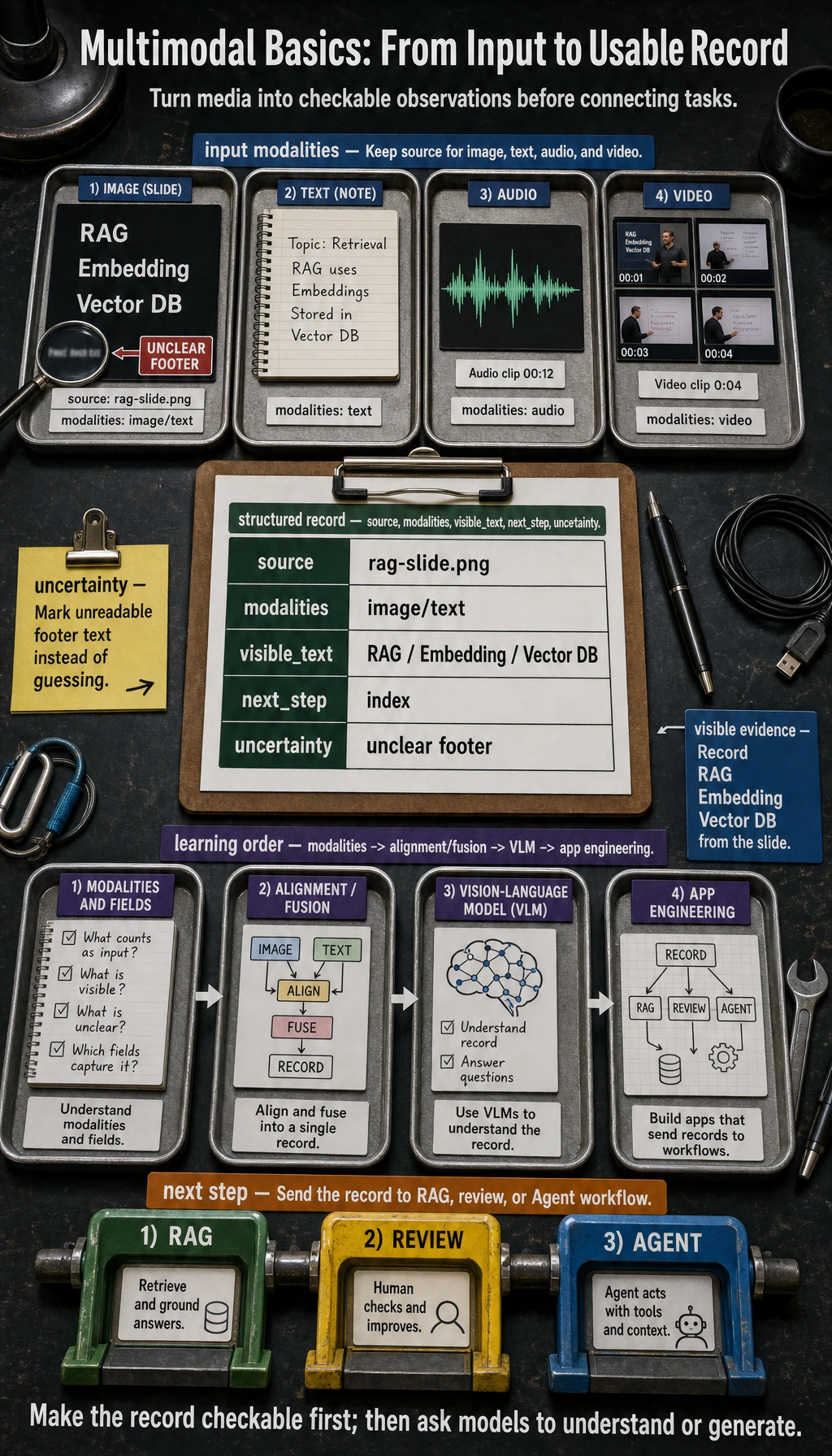
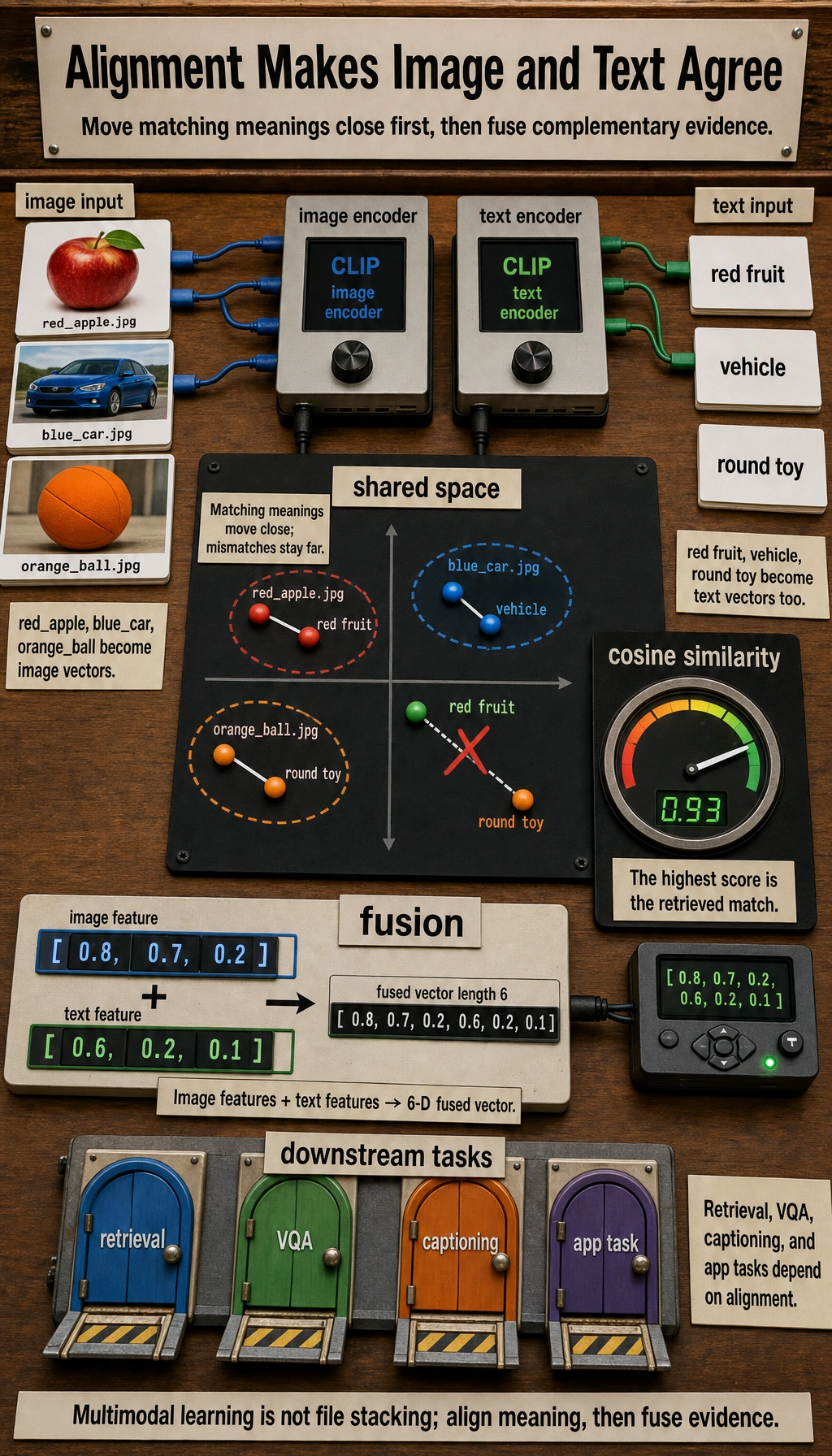
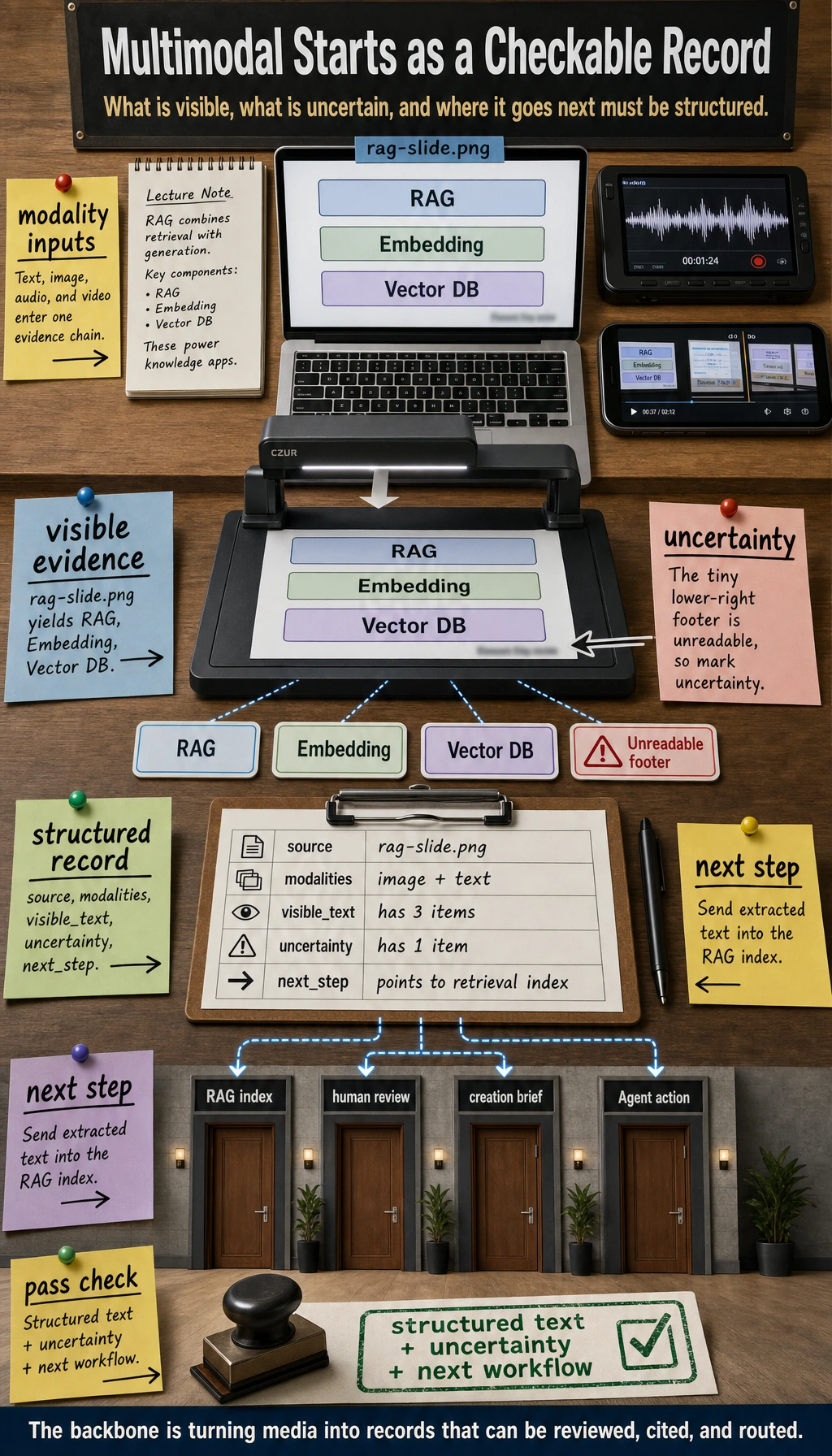
The first habit is to ask: what modality comes in, what evidence is visible, what is uncertain, and where does the structured result go next?
Run a Simulated Vision Record
import json

visible_text = ["RAG", "Embedding", "Vector DB"]
record = {
    "source": "rag-slide.png",
    "modalities": ["image", "text"],
    "visible_text": visible_text,
    "next_step": "send extracted text to retrieval index",
    "uncertainty": ["small footer text is unreadable"],
}

print(json.dumps(record, indent=2))
Expected output:
{
  "source": "rag-slide.png",
  "modalities": [
    "image",
    "text"
  ],
  "visible_text": [
    "RAG",
    "Embedding",
    "Vector DB"
  ],
  "next_step": "send extracted text to retrieval index",
  "uncertainty": [
    "small footer text is unreadable"
  ]
}
This tiny record is enough to practice the product shape before you connect a real vision model.
Learn in This Order
| Step | Read | Practice Output |
|---|---|---|
| 1 | Modalities and representations | List image/text/audio/video inputs and their structured fields |
| 2 | Alignment and fusion | Explain how image evidence connects to text tasks |
| 3 | Multimodal applications | Build a screenshot or document understanding record |
Pass Check
You pass this chapter when you can turn one image or screenshot into structured text, mark uncertainty, and explain how the result enters a RAG, review, or Agent workflow.