12.3.1 Video and Speech Roadmap: Script, Timeline, Sync
Video and speech generation adds time. You are no longer creating one image; you are organizing script, shots, narration, timing, subtitles, motion, and review on a timeline.
See the Timeline First
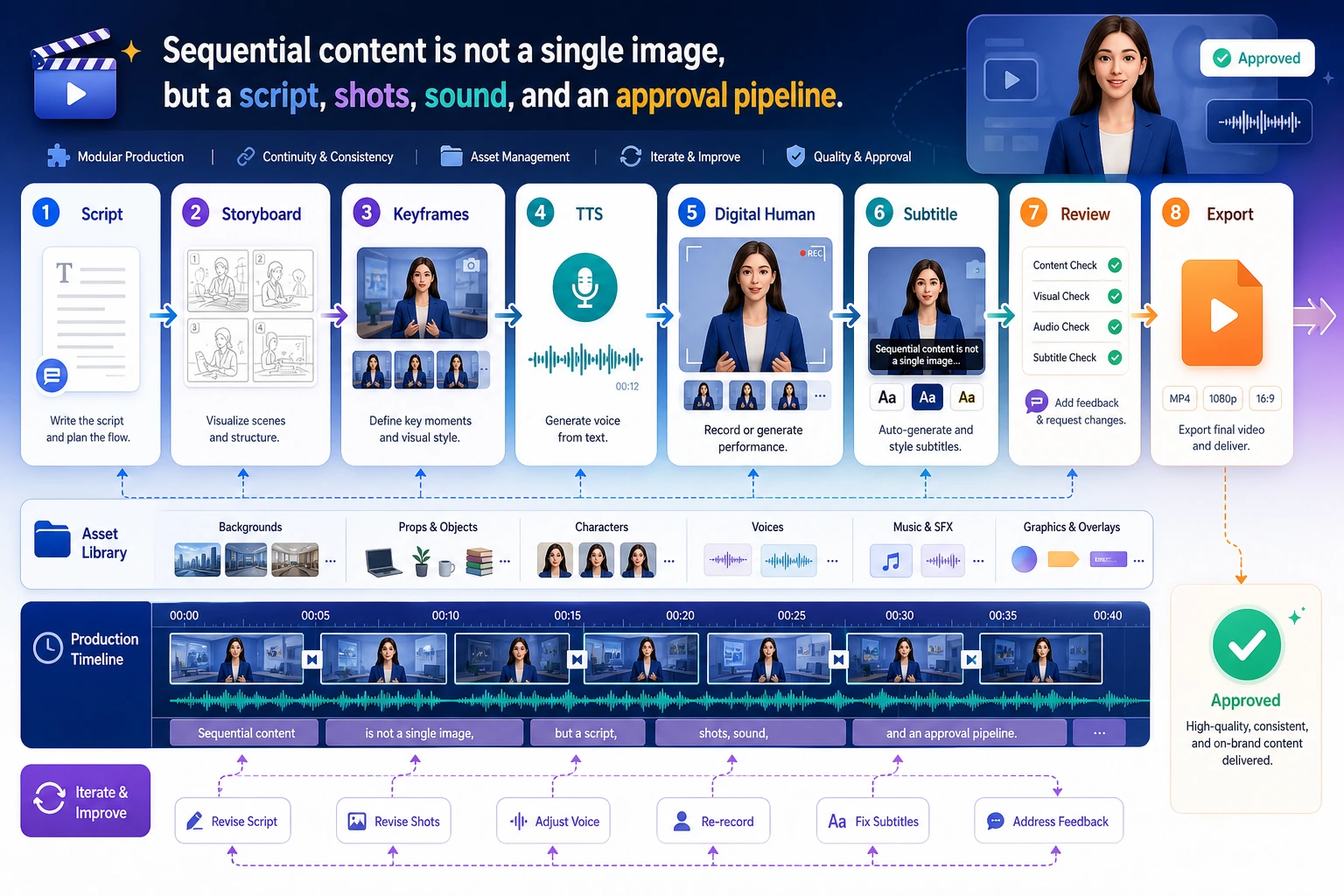
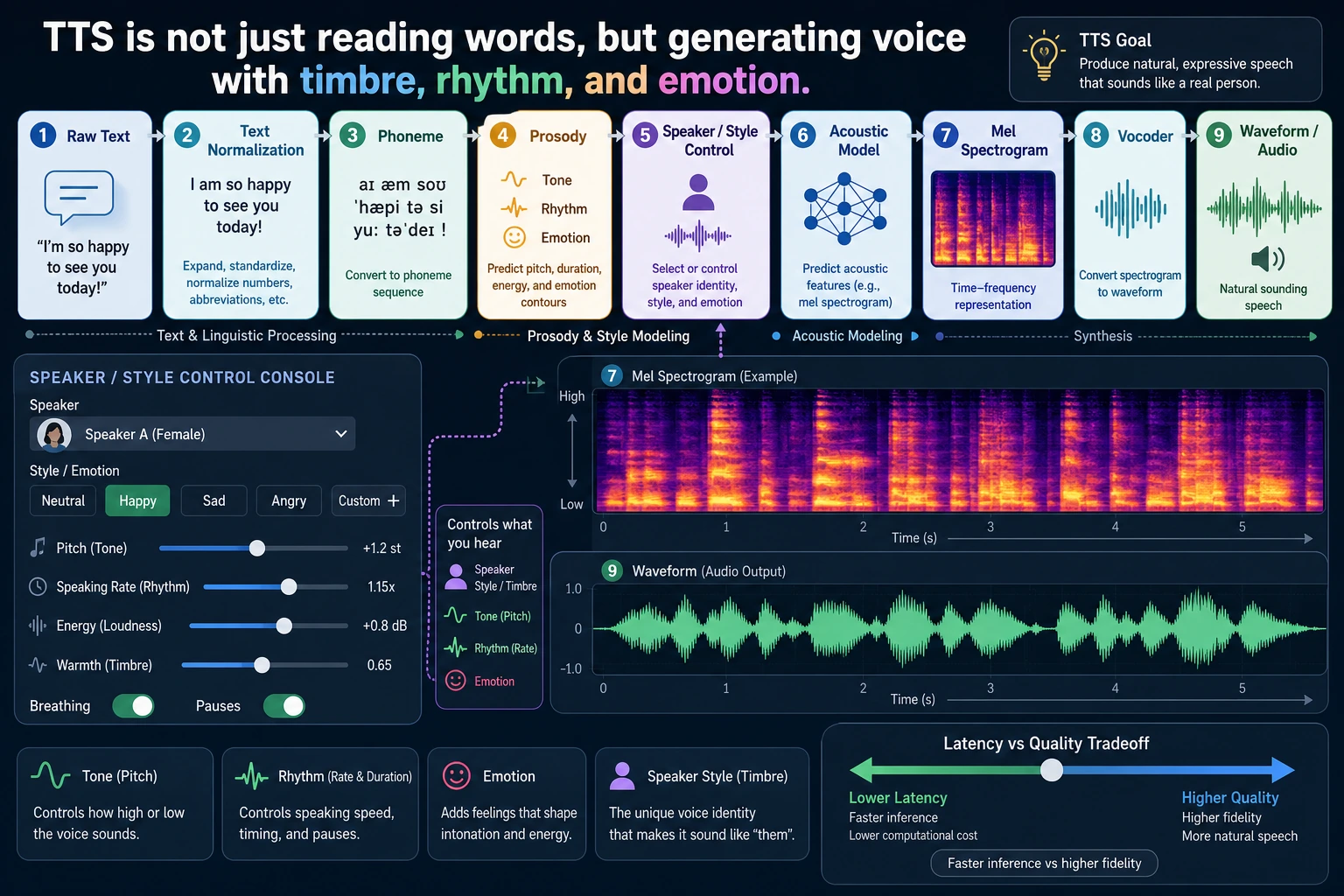
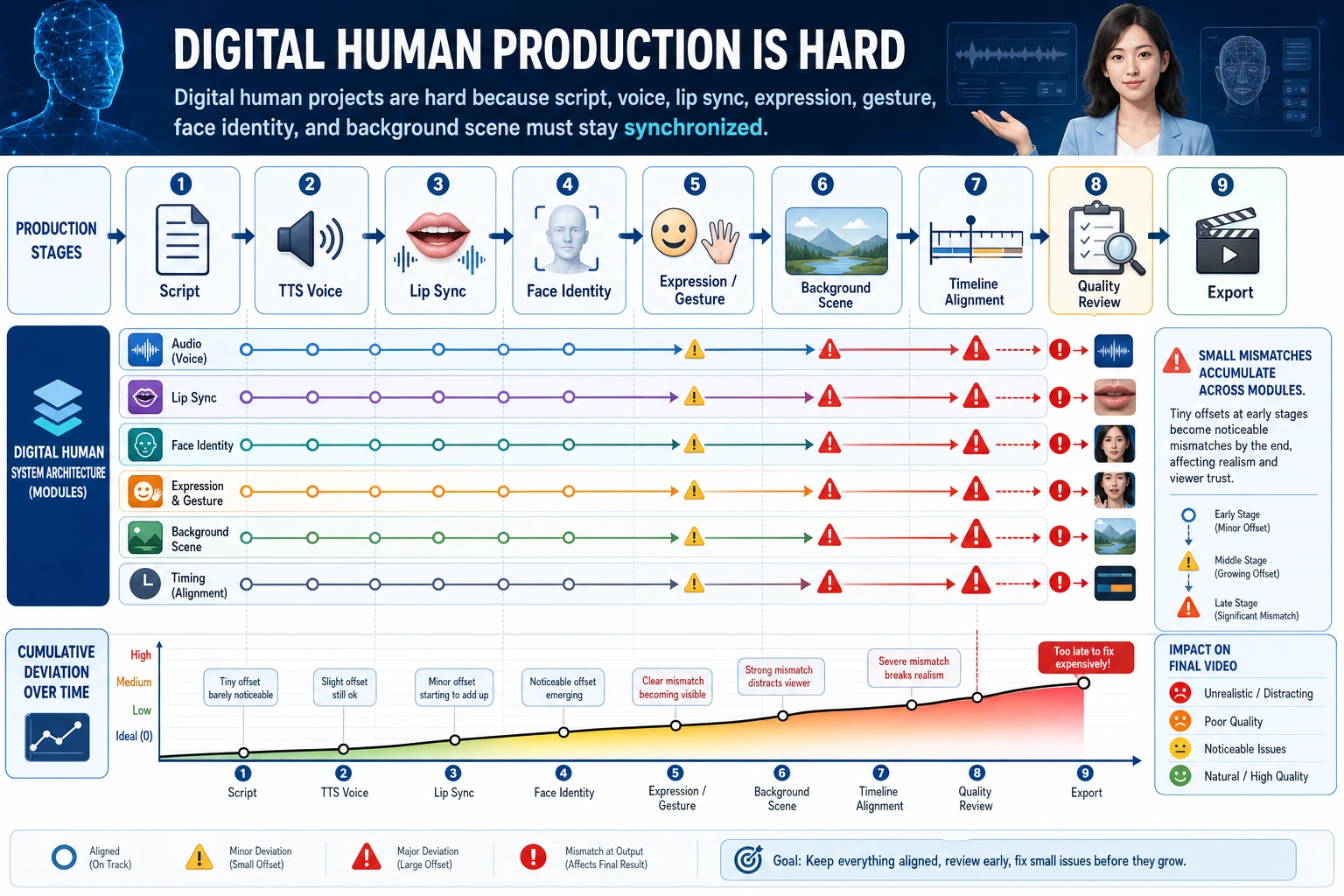
The first habit is to describe every generated asset by its place on the timeline.
Build a 30-Second Asset Plan
shots = [
    {"seconds": 8, "visual": "problem screenshot", "voice": "Many course questions repeat."},
    {"seconds": 12, "visual": "RAG pipeline diagram", "voice": "Retrieval adds sources before the model answers."},
    {"seconds": 10, "visual": "final assistant screen", "voice": "The answer is clearer and easier to verify."},
]

for index, shot in enumerate(shots, start=1):
    print(f"shot_{index}: {shot['seconds']}s | {shot['visual']} | voice: {shot['voice']}")
print("total_seconds:", sum(shot["seconds"] for shot in shots))
Expected output:
shot_1: 8s | problem screenshot | voice: Many course questions repeat.
shot_2: 12s | RAG pipeline diagram | voice: Retrieval adds sources before the model answers.
shot_3: 10s | final assistant screen | voice: The answer is clearer and easier to verify.
total_seconds: 30
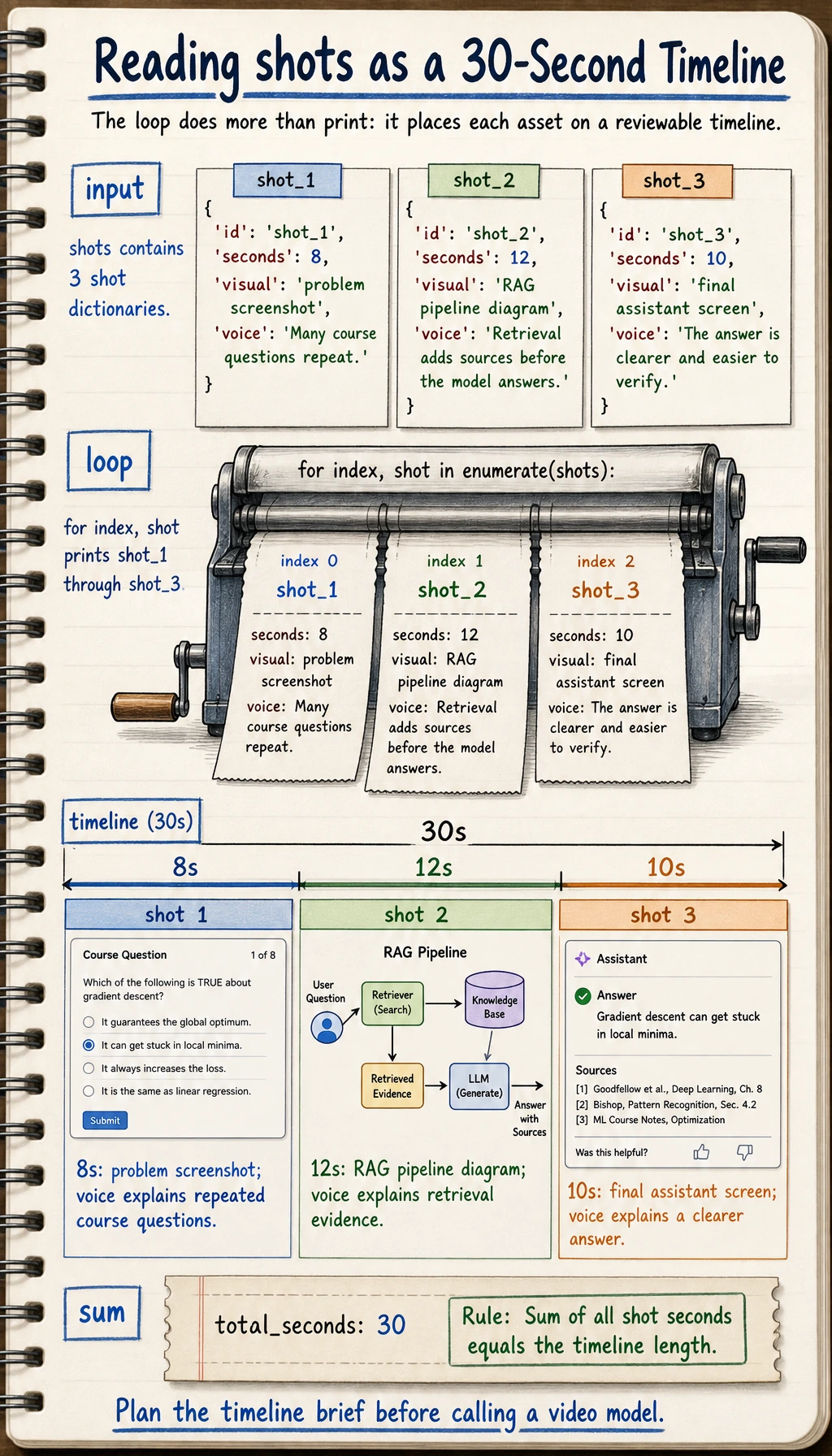
This is already a useful video-generation brief, even before calling a real video model.
Learn in This Order
| Step | Read | Practice Output |
|---|---|---|
| 1 | Video generation | Split script into shots and visual prompts |
| 2 | TTS | Turn narration into speech settings and subtitle text |
| 3 | Digital humans | Track face, voice, lip sync, consent, and safety boundaries |
Pass Check
You pass this chapter when you can turn one topic into a timeline with shots, narration, durations, subtitles, risk notes, and export requirements.