12.5.1 Integrated Project Roadmap: Creative Package Workflow
The capstone is not about connecting many model APIs. It is about giving a user a workflow: input a brief, generate assets, compare versions, edit, review, and export a usable content package.
See the Product Loop First
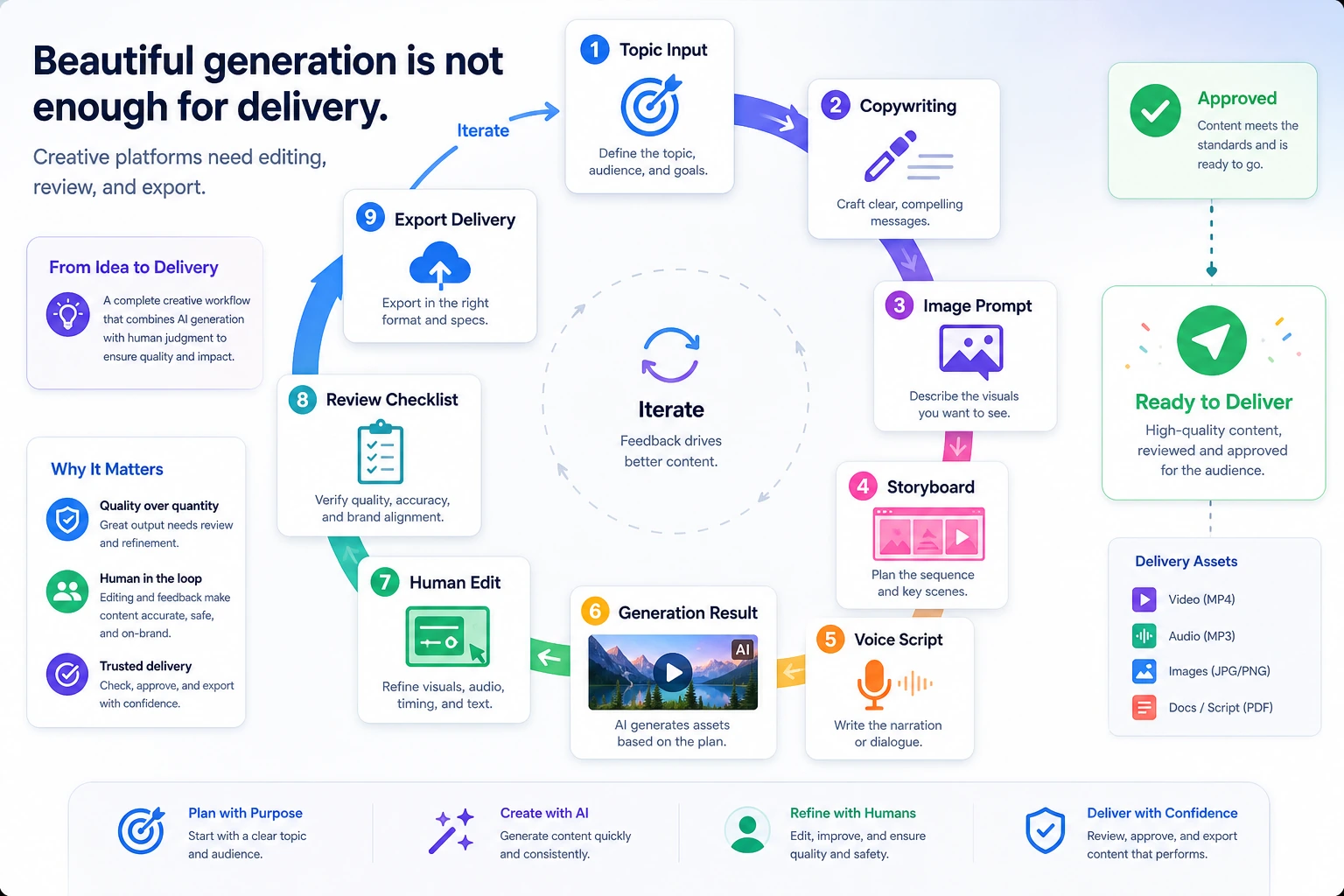
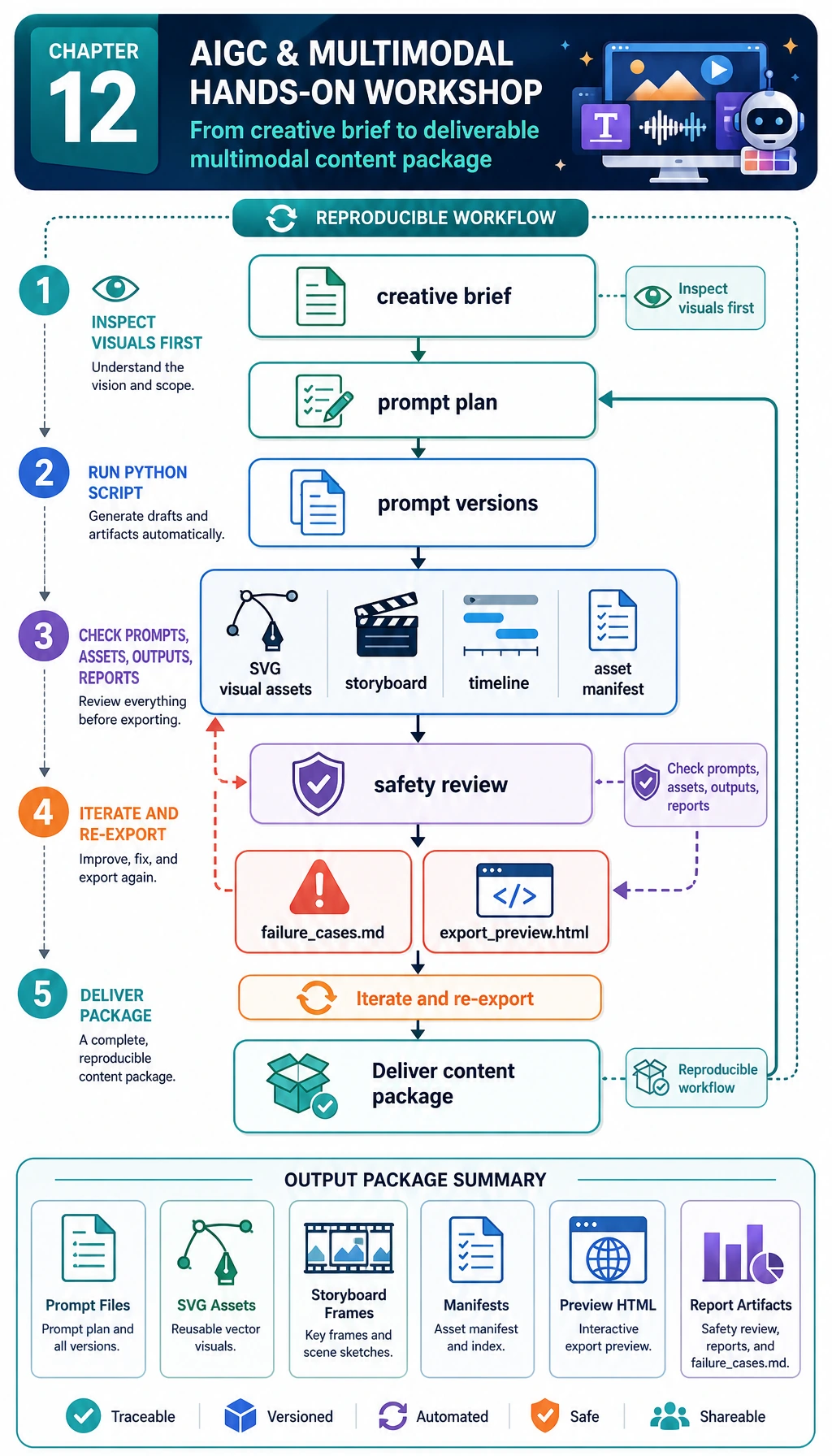
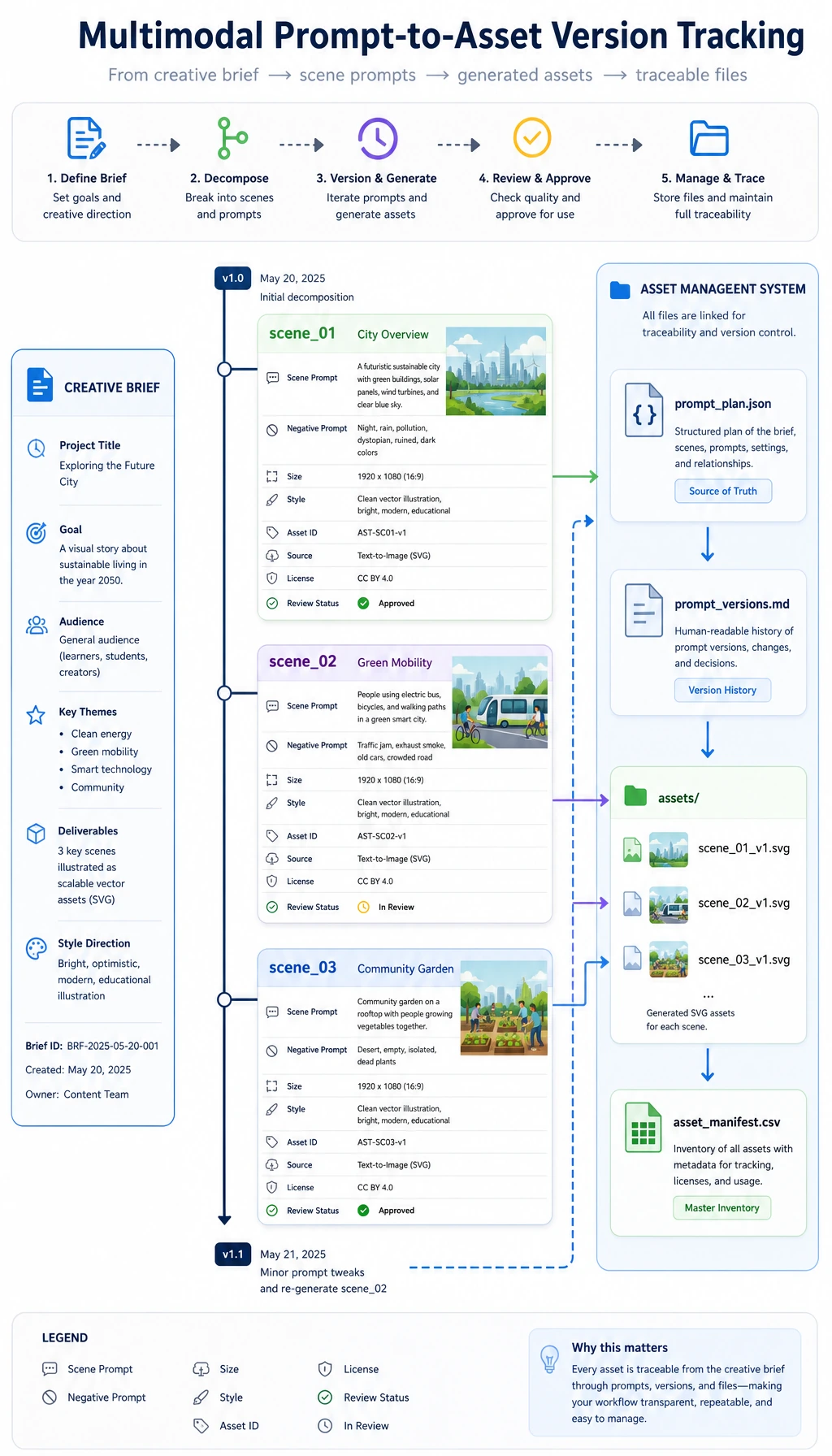
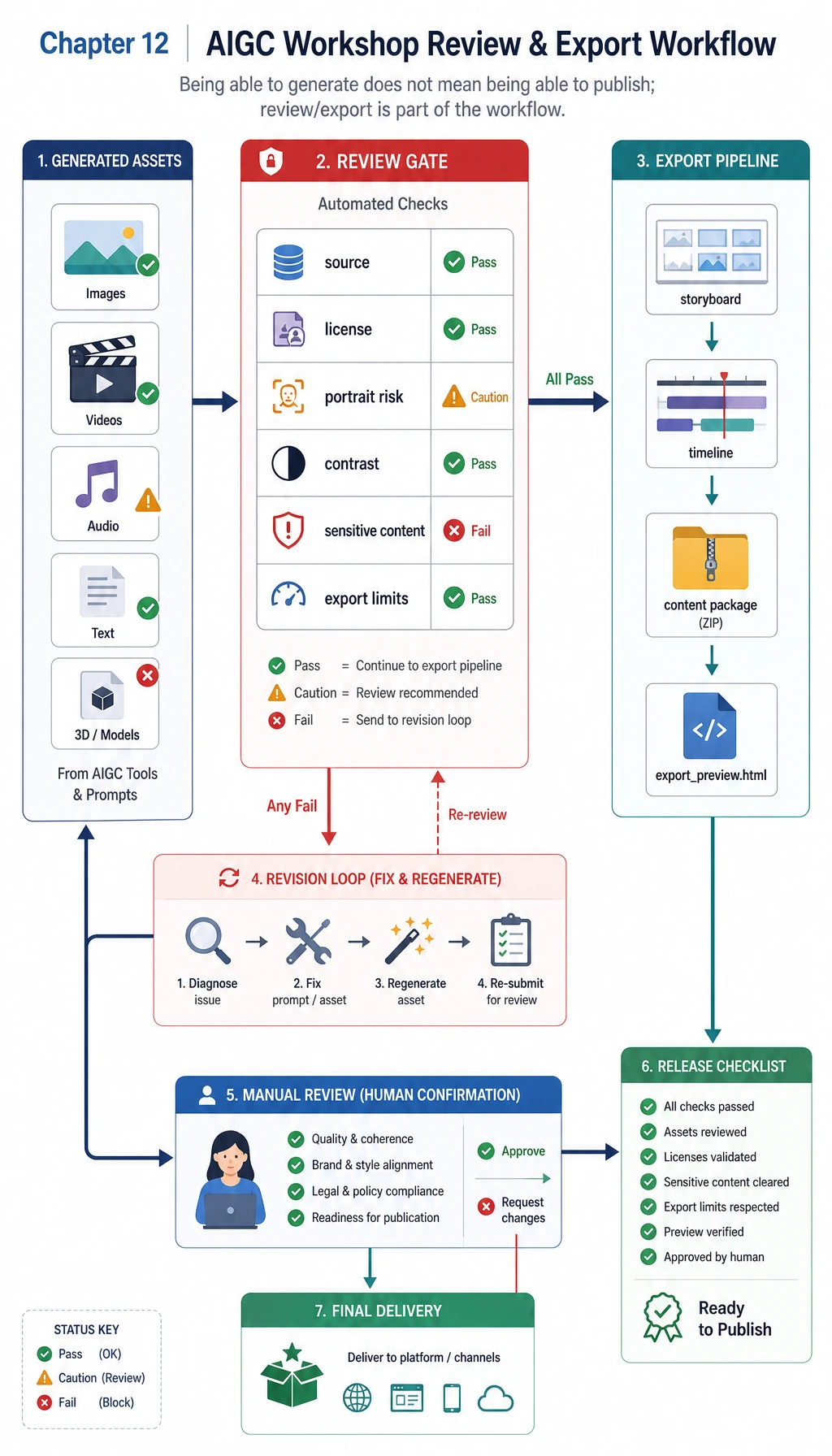
The first habit is to save every generated result as an asset with source, prompt, version, review status, and export target.
Build the Minimum Package State
brief = {
    "topic": "RAG mini course",
    "audience": "new learners",
}
package = {
    "brief_ready": True,
    "assets": ["title", "cover_prompt", "video_script", "review_checklist"],
    "has_versions": True,
    "has_review": True,
}

ready = package["brief_ready"] and package["has_versions"] and package["has_review"] and len(package["assets"]) >= 4

print("package_ready:", ready)
print("assets:", ", ".join(package["assets"]))
Expected output:
package_ready: True
assets: title, cover_prompt, video_script, review_checklist
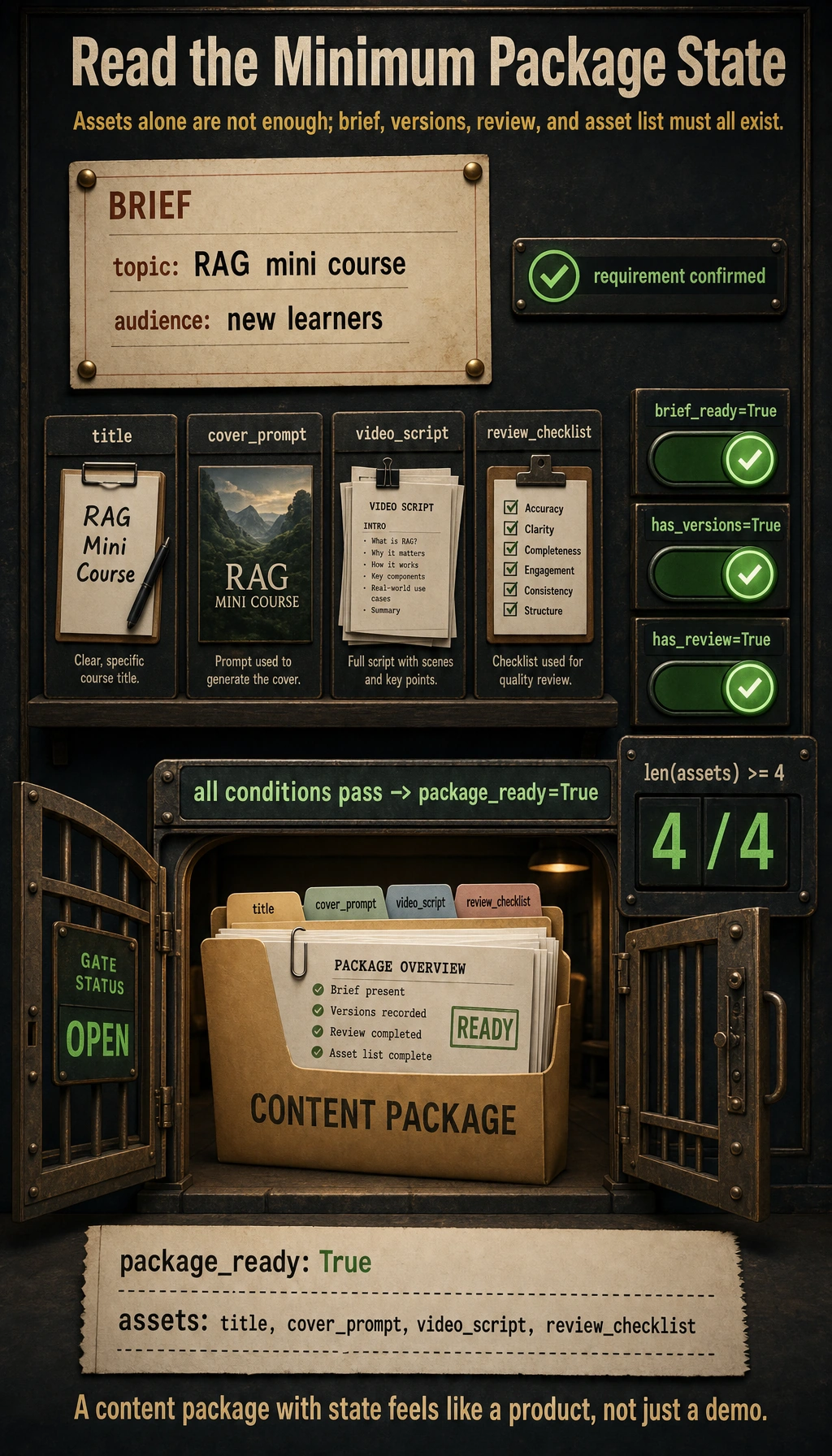
If this state is missing, the project will look like a demo instead of a product.
Start with the Workshop
Run 12.5.3 Hands-on: Build a Reproducible Multimodal Creative Package before expanding the larger creative platform. It gives you the smallest reproducible loop for brief intake, prompt records, asset versions, storyboard export, safety review, and failure analysis.
Project Deliverable Standards
| Deliverable | Minimum Requirement |
|---|---|
| README | Goal, run command, dependencies, material sources, examples |
| Sample package | One complete brief with generated assets and review notes |
| Version records | At least two candidate outputs or one edited revision |
| Safety review | Copyright, portrait, voice, sensitive content, export label |
| Failure note | One real failure case and the next fix |
Pass Check
You pass this chapter when your project can accept a brief, produce a structured creative package, keep versions, run review, and export Markdown or JSON that another person can inspect.