10.1.4 Image Processing Techniques
Learning Objectives
By the end of this section, you will be able to:
- Understand what image filtering does
- Use OpenCV for smoothing, edge detection, and binarization
- Understand the intuition behind morphological operations such as dilation and erosion
- Read the basic code for classic image processing tasks
What does image processing work on?
Classic image processing can be understood as:
Using a set of rules to adjust pixels.
Unlike deep learning, it does not "learn rules from data"; instead, we write the rules first.
Typical tasks include:
- Noise reduction
- Blurring
- Edge extraction
- Binarization
- Contour enhancement
The following code can be run directly:
pip install opencv-python numpy
First, generate a test image
To keep the example independent of external images, we will generate a simple image ourselves.
import cv2
import numpy as np

img = np.zeros((240, 320), dtype=np.uint8)

# Draw a white rectangle and a gray circle
cv2.rectangle(img, (30, 40), (140, 180), 255, -1)
cv2.circle(img, (230, 120), 45, 180, -1)

cv2.imwrite("processing_original.png", img)
print("Saved processing_original.png")
Expected output:
Saved processing_original.png
Here we use a grayscale image directly, which will make edge detection and thresholding more convenient later.
Filtering: make the image a little smoother
The intuition of filtering is very similar to this:
Consider the values of the neighboring pixels around a pixel to make the image smoother.
Mean filtering
import cv2
import numpy as np

img = cv2.imread("processing_original.png", cv2.IMREAD_GRAYSCALE)
blurred = cv2.blur(img, (7, 7))

cv2.imwrite("processing_blur.png", blurred)
print("Saved processing_blur.png")
Expected output:
Saved processing_blur.png
Mean filtering softens edges, but it can also lose details.
Gaussian filtering
import cv2

img = cv2.imread("processing_original.png", cv2.IMREAD_GRAYSCALE)
gaussian = cv2.GaussianBlur(img, (7, 7), 0)

cv2.imwrite("processing_gaussian.png", gaussian)
print("Saved processing_gaussian.png")
Expected output:
Saved processing_gaussian.png
Gaussian filtering is used more often than simple mean filtering because it feels more natural.
Edge detection: find where the changes are most obvious
An edge can be understood as:
A place where the brightness changes very abruptly
For example, the boundary of a white rectangle on a black background is a typical edge.
Canny edge detection
import cv2

img = cv2.imread("processing_original.png", cv2.IMREAD_GRAYSCALE)
edges = cv2.Canny(img, threshold1=50, threshold2=150)

cv2.imwrite("processing_edges.png", edges)
print("Saved processing_edges.png")
Expected output:
Saved processing_edges.png
How should we understand the two thresholds?
You can roughly remember it like this:
- Below the low threshold: basically not an edge
- Above the high threshold: very likely an edge
- Middle range: judge again based on the neighborhood
Thresholding: convert a grayscale image into a black-and-white image
Thresholding means setting a line:
- Values greater than this become white
- Values less than this become black
import cv2

img = cv2.imread("processing_original.png", cv2.IMREAD_GRAYSCALE)
_, binary = cv2.threshold(img, 100, 255, cv2.THRESH_BINARY)

cv2.imwrite("processing_binary.png", binary)
print("Saved processing_binary.png")
Expected output:
Saved processing_binary.png
This operation is commonly used for:
- Document scanning
- Foreground/background separation
- Preprocessing for contour extraction
Morphological operations: editing shapes
Morphological operations are especially suitable for binary images.
You can think of them as "kneading, expanding, or shrinking the white areas."
Erosion
The white areas become smaller.
import cv2
import numpy as np

img = cv2.imread("processing_binary.png", cv2.IMREAD_GRAYSCALE)
kernel = np.ones((5, 5), np.uint8)
eroded = cv2.erode(img, kernel, iterations=1)

cv2.imwrite("processing_eroded.png", eroded)
print("Saved processing_eroded.png")
Expected output:
Saved processing_eroded.png
Dilation
The white areas become larger.
import cv2
import numpy as np

img = cv2.imread("processing_binary.png", cv2.IMREAD_GRAYSCALE)
kernel = np.ones((5, 5), np.uint8)
dilated = cv2.dilate(img, kernel, iterations=1)

cv2.imwrite("processing_dilated.png", dilated)
print("Saved processing_dilated.png")
Expected output:
Saved processing_dilated.png
Opening and closing
- Opening = erosion followed by dilation, suitable for removing small noise
- Closing = dilation followed by erosion, suitable for filling small holes
import cv2
import numpy as np

img = cv2.imread("processing_binary.png", cv2.IMREAD_GRAYSCALE)
kernel = np.ones((5, 5), np.uint8)

opened = cv2.morphologyEx(img, cv2.MORPH_OPEN, kernel)
closed = cv2.morphologyEx(img, cv2.MORPH_CLOSE, kernel)

cv2.imwrite("processing_opened.png", opened)
cv2.imwrite("processing_closed.png", closed)
print("Saved processing_opened.png and processing_closed.png")
Expected output:
Saved processing_opened.png and processing_closed.png
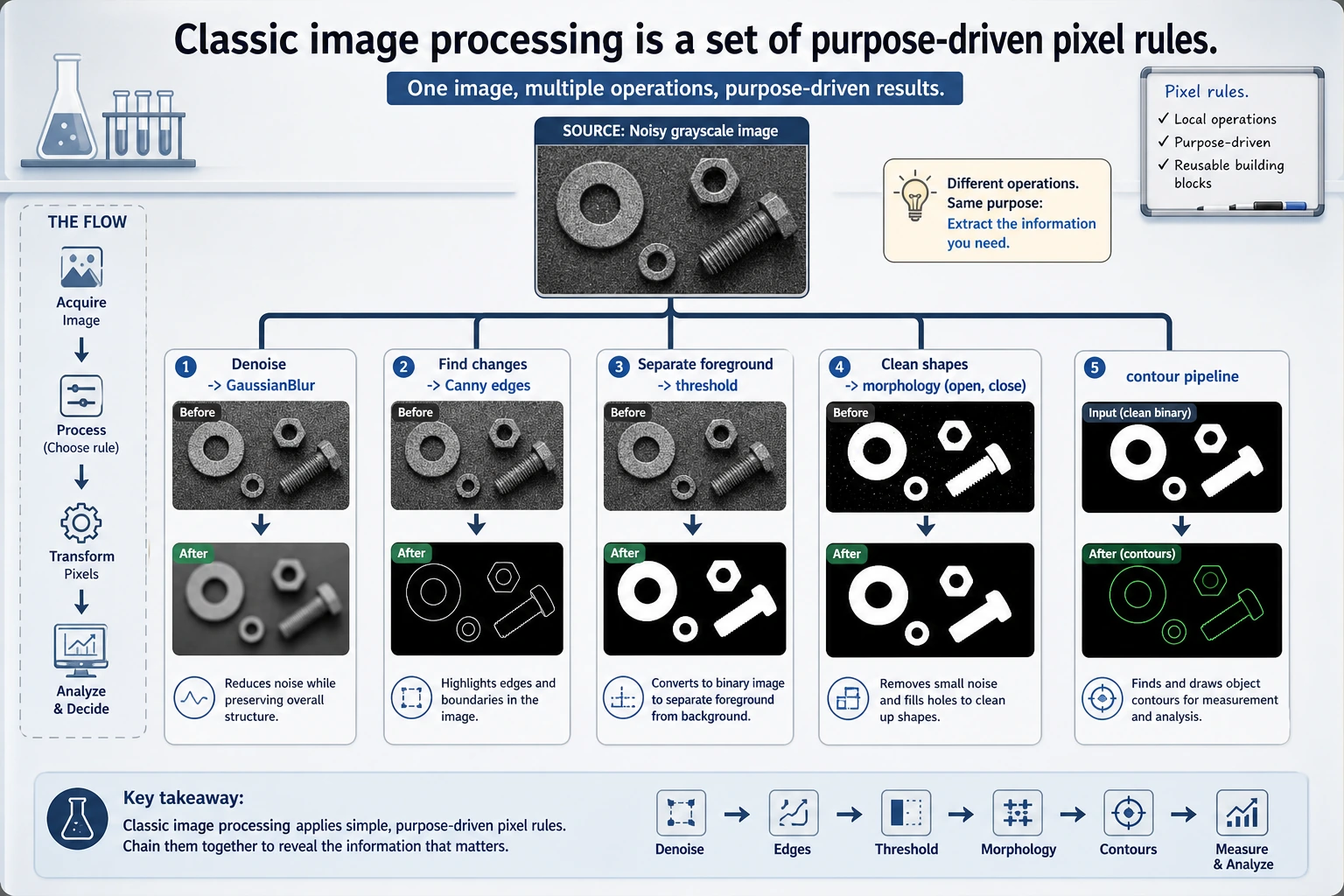
Classic image processing is not just a list of APIs, but a set of pixel rules with clear goals: use filtering for denoising, use edges to find changes, use thresholding to separate foreground and background, and use morphology to clean up small noise and holes.
Combine these operations into a pipeline
In real tasks, these operations are often used together.
For example, if you want to extract a target contour, you might do this:
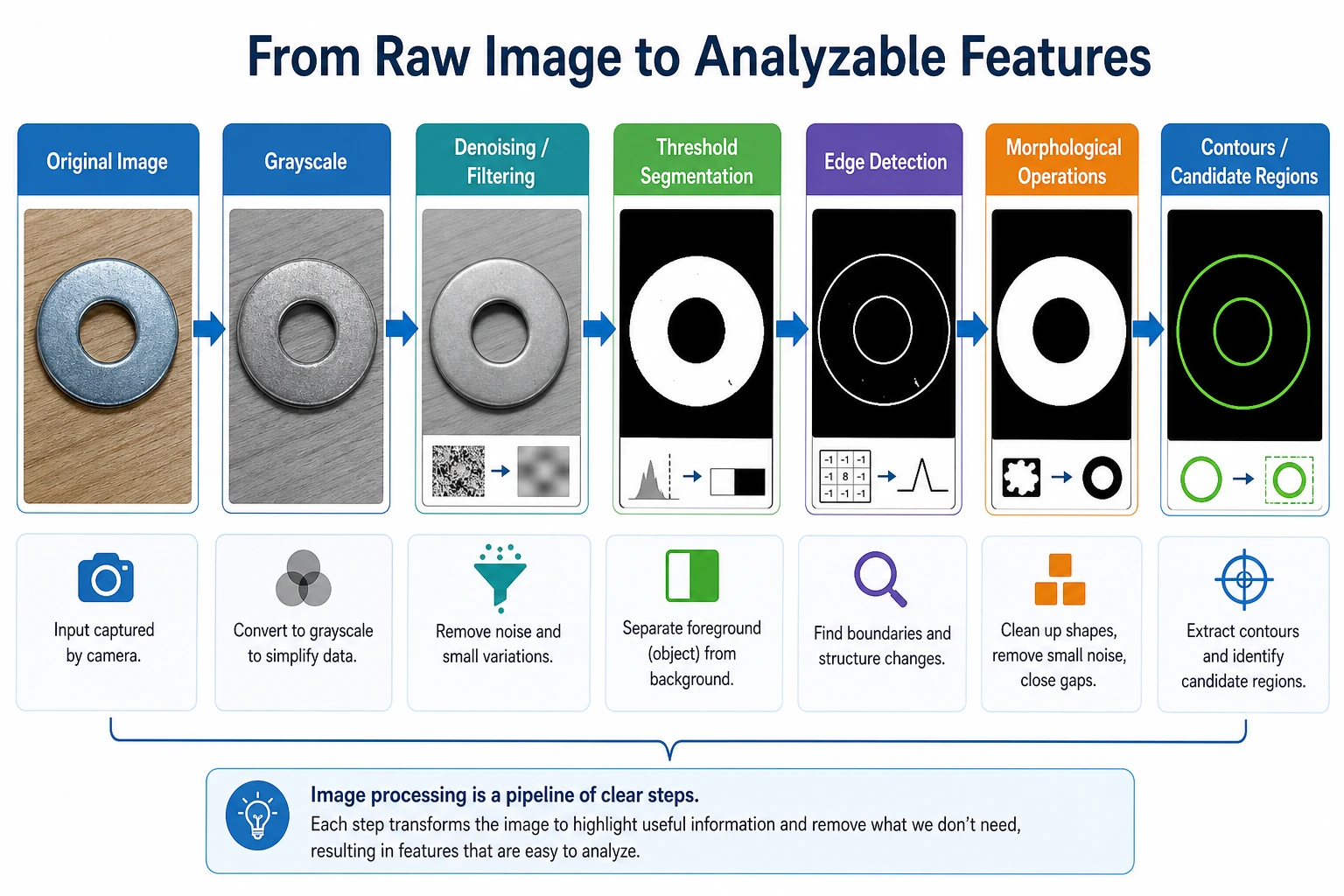
- Convert to grayscale
- Filter to reduce noise
- Threshold
- Clean up with morphology
- Then perform edge detection or contour analysis
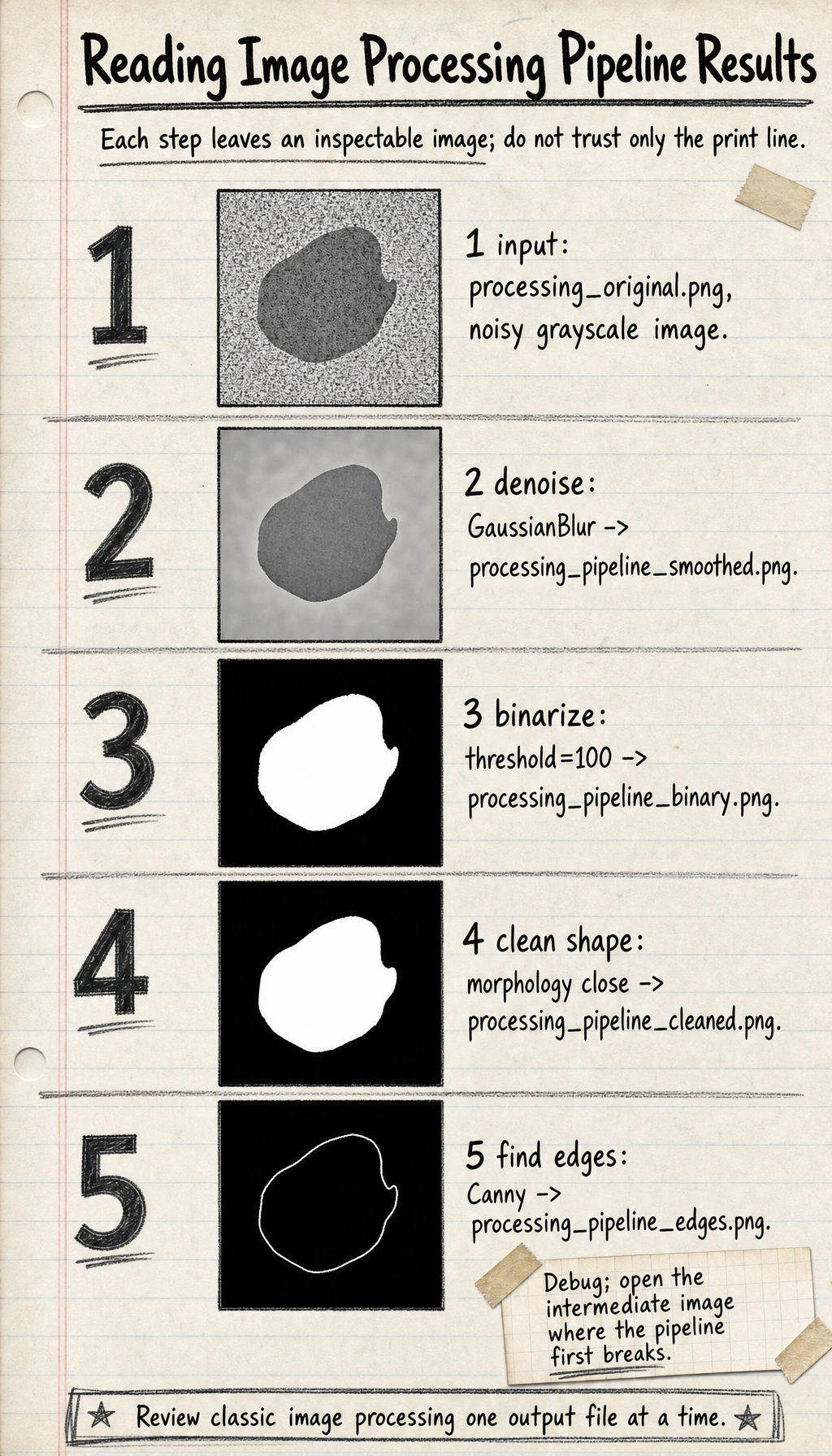
Here is a complete mini pipeline:
import cv2
import numpy as np

img = cv2.imread("processing_original.png", cv2.IMREAD_GRAYSCALE)

# Reduce noise
smoothed = cv2.GaussianBlur(img, (5, 5), 0)

# Threshold
_, binary = cv2.threshold(smoothed, 100, 255, cv2.THRESH_BINARY)

# Fill small gaps with closing
kernel = np.ones((5, 5), np.uint8)
cleaned = cv2.morphologyEx(binary, cv2.MORPH_CLOSE, kernel)

# Edge extraction
edges = cv2.Canny(cleaned, 50, 150)

cv2.imwrite("processing_pipeline_smoothed.png", smoothed)
cv2.imwrite("processing_pipeline_binary.png", binary)
cv2.imwrite("processing_pipeline_cleaned.png", cleaned)
cv2.imwrite("processing_pipeline_edges.png", edges)
print("The full processing pipeline results have been saved")
Expected output:
The full processing pipeline results have been saved
Why do we still learn these classic methods today?
Because they are still very useful:
- As preprocessing for deep learning
- For getting quick results in small projects
- To add rule-based support in industrial scenarios
- To help you build intuition about "how images are processed"
Many beginners only want to learn CNNs at first, but if you do not even understand grayscale, edges, and thresholds, your understanding of vision models will feel shaky later.
Common beginner mistakes
Thinking filtering is just about "making the image look better"
Not only that. Filtering is often used to make later algorithms more stable.
Thinking thresholds can stay fixed forever
In real images, lighting changes a lot, so thresholds often need to be adjusted based on the scenario.
Learning only the API without understanding the purpose
You should always ask yourself:
- Is this step reducing noise?
- Or enhancing boundaries?
- Or cleaning up shapes?
Summary
The core idea you should take away from this lesson is:
Classic image processing is essentially about using rules to rearrange and select pixels.
It is not the same as deep learning, but it is an important stepping stone for understanding vision tasks.
Exercises
- Change the threshold in
threshold()to60,120, and180, and observe how the binary image changes. - Change the kernel size for erosion and dilation from
(3, 3)to(7, 7), and observe the shape changes. - Add a small white dot to the original image and see whether opening can remove it.