9.3.1 Tools Roadmap: Schema, Permission, Observation
Tools move an Agent from language to action. More tools do not automatically make the Agent stronger; unclear tools create wrong calls, unsafe actions, loops, and cost leaks.
See the Action Boundary First
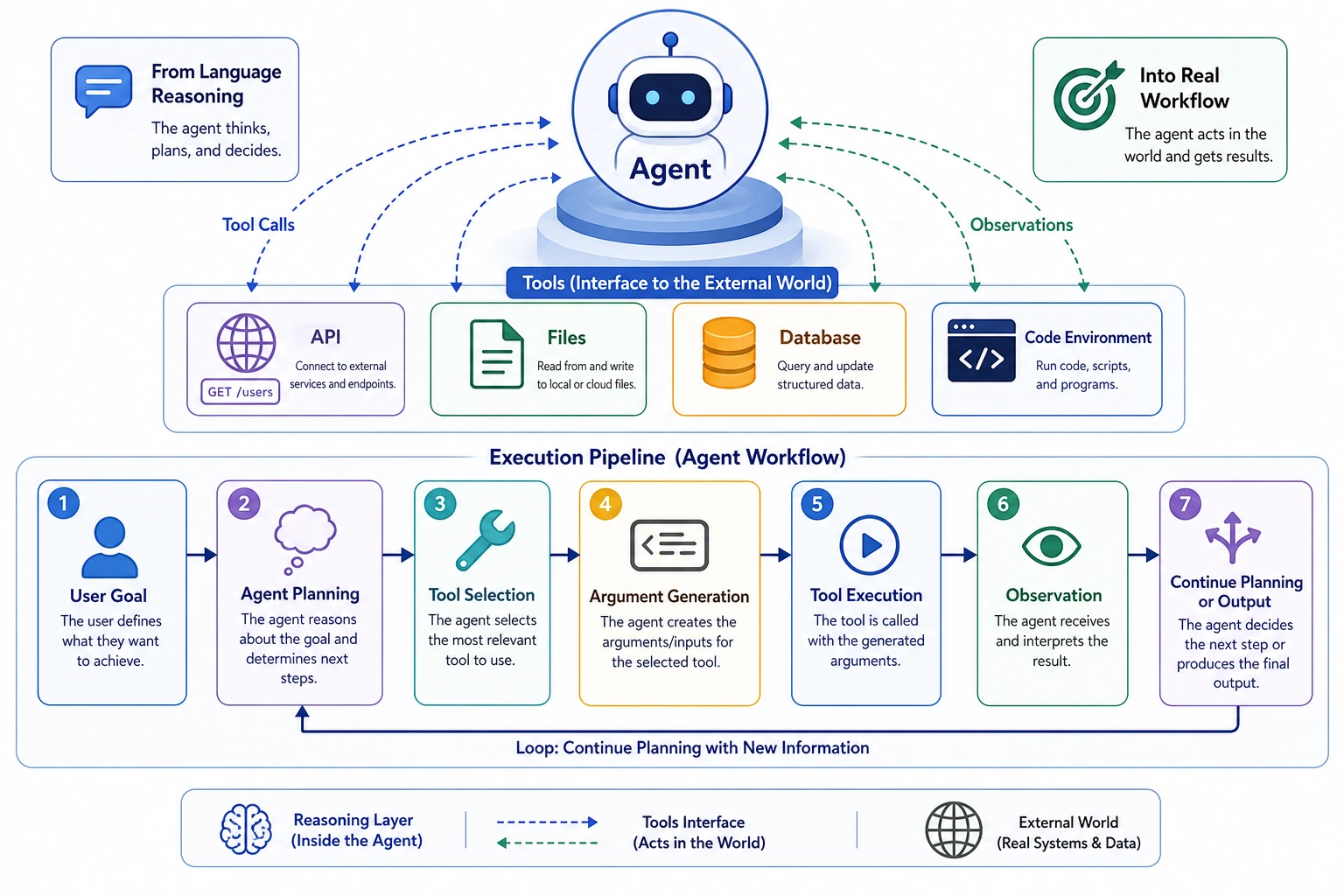
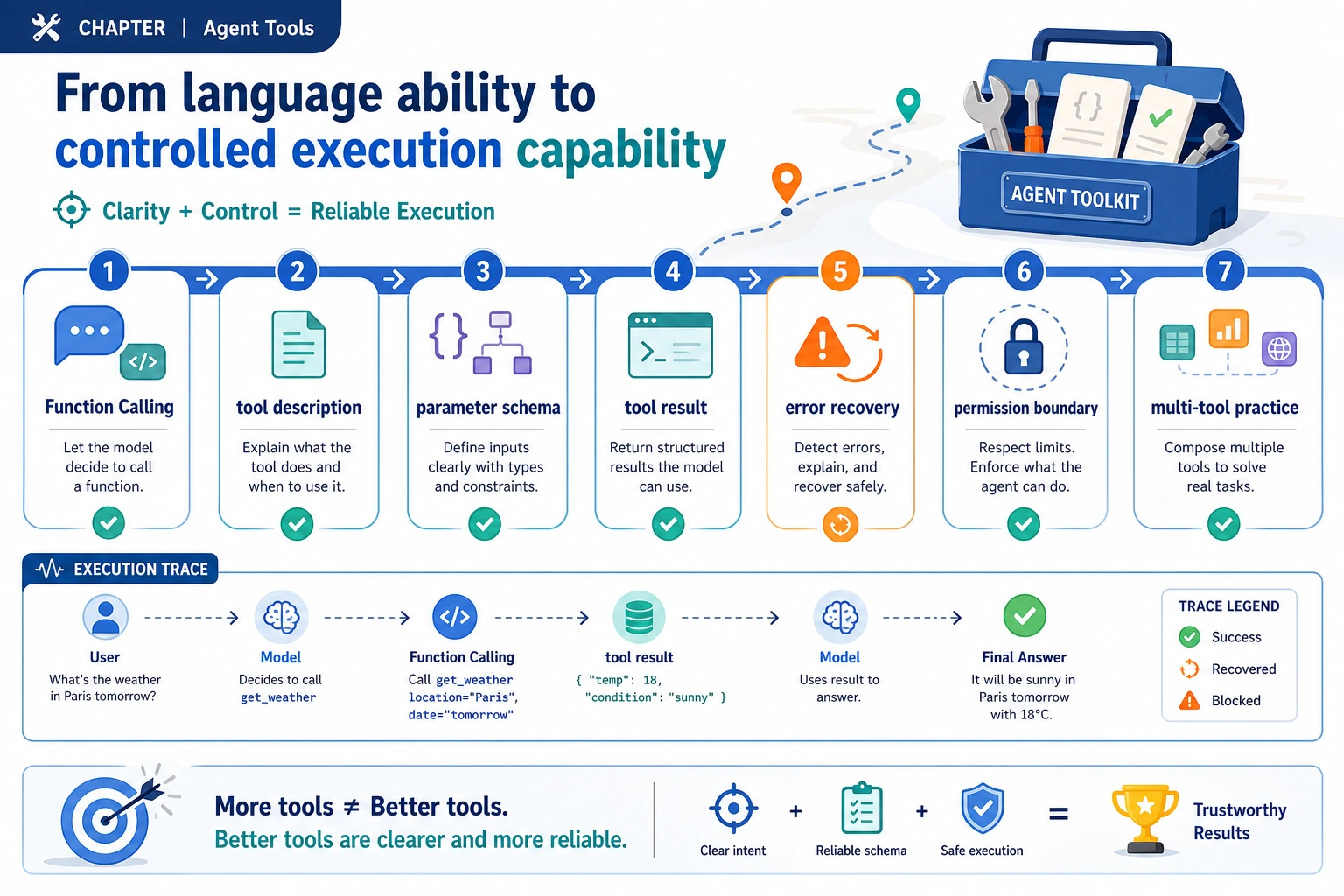
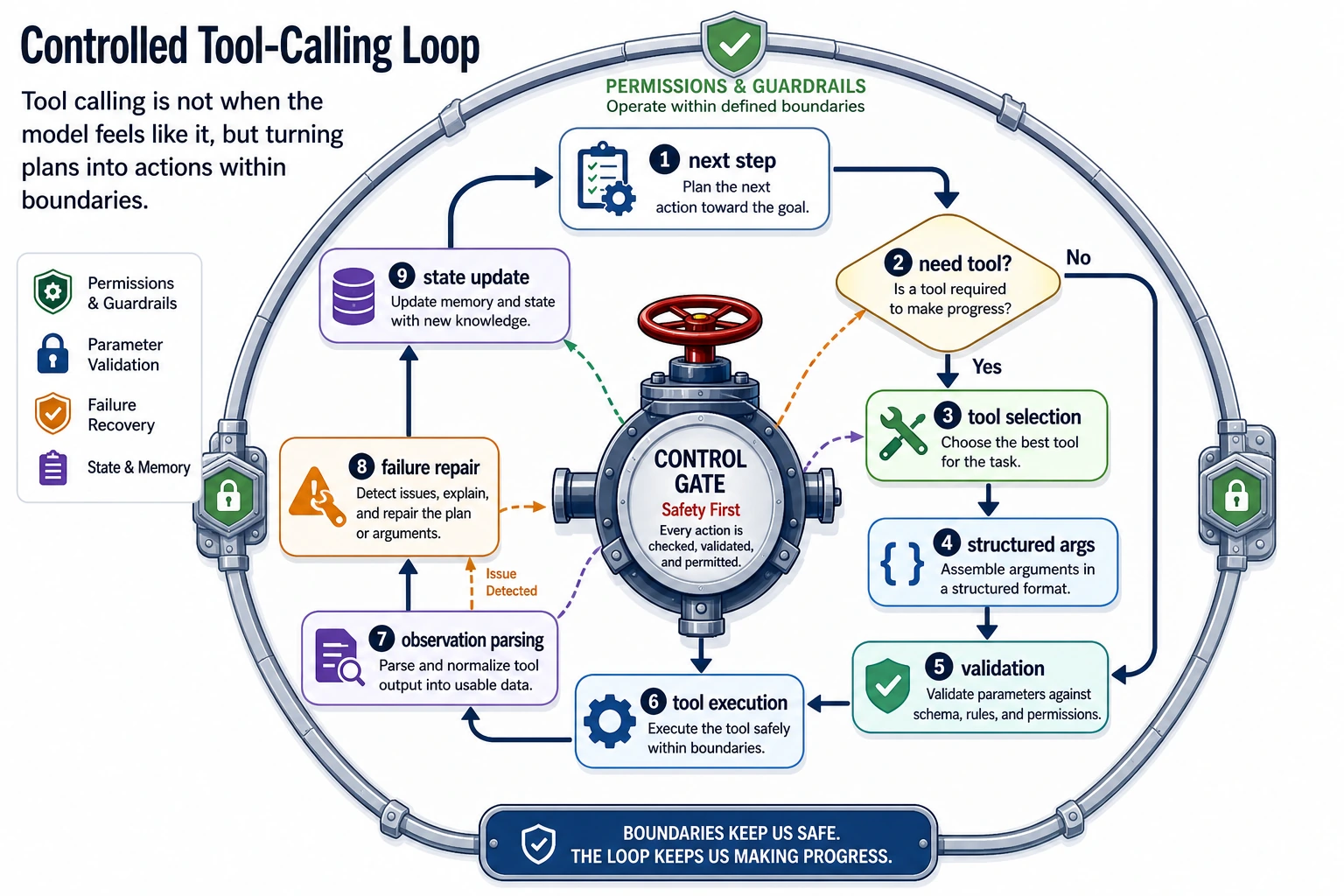
Tool calling should always be controlled: choose tool, validate arguments, check permission, run, observe, and decide the next step.
Run a Tool Schema Check
Use a schema before executing any tool call.
tool_call = {
    "name": "search_course_docs",
    "args": {"query": "RAG evaluation", "top_k": 3},
}

schema = {
    "name": "search_course_docs",
    "required": ["query", "top_k"],
    "max_top_k": 5,
}

name_ok = tool_call["name"] == schema["name"]
args_ok = all(field in tool_call["args"] for field in schema["required"])
limit_ok = tool_call["args"]["top_k"] <= schema["max_top_k"]

print("can_execute:", name_ok and args_ok and limit_ok)
print("observation_needed:", True)
Expected output:
can_execute: True
observation_needed: True
After the tool runs, the Agent must observe and summarize the result. Never let the model pretend a failed tool succeeded.
Learn in This Order
| Step | Read | Practice Output |
|---|---|---|
| 1 | Function Calling | Convert model intent into structured action |
| 2 | Tool descriptions | Write purpose, inputs, limits, examples, and failure modes |
| 3 | Tool strategy | Choose tool order, fallback, timeout, and stop rule |
| 4 | Tool safety | Add permission, sandbox, audit, and human confirmation |
| 5 | Multi-tool practice | Record trace for successful and failed calls |
Pass Check
You pass this chapter when you can read a tool trace and tell whether the failure happened in planning, parameterization, execution, observation, or permission control.
The exit mini project is a learning assistant with 3 tool schemas, 5 test calls, 1 failed-call record, and a printable trace.