7.1.5 Hugging Face Quick Start
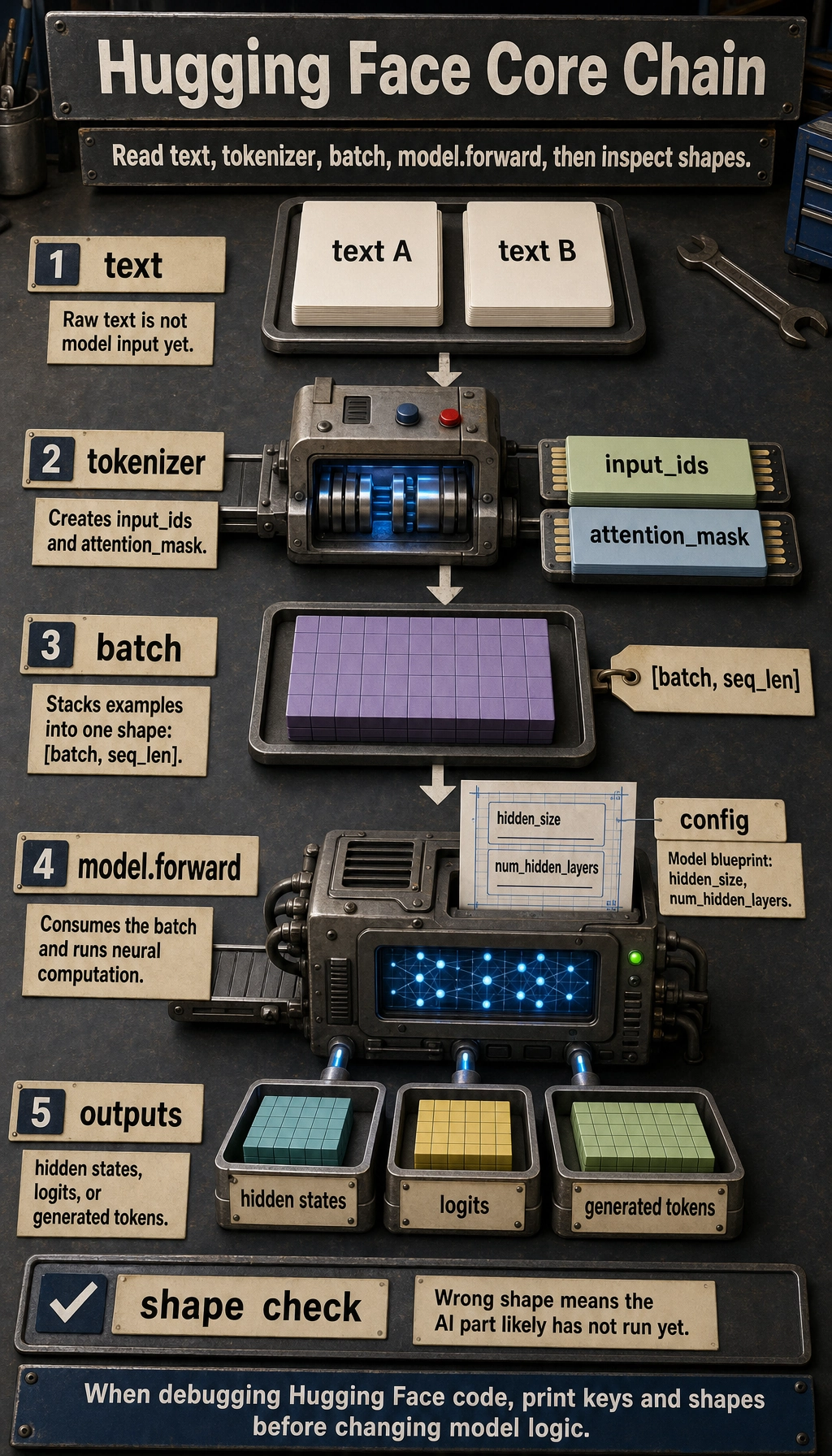
Most Hugging Face examples reduce to one chain:
text -> tokenizer -> input_ids / attention_mask -> model.forward -> hidden states / logits / generated tokens
If you understand this chain, pipeline, Trainer, DataCollator, and AutoModel... become convenience layers instead of mysterious APIs.
The Four Objects
| Object | Responsibility | Common fields |
|---|---|---|
| tokenizer | text preprocessing and token-to-ID conversion | input_ids, attention_mask |
| config | model blueprint | hidden_size, num_hidden_layers, vocab_size |
| model | neural computation | last_hidden_state, logits, generated IDs |
| batch | stacked tensors with one shape | [batch, seq_len] inputs |
The important habit is to inspect shapes. If a shape is wrong, the model usually has not even reached the “AI” part yet.
Lab 1: Run the Workflow Without Downloading Weights
Install dependencies:
python -m pip install torch transformers
This example uses a tiny random BERT model from BertConfig. It has no real language ability, but it lets you inspect the full call path without downloading pretrained weights.
import torch
from transformers import BertConfig, BertModel

vocab = {
    "[PAD]": 0,
    "[CLS]": 1,
    "[SEP]": 2,
    "[UNK]": 3,
    "reset": 4,
    "password": 5,
    "refund": 6,
    "order": 7,
    "please": 8,
    "help": 9,
}


def encode(text, max_length=6):
    tokens = ["[CLS]"] + text.lower().split() + ["[SEP]"]
    input_ids = [vocab.get(token, vocab["[UNK]"]) for token in tokens][:max_length]
    attention_mask = [1] * len(input_ids)

    while len(input_ids) < max_length:
        input_ids.append(vocab["[PAD]"])
        attention_mask.append(0)

    return input_ids, attention_mask


texts = ["please help reset password", "refund order"]
encoded = [encode(text) for text in texts]

input_ids = torch.tensor([item[0] for item in encoded], dtype=torch.long)
attention_mask = torch.tensor([item[1] for item in encoded], dtype=torch.long)

config = BertConfig(
    vocab_size=len(vocab),
    hidden_size=32,
    num_hidden_layers=2,
    num_attention_heads=4,
    intermediate_size=64,
)

model = BertModel(config)
outputs = model(input_ids=input_ids, attention_mask=attention_mask)

print("input_ids shape        :", tuple(input_ids.shape))
print("attention_mask shape   :", tuple(attention_mask.shape))
print("last_hidden_state shape:", tuple(outputs.last_hidden_state.shape))
print("pooler_output shape    :", tuple(outputs.pooler_output.shape))
Expected output:
input_ids shape        : (2, 6)
attention_mask shape   : (2, 6)
last_hidden_state shape: (2, 6, 32)
pooler_output shape    : (2, 32)
Read the shapes:
2means two texts in the batch.6means each sequence was padded or truncated to length 6.32comes fromhidden_size=32.last_hidden_statekeeps one vector per token.pooler_outputis one vector per sequence in this BERT-style model.
Lab 2: Use a Real Pretrained Model
When internet access is available, use from_pretrained:
from transformers import AutoModel, AutoTokenizer

model_name = "bert-base-uncased"
tokenizer = AutoTokenizer.from_pretrained(model_name)
model = AutoModel.from_pretrained(model_name)

batch = tokenizer(
    ["please help reset password", "refund order"],
    padding=True,
    truncation=True,
    return_tensors="pt",
)

outputs = model(**batch)

print(batch.keys())
print(batch["input_ids"].shape)
print(outputs.last_hidden_state.shape)
Expected shape-level output:
dict_keys(['input_ids', 'token_type_ids', 'attention_mask'])
torch.Size([2, 6])
torch.Size([2, 6, 768])
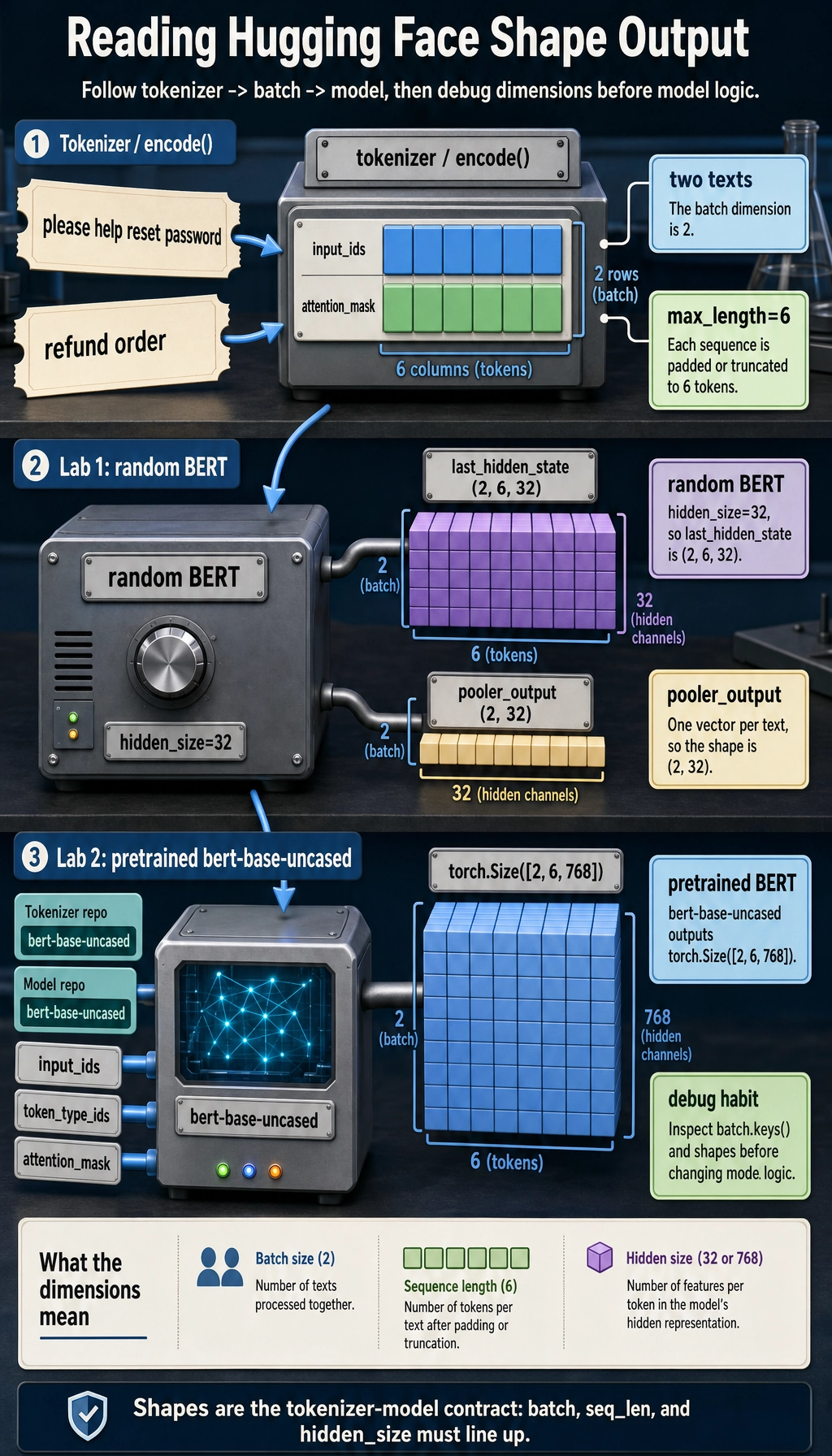
Now the model has pretrained weights. The workflow is the same, but the tokenizer, config, and weights come from the Hub and must match each other.
Object Map for Reading Real Code
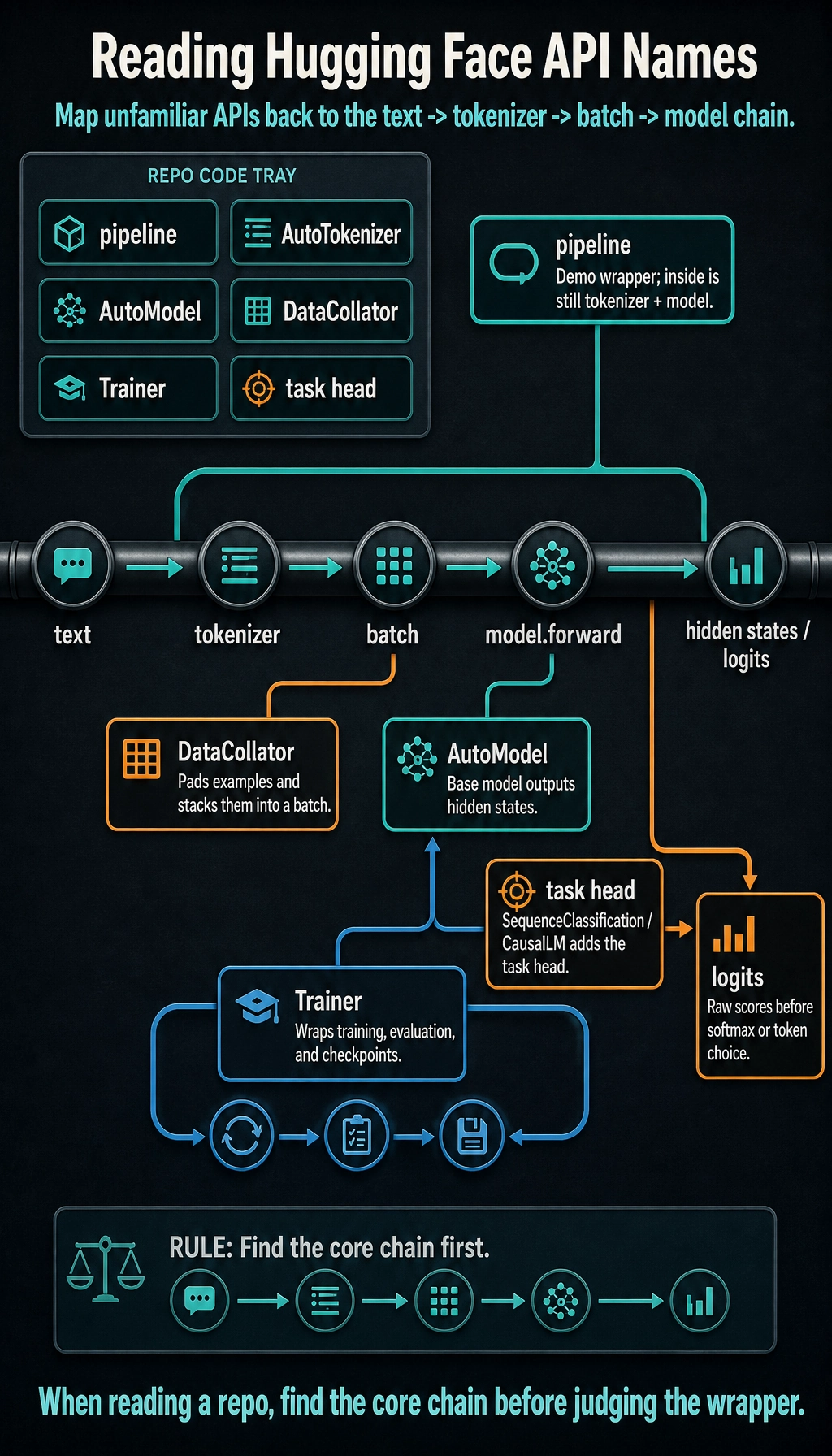
When reading a repository, map unfamiliar names back to the core chain:
| Name | How to think about it |
|---|---|
pipeline | high-level demo wrapper around tokenizer + model |
AutoTokenizer | loads the tokenizer class that matches the model repo |
AutoModel | loads the base model without a task head |
AutoModelForSequenceClassification | base model plus classification head |
AutoModelForCausalLM | decoder-style model for next-token generation |
DataCollator | pads and stacks examples into a batch |
Trainer | wraps training loop, evaluation, checkpoints, and logging |
logits | raw scores before softmax or token selection |
Debugging Checklist
- Tokenizer and model should come from the same model repo.
- Print
batch.keys()and tensor shapes before calling the model. - If you pad, you usually need
attention_mask. - A random
BertModel(config)is only for interface learning; it is not pretrained. AutoModeloutputs representations; task-specific classes output task logits.- If CUDA memory fails, reduce batch size, sequence length, or model size before changing code logic.
Exercises
- Change
max_lengthin Lab 1 from6to4. Which token gets truncated? - Change
hidden_size=64. Which output shape changes? - Add a third sentence and confirm the batch dimension changes from
2to3. - In Lab 2, replace
AutoModelwithAutoModelForSequenceClassification. What new field appears? - Explain why
pipeline()is useful for demos but not enough for debugging batch-shape problems.
Summary
Hugging Face is easiest to learn by following tensors:
tokenizer creates tensors -> model consumes tensors -> outputs expose states or logits
Once you can inspect that path, official examples become much less intimidating.