6.2.8 Practical Tips
Most early PyTorch failures are not caused by exotic models. They come from device mismatch, shape mistakes, unstable gradients, missing checkpoints, or validation code that still tracks gradients.
Learning Objectives
- Write device-safe code for CPU, CUDA, and Apple MPS.
- Fix common randomness sources for repeatable debugging.
- Use gradient clipping when gradients explode.
- Use AMP on CUDA when available, with a safe fallback elsewhere.
- Save and restore checkpoints.
- Follow a debugging order when loss does not improve.
Debug Order First
When training is broken, check simple engineering issues before redesigning the model.
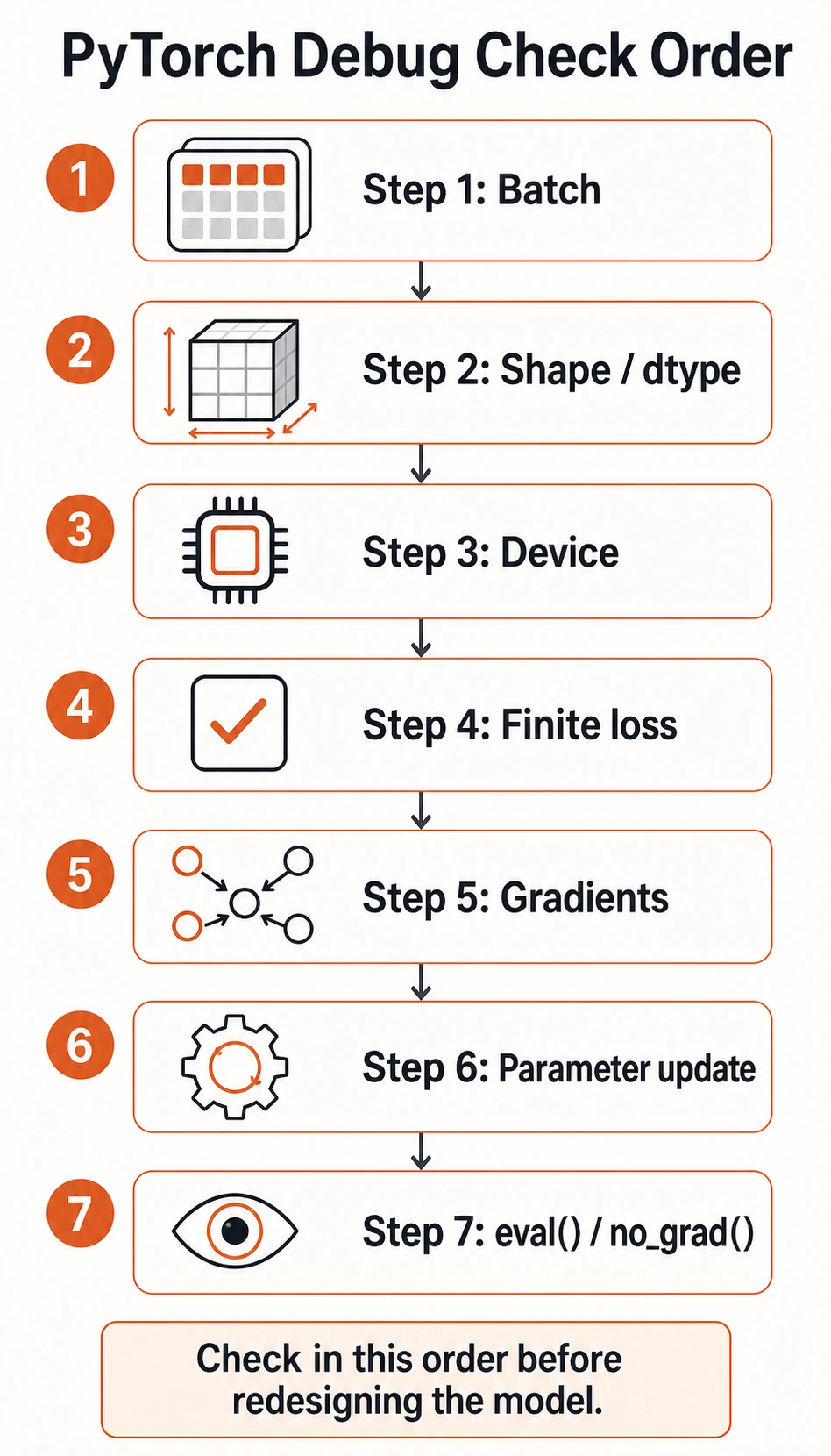
Use this order:
- Is one batch loaded correctly?
- Do shape and dtype match the model and loss?
- Are model and data on the same device?
- Is the loss finite?
- Are gradients non-
Noneand not exploding? - Are parameters updated after
optimizer.step()? - Are validation and prediction wrapped in
eval()andno_grad()?
Lab 1: Device and Seed
This lab runs on CPU, CUDA, or Apple Silicon MPS.
import random

import numpy as np
import torch

if torch.cuda.is_available():
    device = torch.device("cuda")
elif torch.backends.mps.is_available():
    device = torch.device("mps")
else:
    device = torch.device("cpu")


def set_seed(seed=42):
    random.seed(seed)
    np.random.seed(seed)
    torch.manual_seed(seed)
    if torch.cuda.is_available():
        torch.cuda.manual_seed_all(seed)


print("device_seed_lab")
print("device:", device)

set_seed(42)
a = torch.randn(3)
set_seed(42)
b = torch.randn(3)

print("same random:", torch.equal(a, b))
print("sample:", a)
Example output:
device_seed_lab
device: mps
same random: True
sample: tensor([0.3367, 0.1288, 0.2345])
Your device line may show cpu, cuda, or mps.
Reproducibility note:
- Seeds make debugging much easier.
- Some GPU kernels and parallel details can still produce tiny differences.
- Aim for “reproducible enough to debug,” not mathematical perfection in every environment.
Lab 2: Gradient Clipping
Gradient clipping limits gradient norm before the optimizer update. It is common in RNNs, Transformers, and unstable deep networks.
import torch
from torch import nn

torch.manual_seed(42)

model = nn.Sequential(
    nn.Linear(10, 20),
    nn.ReLU(),
    nn.Linear(20, 1),
)

x = torch.randn(32, 10)
y = torch.randn(32, 1) * 50

loss = nn.MSELoss()(model(x), y)
loss.backward()


def grad_norm(model):
    total = 0.0
    for param in model.parameters():
        if param.grad is not None:
            total += param.grad.norm(2).item() ** 2
    return total ** 0.5


print("grad_clip_lab")
before = grad_norm(model)
torch.nn.utils.clip_grad_norm_(model.parameters(), max_norm=1.0)
after = grad_norm(model)

print("before:", round(before, 4))
print("after:", round(after, 4))
Expected output:
grad_clip_lab
before: 38.7677
after: 1.0
Where clipping belongs:
zero_grad -> backward -> clip gradients -> optimizer.step
Do not clip before backward(), because gradients do not exist yet.
Lab 3: AMP With Safe Fallback
AMP means automatic mixed precision. On CUDA GPUs, it can reduce memory use and speed up training. On CPU or MPS, this example falls back to normal precision.
import torch
from torch import nn

if torch.cuda.is_available():
    device = torch.device("cuda")
elif torch.backends.mps.is_available():
    device = torch.device("mps")
else:
    device = torch.device("cpu")

model = nn.Sequential(nn.Linear(16, 32), nn.ReLU(), nn.Linear(32, 1)).to(device)
optimizer = torch.optim.Adam(model.parameters(), lr=0.01)
loss_fn = nn.MSELoss()

x = torch.randn(64, 16, device=device)
y = torch.randn(64, 1, device=device)

print("amp_lab")
if device.type == "cuda":
    scaler = torch.amp.GradScaler("cuda")
    for _ in range(3):
        optimizer.zero_grad()
        with torch.amp.autocast("cuda"):
            loss = loss_fn(model(x), y)
        scaler.scale(loss).backward()
        scaler.step(optimizer)
        scaler.update()
    print("used AMP on cuda")
else:
    for _ in range(3):
        optimizer.zero_grad()
        loss = loss_fn(model(x), y)
        loss.backward()
        optimizer.step()
    print("used standard precision on", device.type)
Example output:
amp_lab
used standard precision on mps
Use AMP when:
- you train on CUDA;
- memory is tight;
- the model supports mixed precision well.
Keep normal precision when:
- you are debugging numerical problems;
- you are on CPU for a tiny example;
- you need the simplest possible baseline.
Lab 4: Save and Restore Checkpoints
Checkpoints should usually include:
model.state_dict();optimizer.state_dict();- epoch;
- best validation metric;
- configuration or label mapping when needed.
This lab uses a temporary directory so it does not leave files behind.
import os
import tempfile

import torch
from torch import nn

model = nn.Linear(2, 1)
optimizer = torch.optim.SGD(model.parameters(), lr=0.1)

print("checkpoint_lab")
with tempfile.TemporaryDirectory() as tmp:
    checkpoint_path = os.path.join(tmp, "demo_checkpoint.pt")

    torch.save(
        {
            "model_state_dict": model.state_dict(),
            "optimizer_state_dict": optimizer.state_dict(),
            "epoch": 5,
            "best_val": 0.123,
        },
        checkpoint_path,
    )

    new_model = nn.Linear(2, 1)
    new_optimizer = torch.optim.SGD(new_model.parameters(), lr=0.1)

    ckpt = torch.load(checkpoint_path, map_location="cpu")
    new_model.load_state_dict(ckpt["model_state_dict"])
    new_optimizer.load_state_dict(ckpt["optimizer_state_dict"])

    print("restored epoch:", ckpt["epoch"])
    print("restored best_val:", ckpt["best_val"])
Expected output:
checkpoint_lab
restored epoch: 5
restored best_val: 0.123
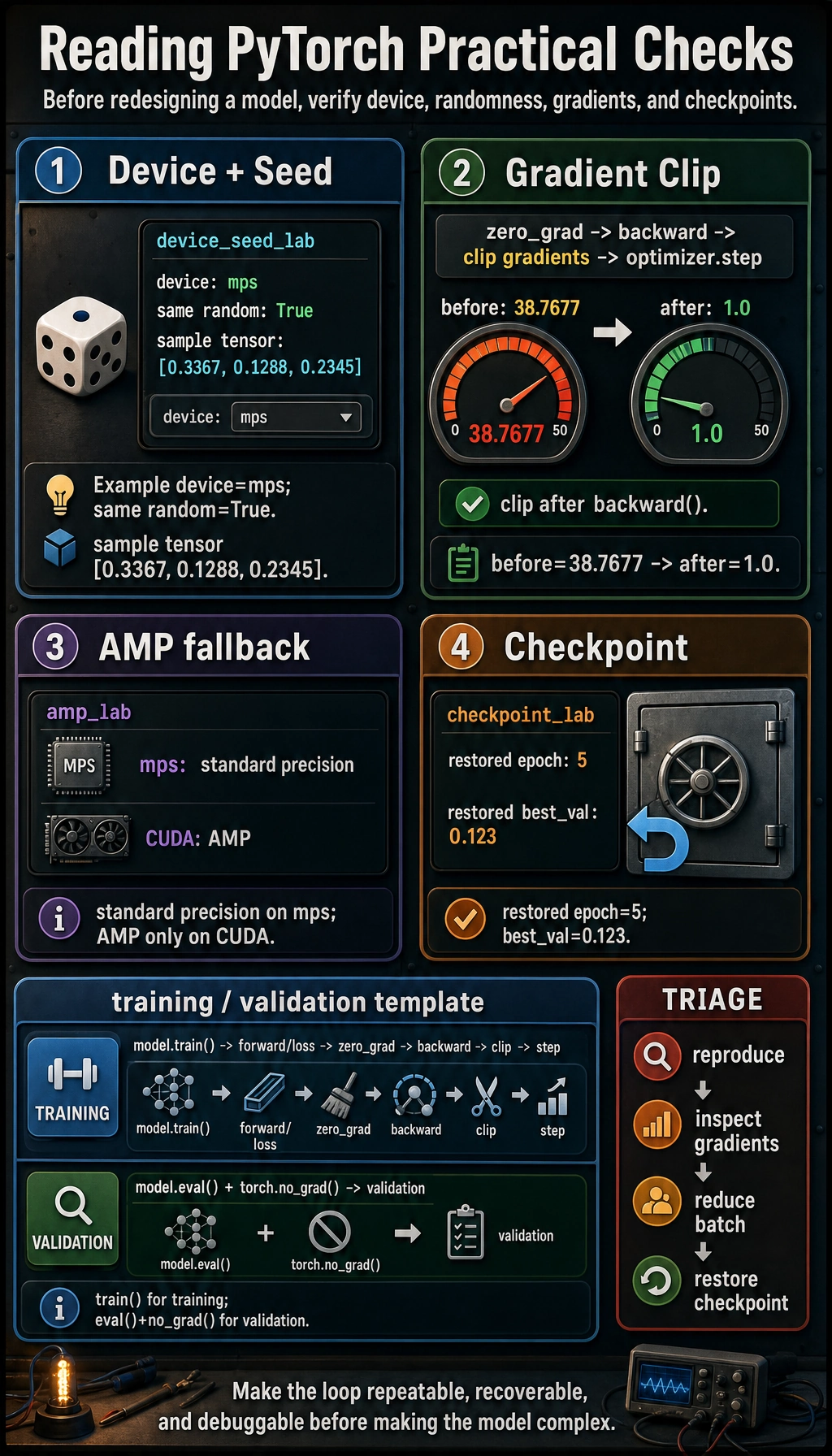
The four small labs are not separate tricks. They form a habit: choose the device, make randomness repeatable, clip unstable gradients after backward(), fall back safely when AMP is unavailable, and keep a checkpoint you can restore.
For real projects, save to a stable path such as:
checkpoints/best_model.pt
Memory and Stability Triage
| Symptom | First response | Next response |
|---|---|---|
| out of memory | reduce batch_size | use AMP on CUDA, then gradient accumulation |
loss becomes nan | lower learning rate | inspect inputs, add gradient clipping |
| validation is slow | add model.eval() and torch.no_grad() | reduce validation frequency |
| training changes every run | set seeds | log config and data split |
| checkpoint cannot load | check architecture and key names | inspect state_dict().keys() |
Gradient accumulation idea:
large effective batch = several smaller forward/backward passes + one optimizer step
It is useful when memory cannot hold the full batch at once.
Saveable Training Template
model.train()
for batch_x, batch_y in train_loader:
    batch_x = batch_x.to(device)
    batch_y = batch_y.to(device)

    pred = model(batch_x)
    loss = loss_fn(pred, batch_y)

    optimizer.zero_grad()
    loss.backward()
    torch.nn.utils.clip_grad_norm_(model.parameters(), max_norm=1.0)
    optimizer.step()

model.eval()
with torch.no_grad():
    for batch_x, batch_y in val_loader:
        batch_x = batch_x.to(device)
        batch_y = batch_y.to(device)
        pred = model(batch_x)
        val_loss = loss_fn(pred, batch_y)
This template is plain, but it prevents the most common PyTorch training mistakes.
Exercises
- Add device handling to your previous training loop and confirm model/data devices match.
- Print gradient norm before and after clipping in your own model.
- Add checkpoint saving for the best validation loss.
- Temporarily raise the learning rate until loss becomes unstable, then recover by lowering the learning rate and clipping gradients.
Key Takeaways
- Do not hard-code
.cuda(); choose a device and move both model and data. - Set seeds before debugging training behavior.
- Use gradient clipping after
backward()and beforestep(). - Use AMP mainly on CUDA and keep a simple fallback path.
- Save checkpoints with model state, optimizer state, epoch, and validation metric.