6.2.1 PyTorch Roadmap: Tensor, Autograd, Module, DataLoader, Loop
PyTorch is the framework that turns the deep learning loop into runnable code. First learn the execution order; details become easier afterward.
Look at the Workflow First
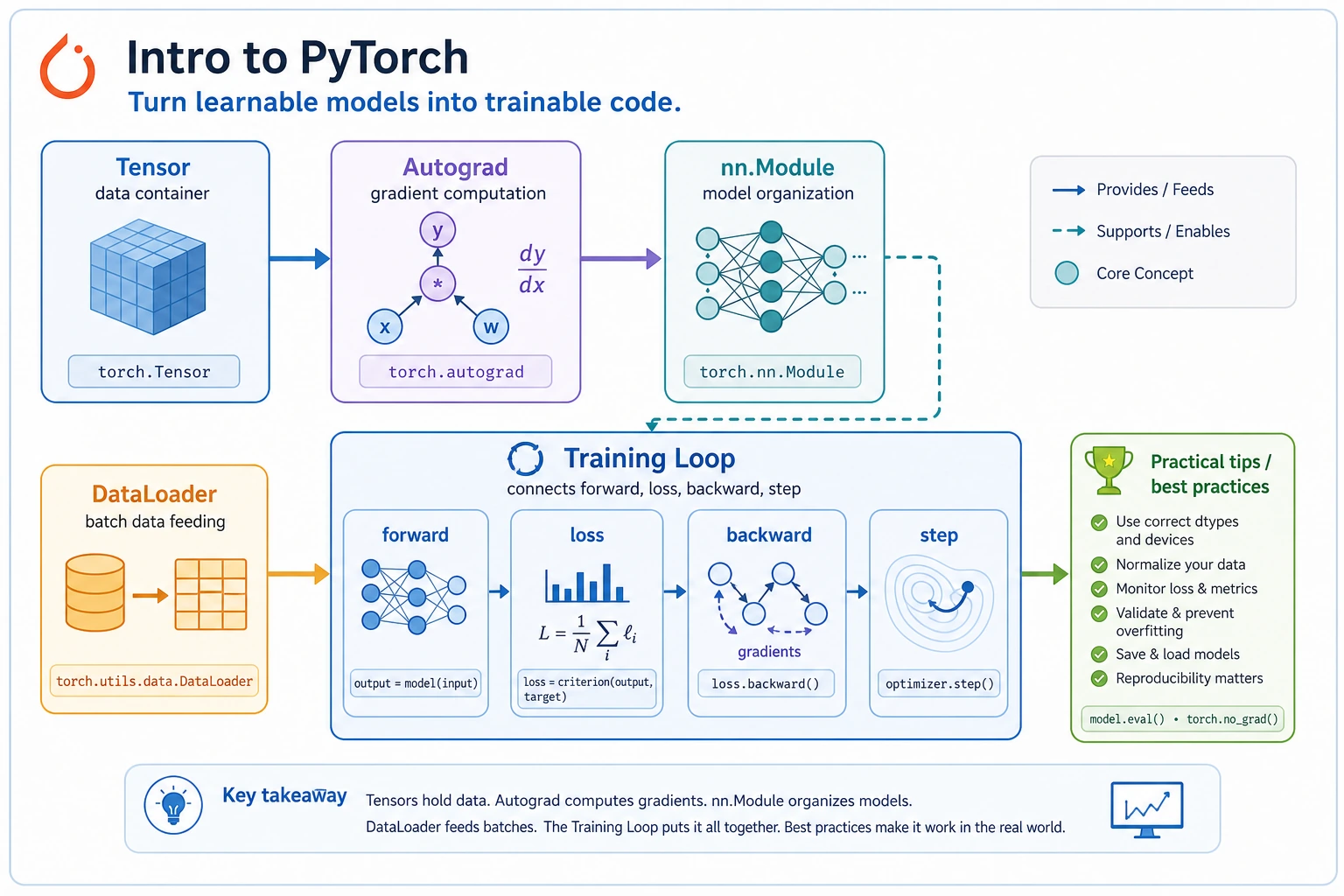
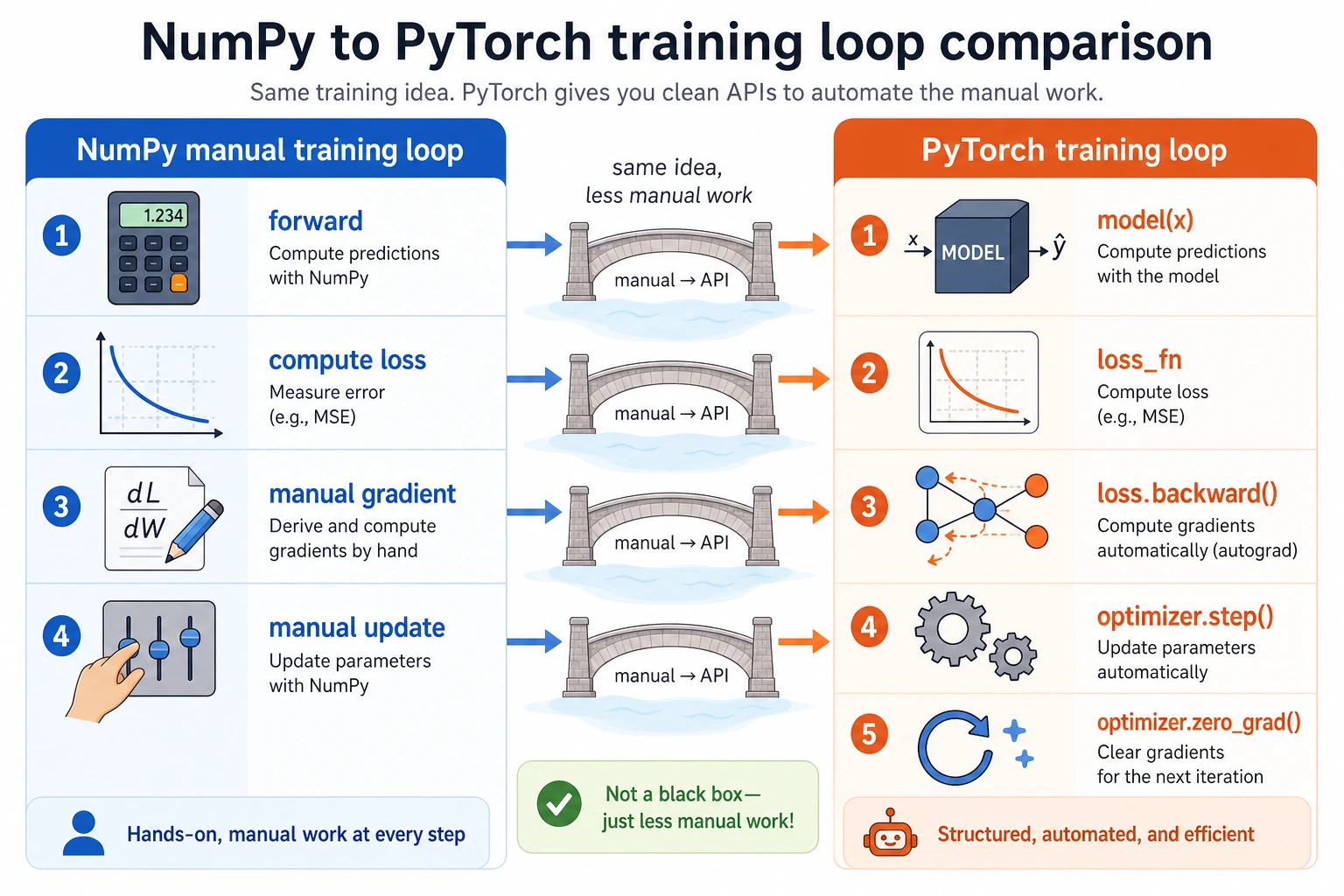
tensor -> model -> loss -> backward -> optimizer.step -> repeat
Run Autograd Once
Create pytorch_first_loop.py and run it after installing torch.
import torch

w = torch.tensor([0.0], requires_grad=True)
learning_rate = 0.2

for step in range(1, 5):
    loss = (w - 3).pow(2)
    loss.backward()
    with torch.no_grad():
        w -= learning_rate * w.grad
        w.grad.zero_()
    print(step, "w=", round(w.item(), 3), "loss=", round(loss.item(), 3))
Expected output:
1 w= 1.2 loss= 9.0
2 w= 1.92 loss= 3.24
3 w= 2.352 loss= 1.166
4 w= 2.611 loss= 0.42
The key PyTorch habit is visible here: compute loss, call backward(), update without tracking gradients, then clear old gradients.
Learn in This Order
| Order | Read | What to practice |
|---|---|---|
| 1 | 6.2.2 sklearn to PyTorch Bridge | why the loop becomes explicit |
| 2 | 6.2.3 PyTorch Basics | tensors, dtype, shape, device |
| 3 | 6.2.4 Autograd | requires_grad, backward, grad |
| 4 | 6.2.5 nn Module | model class, parameters |
| 5 | 6.2.6 Data Loading | Dataset, DataLoader, batch |
| 6 | 6.2.7 Training Loop | train/eval loop, loss log |
| 7 | 6.2.8 Practical Tips | shape, device, seed, debugging |
| 8 | 6.2.9 PyTorch Workshop | run and visualize a tiny model |
Pass Check
You pass this roadmap when you can read a PyTorch loop and locate these five things: data batch, model output, loss, backward(), and optimizer update.