9.3.9 Hands-on: Multi-Tool Collaborative Agent
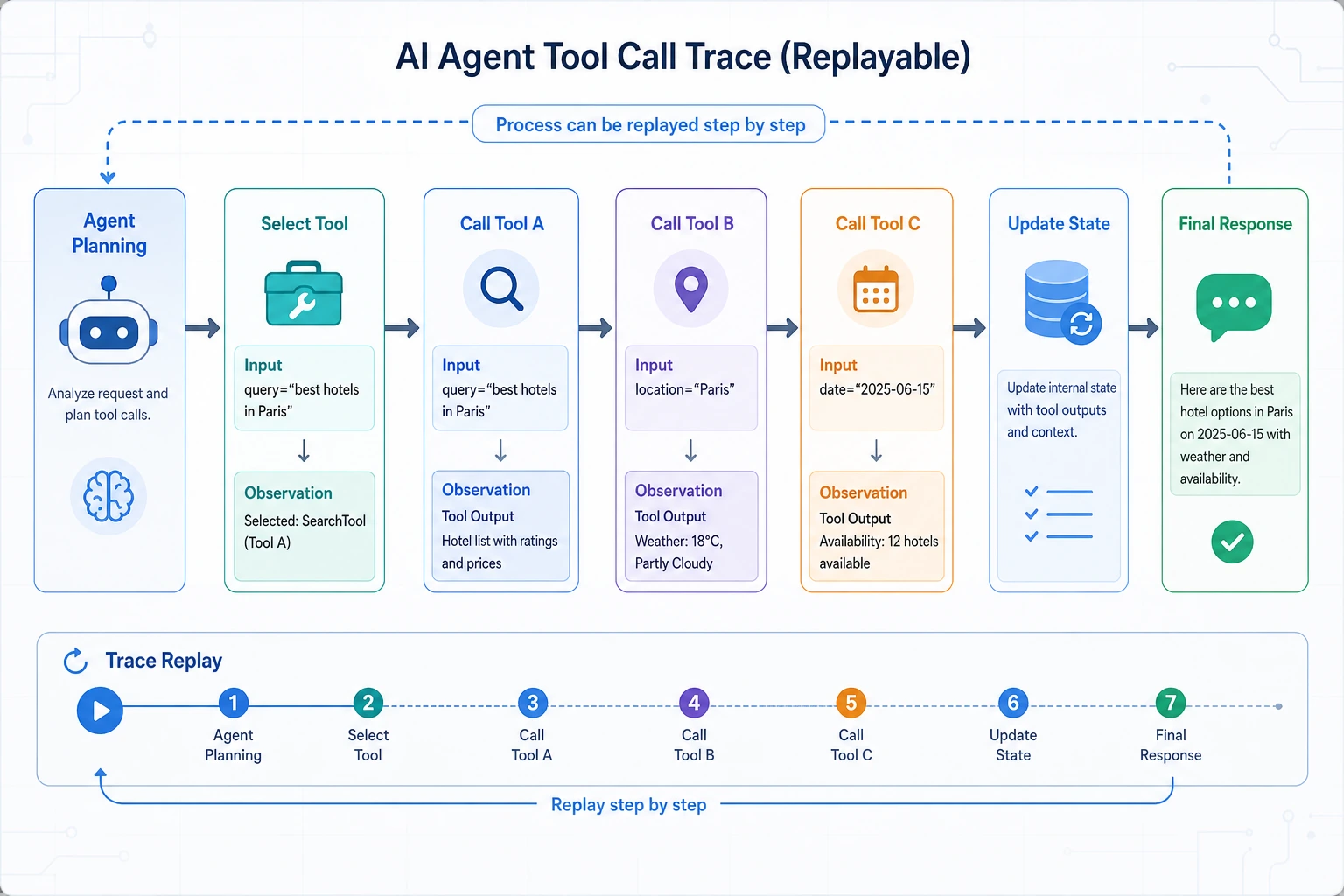
In the previous sections, we covered:
- Tool schema
- Calling strategies
- Common tools
- Safety and advanced patterns
In this section, we will truly connect them together. We are no longer talking about just one tool. Instead, we will build a complete small Agent:
After a user submits a refund ticket, the Agent first checks the order status, then checks the policy, then calculates the amount, and finally gives an actionable response.
This is a classic multi-tool collaboration task.
Learning Objectives
- Understand the main differences between a multi-tool Agent and a single-tool Agent
- Read a complete "discover -> select -> execute -> integrate -> output" loop
- Understand why state management is the key in multi-tool collaboration
- Learn how to present a multi-tool Agent using a minimal project structure
What Makes Multi-Tool Collaboration Hard?
The difficulty is not just "more tools"
The real challenges usually come in three layers:
- Order of execution
- Passing intermediate state
- Handling errors
For a refund scenario, for example:
- If you do not know the order status, the policy decision may be wrong
- If you do not know the order amount, you cannot calculate the refund
- If a tool fails, the final answer must also change
An analogy: a relay race, not a solo run
A single-tool task is like one person completing an action directly. A multi-tool task is like a relay race:
- The result from the previous runner must be passed to the next one
- If one runner drops the baton, everything after that is affected
That is why multi-tool systems fear "state drift"
If every round is unclear about what is already known, the system can easily:
- Call the same tool repeatedly
- Miss key information
- Integrate the final answer incorrectly
What Problem Does This Hands-on Example Solve?
We are building a minimal but complete refund ticket assistant. The user asks:
- Can I still get a refund for my order?
- How much will I get back?
- When will the money arrive?
This task needs at least three types of tools:
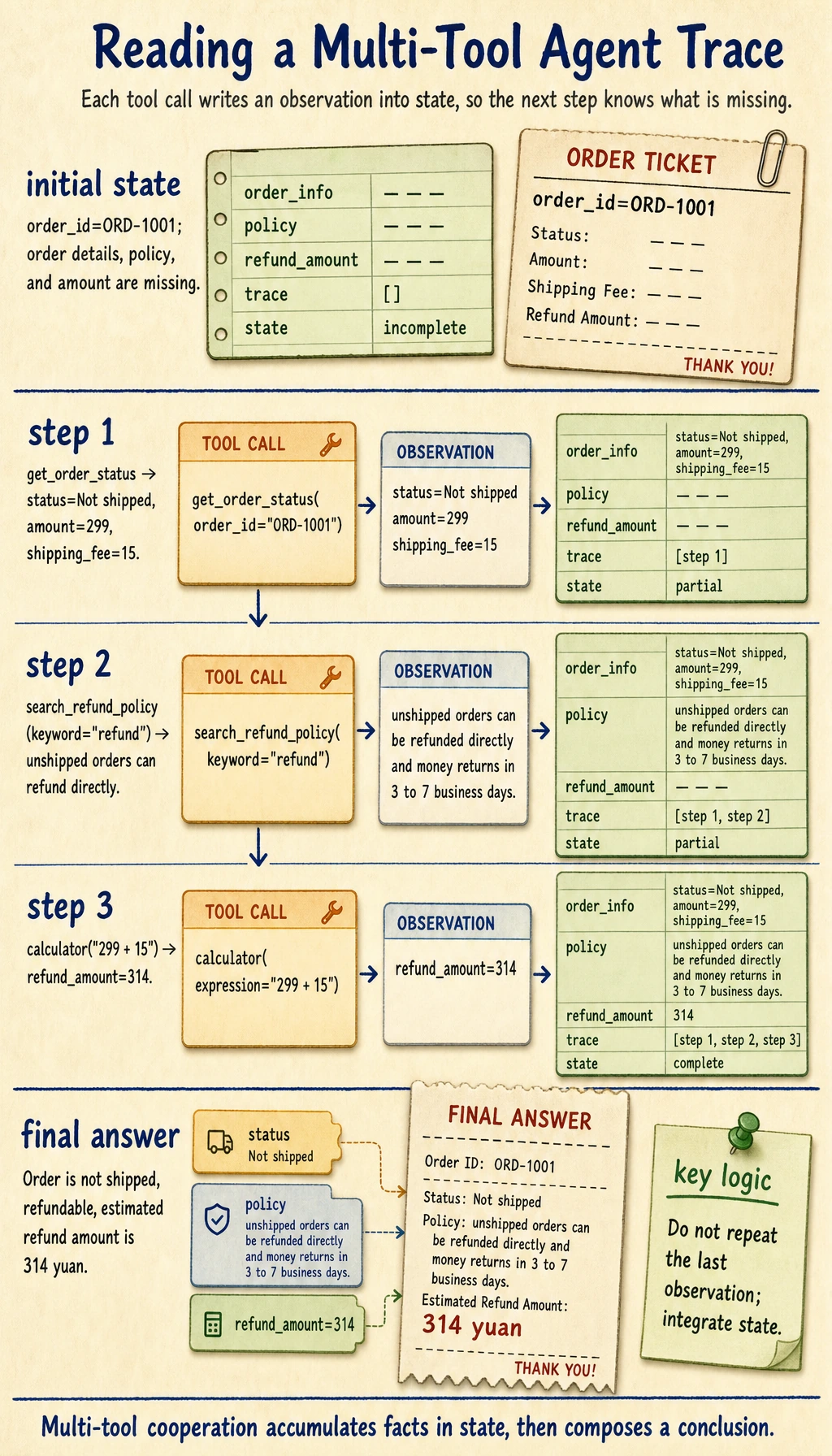
get_order_statussearch_refund_policycalculator
And they have a clear order:
- Check the order status first
- Match the policy next
- Then calculate the amount
Start with a Complete End-to-End Example
The following code shows the full process:
- Tool registration
- State tracking
- Decision strategy
- Multi-step execution
- Final answer
import ast
import operator

OPS = {
    ast.Add: operator.add,
    ast.Sub: operator.sub,
    ast.Mult: operator.mul,
    ast.Div: operator.truediv,
}


def safe_calculate(expression):
    def visit(node):
        if isinstance(node, ast.Expression):
            return visit(node.body)
        if isinstance(node, ast.Constant) and isinstance(node.value, (int, float)):
            return node.value
        if isinstance(node, ast.BinOp) and type(node.op) in OPS:
            return OPS[type(node.op)](visit(node.left), visit(node.right))
        if isinstance(node, ast.UnaryOp) and isinstance(node.op, ast.USub):
            return -visit(node.operand)
        raise ValueError("unsupported_expression")

    return visit(ast.parse(expression, mode="eval"))


TOOLS = {
    "get_order_status": lambda order_id: {
        "order_id": order_id,
        "status": "Not shipped",
        "amount": 299,
        "shipping_fee": 15,
    },
    "search_refund_policy": lambda keyword: {
        "policy_text": "Unshipped orders can be refunded directly. The money will be returned to the original payment method, usually within 3 to 7 business days."
    },
    "calculator": lambda expression: {
        "result": safe_calculate(expression)
    },
}


def decide_next_action(state):
    if "order_info" not in state:
        return {"tool": "get_order_status", "arguments": {"order_id": state["order_id"]}}

    if "policy" not in state:
        return {"tool": "search_refund_policy", "arguments": {"keyword": "refund"}}

    if "refund_amount" not in state:
        order = state["order_info"]
        expression = f"{order['amount']} + {order['shipping_fee']}"
        return {"tool": "calculator", "arguments": {"expression": expression}}

    return None


def apply_observation(state, tool_name, observation):
    if tool_name == "get_order_status":
        state["order_info"] = observation
    elif tool_name == "search_refund_policy":
        state["policy"] = observation["policy_text"]
    elif tool_name == "calculator":
        state["refund_amount"] = observation["result"]


def build_final_answer(state):
    order = state["order_info"]
    if order["status"] != "Not shipped":
        return "This order does not currently qualify for a direct refund. Please contact human support for further assistance."

    return (
        f"Order {state['order_id']} is currently {order['status']}. "
        f"{state['policy']} "
        f"The estimated refund amount is {state['refund_amount']} yuan."
    )


def run_agent(order_id, max_steps=5):
    state = {"order_id": order_id, "trace": []}

    for _ in range(max_steps):
        decision = decide_next_action(state)
        if decision is None:
            return state["trace"], build_final_answer(state)

        tool_name = decision["tool"]
        observation = TOOLS[tool_name](**decision["arguments"])

        state["trace"].append(
            {
                "tool": tool_name,
                "arguments": decision["arguments"],
                "observation": observation,
            }
        )

        apply_observation(state, tool_name, observation)

    return state["trace"], "Maximum steps reached, task not completed."


trace, answer = run_agent("ORD-1001")
print("trace:")
for item in trace:
    print(item)
print("\nanswer:")
print(answer)
Expected output:
trace:
{'tool': 'get_order_status', 'arguments': {'order_id': 'ORD-1001'}, 'observation': {'order_id': 'ORD-1001', 'status': 'Not shipped', 'amount': 299, 'shipping_fee': 15}}
{'tool': 'search_refund_policy', 'arguments': {'keyword': 'refund'}, 'observation': {'policy_text': 'Unshipped orders can be refunded directly. The money will be returned to the original payment method, usually within 3 to 7 business days.'}}
{'tool': 'calculator', 'arguments': {'expression': '299 + 15'}, 'observation': {'result': 314}}

answer:
Order ORD-1001 is currently Not shipped. Unshipped orders can be refunded directly. The money will be returned to the original payment method, usually within 3 to 7 business days. The estimated refund amount is 314 yuan.
What is the biggest difference between this code and the earlier scattered examples?
It is no longer just:
- A single-tool demo
Instead, it clearly shows:
- Decision order
- State accumulation
- Multi-tool cooperation
- Final integration
In other words, it is already very close to the skeleton of a real multi-tool Agent.
Why is state so important?
Because after every tool call, the system needs to know:
- What is already known
- What is still missing
- What should be fetched next
Without a shared state, multi-tool collaboration will almost certainly become messy.
Why does the final answer not simply use the last observation?
Because the goal of a multi-tool system is usually not to repeat a tool output verbatim. What it really needs to do is:
- Integrate multiple observations into a conclusion the user can understand
That is exactly where the value of the Agent layer comes from.
Where Do These Systems Most Often Fail?
Wrong tool order
For example, checking refund amount or giving a conclusion before checking order status.
Intermediate state is not saved
This can lead to:
- Rechecking the same tool repeatedly
- Overwriting results incorrectly
- Later steps being unable to use earlier results
A tool fails, but the system still pretends everything succeeded
This is a very dangerous kind of bug in multi-tool systems. For example:
- The policy lookup fails
- But the system still invents a refund rule
So failure paths must also be part of the design.
How Can You Turn This Demo into a Portfolio Project?
Step 1: Make the tools more realistic
For example, replace:
- Mock order status
- Mock policy documents
with:
- Database queries
- Document retrieval
Step 2: Add failure handling
For example:
- Tool timeout
- Order not found
- Policy not matched
The system should always have a clear fallback path.
Step 3: Add an evaluation set
You can prepare:
- Refundable orders
- Non-refundable orders
- Boundary amount cases
- Tool failure cases
This way, the system is not just "able to run," but also "able to be tested."
Step 4: Visualize the trace
If you show the tool call trace, this project will be very suitable for portfolio demos.
Common Mistakes
Mistake 1: Multi-tool just means chaining several functions in order
Not enough. What is truly hard is:
- Order reasoning
- State passing
- Failure recovery
Mistake 2: More tools means a stronger Agent
More tools only increases:
- Selection difficulty
- State management complexity
at the same time.
Mistake 3: If the final answer sounds human, the system must be good
For a multi-tool system, you should care more about:
- Whether the trace is reasonable
- Whether the tools were necessary
- Whether the observations were integrated correctly
Summary
The most important thing in this section is not building a demo that can "call three functions in a row," but forming a core understanding of a multi-tool Agent:
The essence of multi-tool collaboration is to organize multiple external capabilities in the correct order around shared state, while keeping the system controllable under failure and uncertainty.
Once you understand this layer well, when you later build more complex systems such as:
- Enterprise assistants
- Research Agents
- Code Agents
you will know where the real difficulty lies.
Exercises
- Add a
notify_usertool to the example, and make it send a notification only when the refund conditions are met. - Why do we say the core of a multi-tool Agent is not "having more tools," but "having stable state management"?
- If
search_refund_policyreturns an empty result, how would you change this workflow? - Think about it: which parts of this demo are most suitable for portfolio presentation?