
10.1.1 Vision Basics ロードマップ:Pixels、Channels、Processing
Computer vision は input intuition から始まります。classification、detection、segmentation の前に、image がどんな数字として扱われるかを理解します。
まず image pipeline を見る
Section titled “まず image pipeline を見る”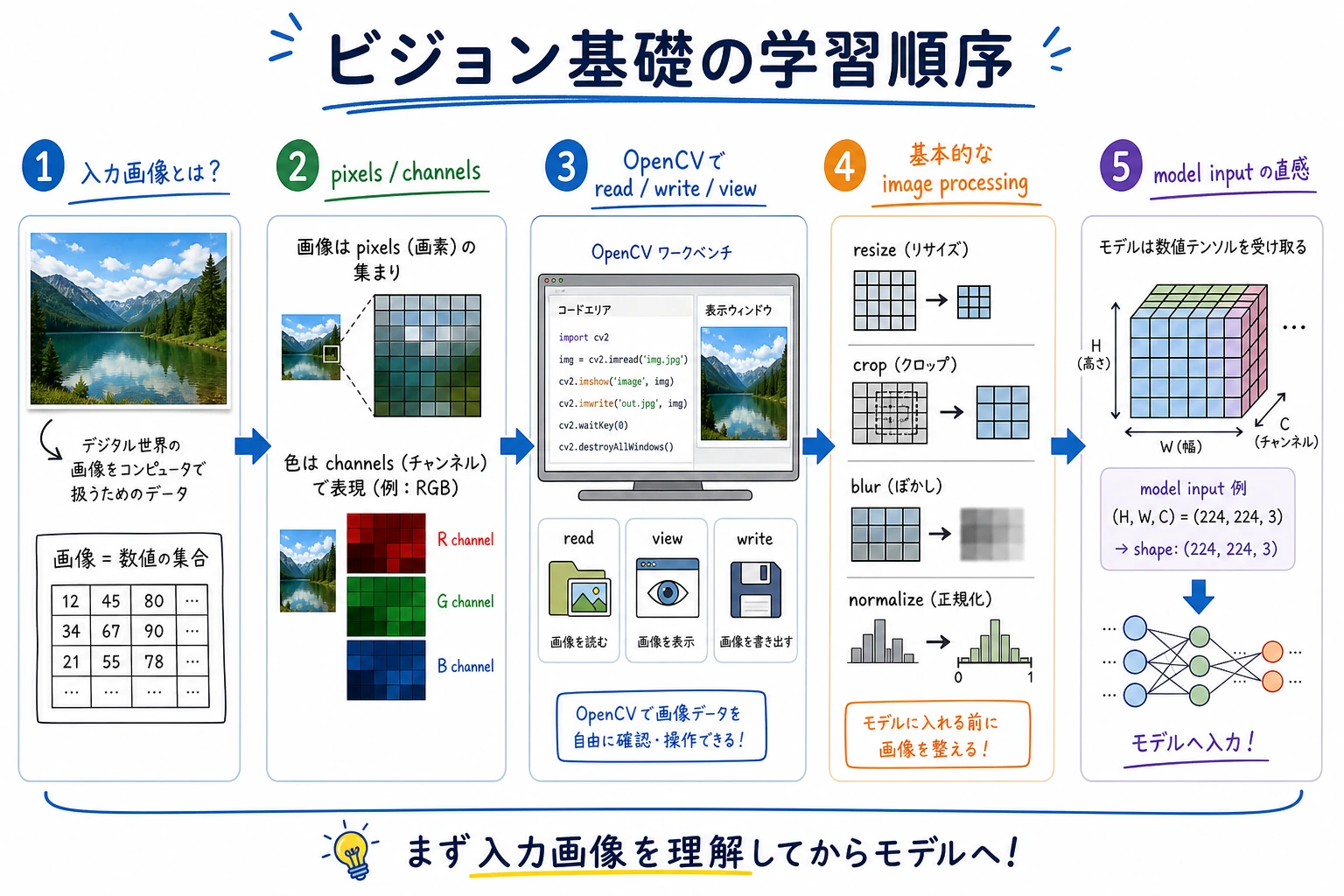
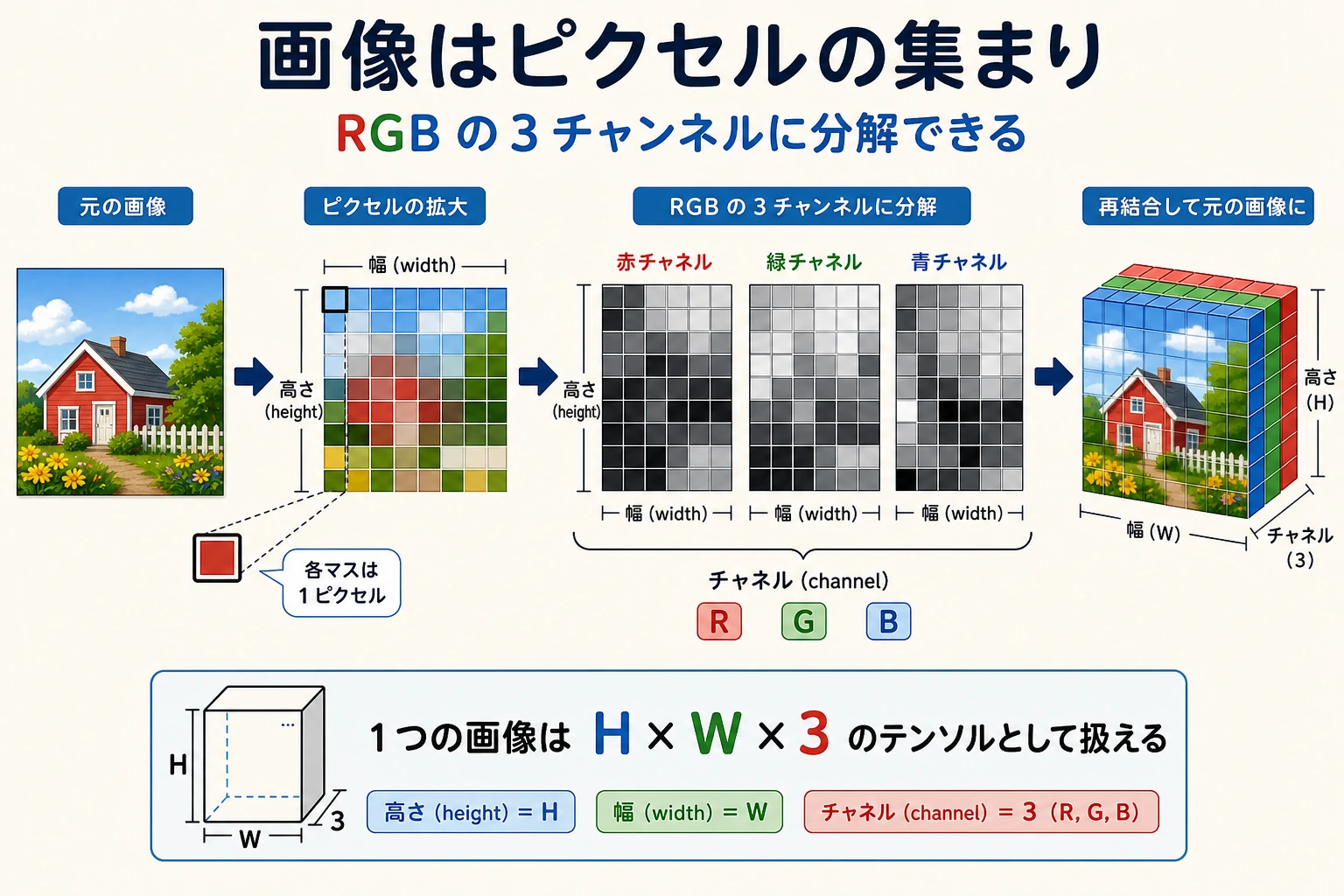
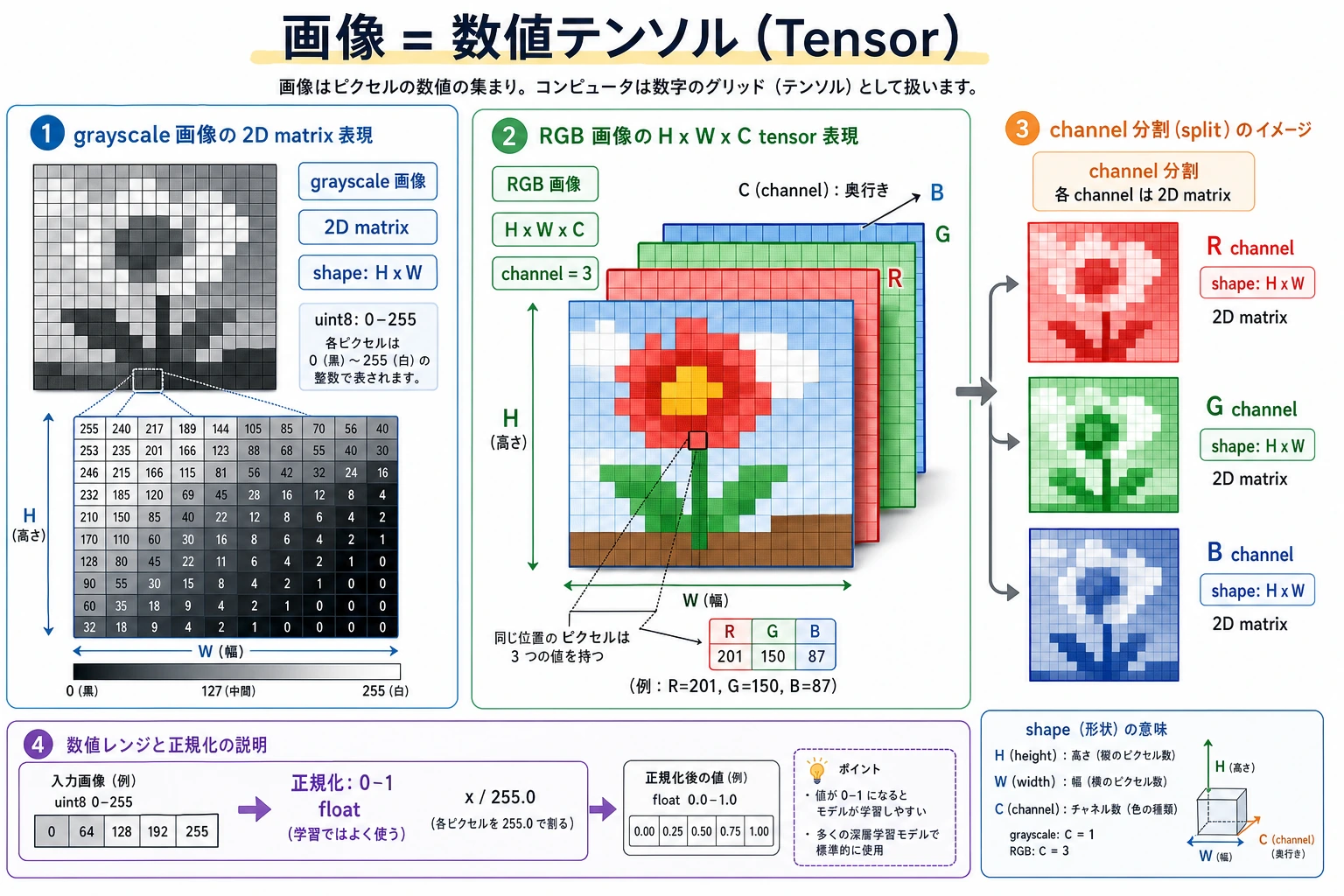
最初の mental model は単純です:image = height × width × channels。多くの後続 bug は shape、channel order、coordinates、color space の混同から来ます。
小さな image shape check を動かす
Section titled “小さな image shape check を動かす”この toy image は 2 rows、3 columns、RGB values を持ちます。
image = [    [[255, 0, 0], [0, 255, 0], [0, 0, 255]],    [[255, 255, 255], [0, 0, 0], [128, 128, 128]],]
height = len(image)width = len(image[0])channels = len(image[0][0])top_left_pixel = image[0][0]
print("shape:", (height, width, channels))print("top_left_pixel:", top_left_pixel)
出力:
shape: (2, 3, 3)top_left_pixel: [255, 0, 0]実画像を wrong shape や wrong channel order で読むと、その後の model result は信頼しにくくなります。
この順番で学ぶ
Section titled “この順番で学ぶ”| 手順 | 読む内容 | 実践アウトプット |
|---|---|---|
| 1 | Image representation | pixel、channel、height、width、RGB/BGR を説明する |
| 2 | OpenCV basics | image の load、view、crop、resize、save を行う |
| 3 | Basic processing | grayscale、threshold、blur、edge、simple filters を試す |
image shape を inspect し、coordinates で region を crop し、channel order を説明し、processed result を README 用に保存できれば、この章は合格です。
確認の考え方と解説
- 合格レベルの答えでは、task を class label、bounding box、mask、OCR text、embedding、video event など正しい視覚出力に対応づけます。
- 証拠には、rendered visual artifact と、metric または定性的な error note を含めます。
- class confusion、missed object、bad mask、lighting shift、domain shift、annotation quality など、失敗モードを1つ説明できればよいです。
このページを終えたら、この evidence card を残します。
- 入力画像
- 実行で使うソース画像または生成画像
- 配列形状
- 幅、高さ、channels、dtype、座標規約
- 処理済み出力
- グレースケール、切り抜き、エッジ、しきい値処理、または保存済み中間画像
- 失敗確認
- チャネル順、リサイズの歪み、座標ミス、または過剰処理
- 期待される成果
- 前後の画像と、出力された shape またはピクセル値