
12.3.1 動画と音声ロードマップ:台本、タイムライン、同期
動画と音声生成では、時間という要素が増えます。1 枚の画像を作るのではなく、台本、ショット、ナレーション、字幕、動き、レビューをタイムライン上で整理します。
まずタイムラインを見る
Section titled “まずタイムラインを見る”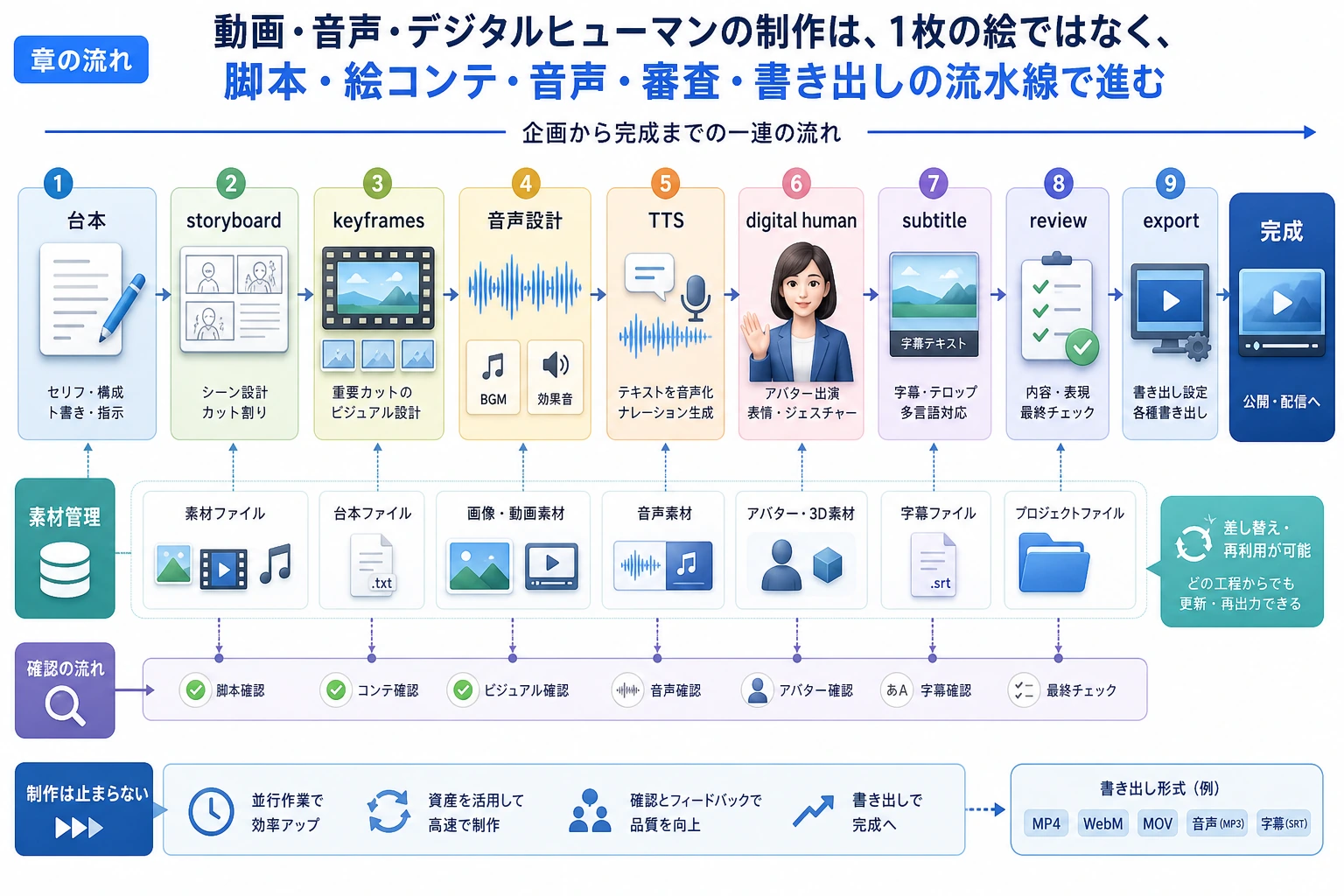
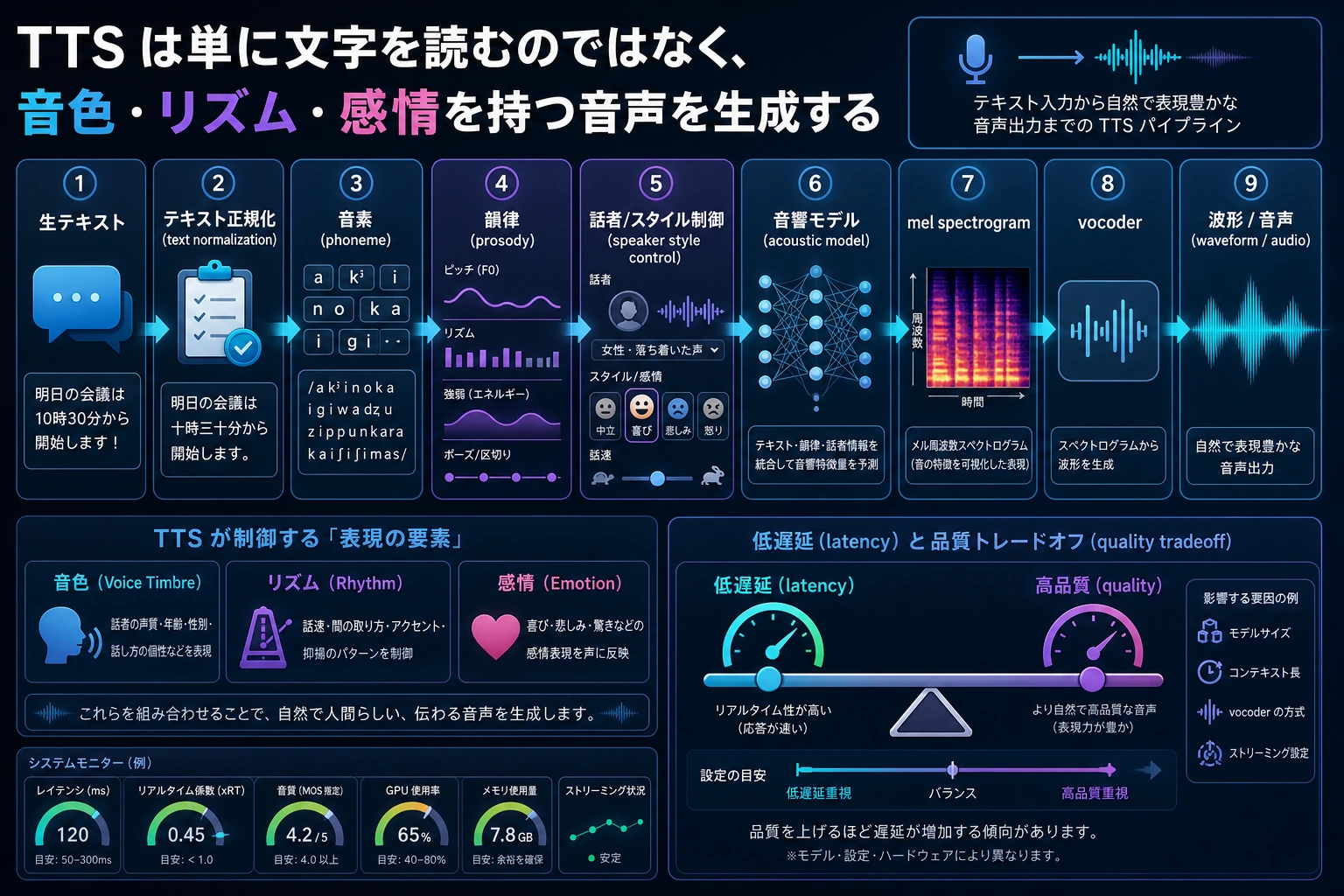
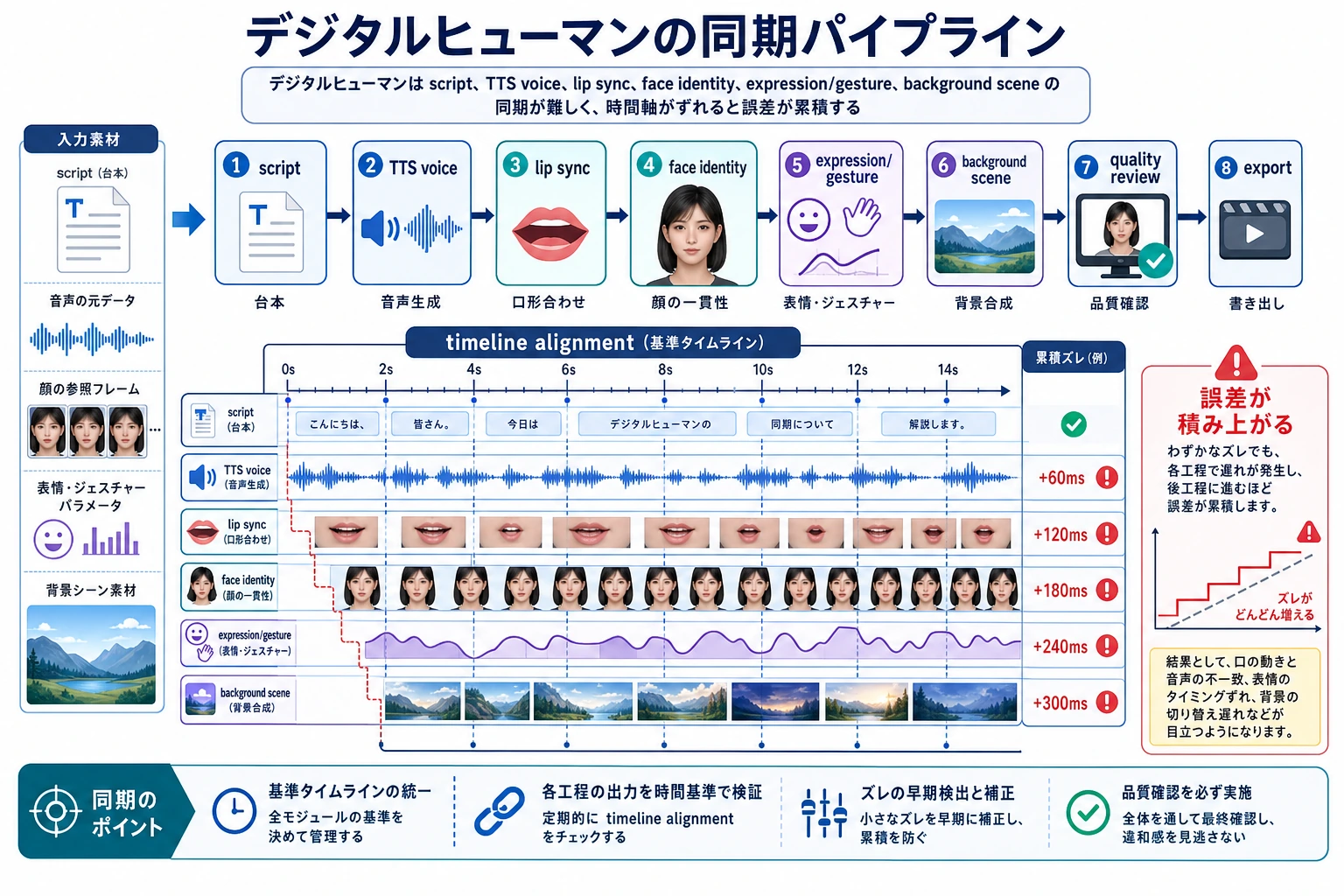
最初の習慣は、すべての生成素材がタイムラインのどこに置かれるかを説明することです。
30 秒の素材計画を作る
Section titled “30 秒の素材計画を作る”shots = [ {"seconds": 8, "visual": "problem screenshot", "voice": "Many course questions repeat."}, {"seconds": 12, "visual": "RAG pipeline diagram", "voice": "Retrieval adds sources before the model answers."}, {"seconds": 10, "visual": "final assistant screen", "voice": "The answer is clearer and easier to verify."},]
for index, shot in enumerate(shots, start=1): print(f"shot_{index}: {shot['seconds']}s | {shot['visual']} | voice: {shot['voice']}")print("total_seconds:", sum(shot["seconds"] for shot in shots))期待される出力:
shot_1: 8s | problem screenshot | voice: Many course questions repeat.shot_2: 12s | RAG pipeline diagram | voice: Retrieval adds sources before the model answers.shot_3: 10s | final assistant screen | voice: The answer is clearer and easier to verify.total_seconds: 30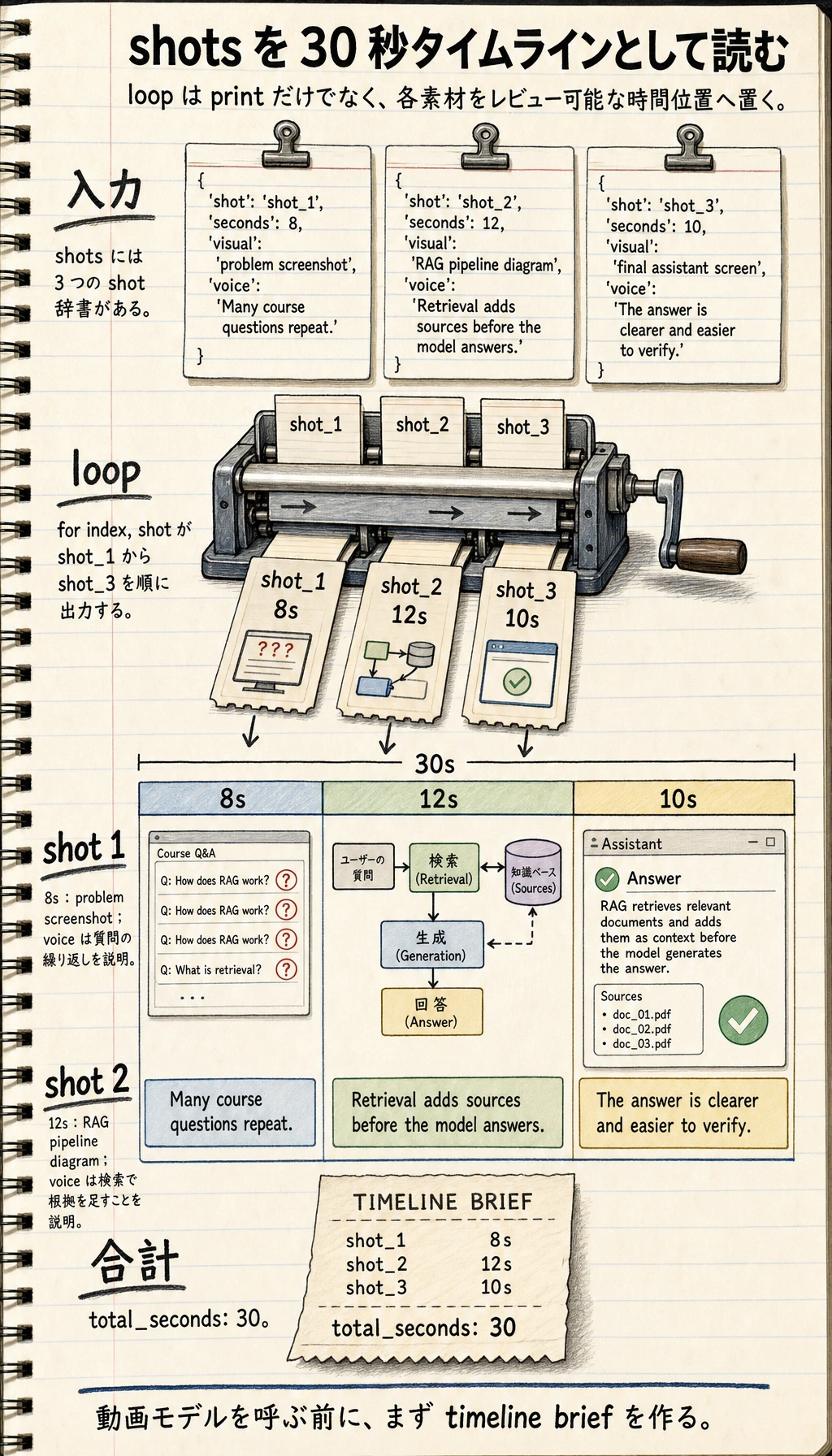
実際の動画モデルを呼ぶ前でも、これは使える動画生成 brief になります。
この順番で学ぶ
Section titled “この順番で学ぶ”| ステップ | 読む内容 | 練習の成果 |
|---|---|---|
| 1 | 動画生成 | 台本をショットと視覚プロンプトに分ける |
| 2 | TTS | ナレーションを音声設定と字幕テキストに変える |
| 3 | デジタルヒューマン | 顔、声、口形同期、許諾、安全境界を記録する |
1 つのテーマを、ショット、ナレーション、尺、字幕、リスクメモ、出力要件を含むタイムラインに分解できれば、この章は通過です。
このページを終えたら、この evidence card を残します。
- ストーリーボード
- シーン一覧、duration、camera/voice/subtitle/timing のメモ
- 資産一覧
- images、audio、voice、captions、clips、source/license フィールド
- 同期チェック
- 音声テキストのタイミング、口パク、ショットの連続性、またはフレームの一貫性
- 失敗確認
- ちらつき、アイデンティティのずれ、音声不一致、安全でない類似、または書き出しの問題
- 期待される成果
- レビュー用メモを含むストーリーボードまたはタイムラインのアーティファクト