
A.5 Hardware and Cloud Resource Guide
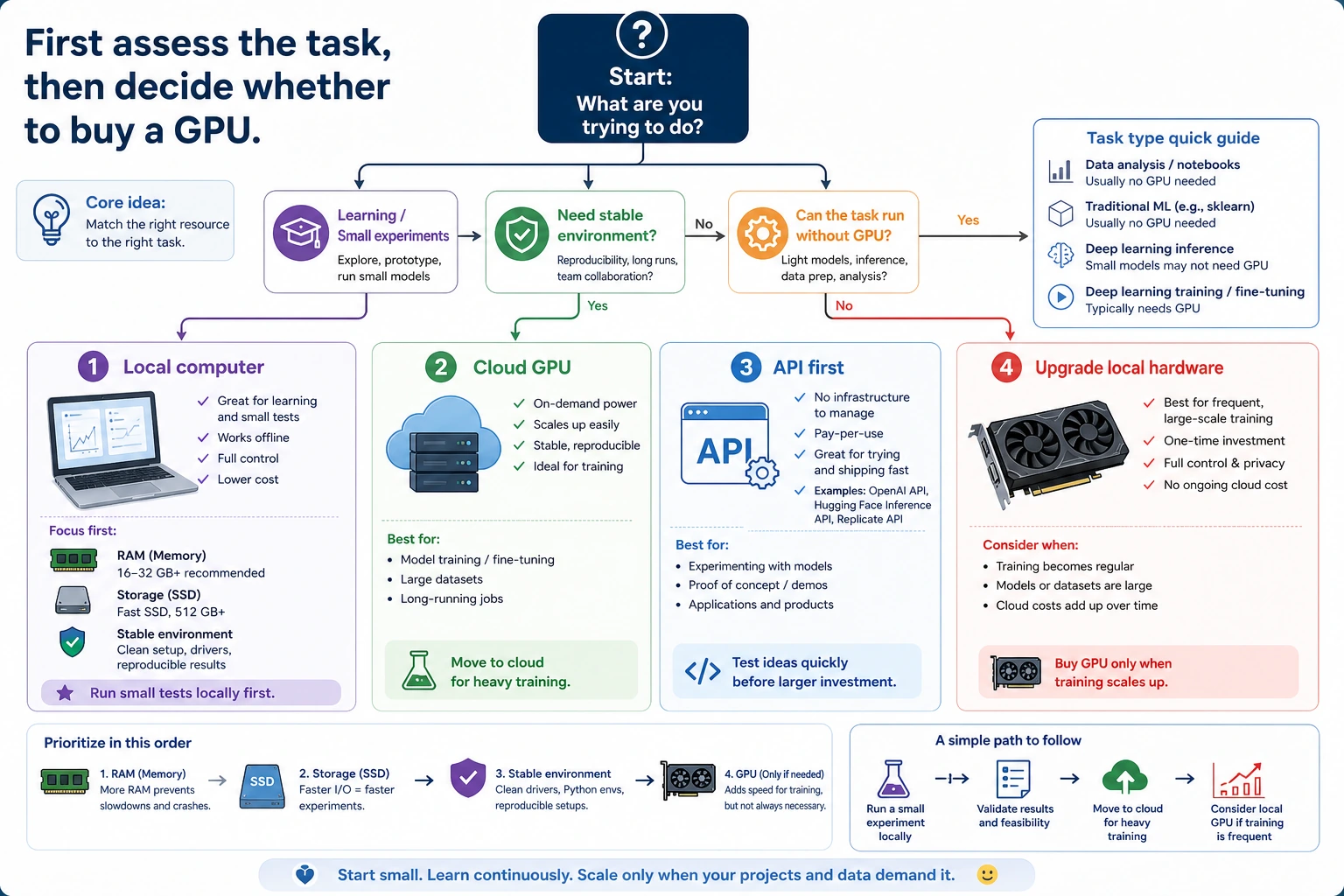
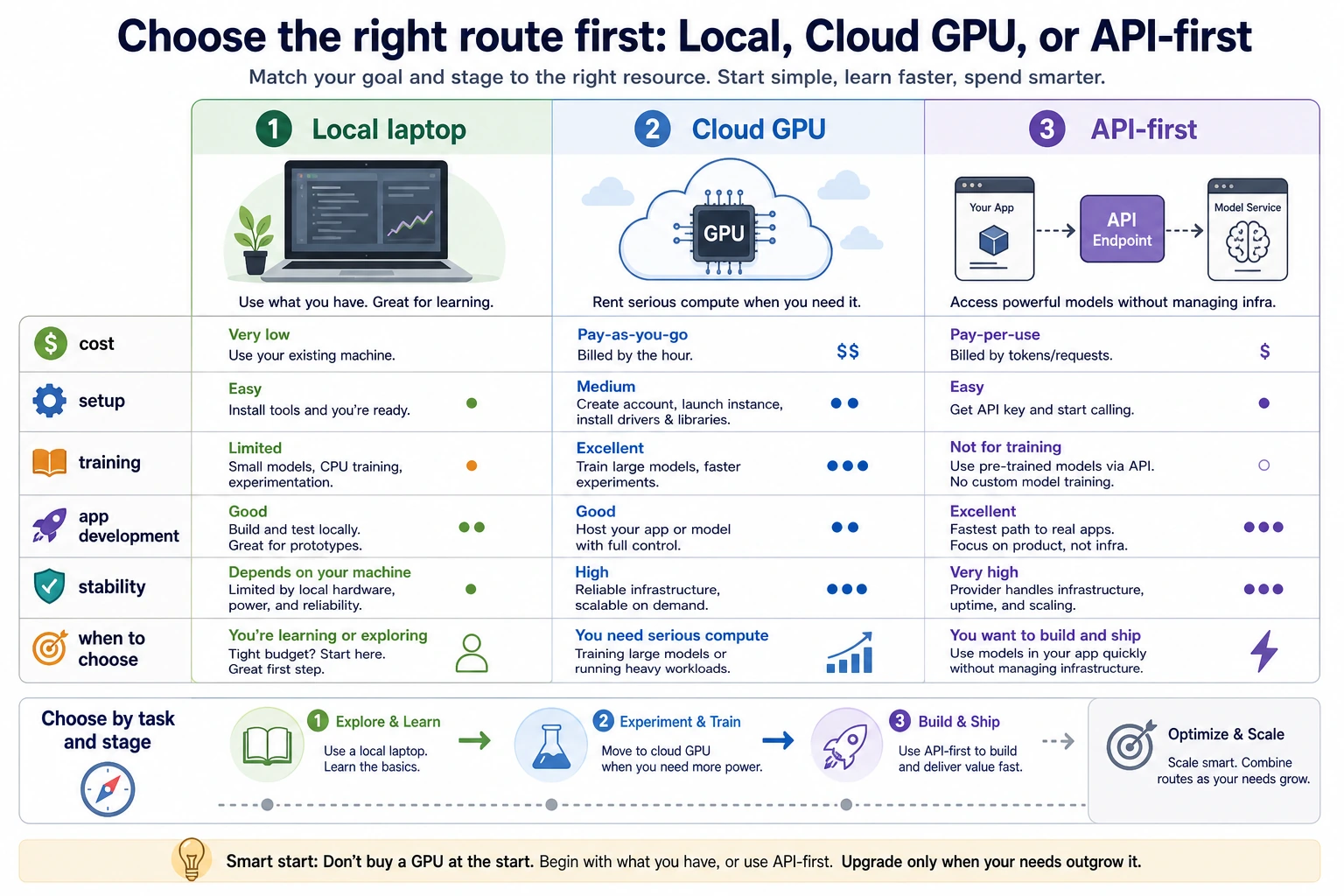
The short answer: do not buy a GPU first. Start with the task, then choose local CPU, cloud GPU, or API.
Quick decision table
Section titled “Quick decision table”| Learning stage | Local need | Better option when stuck |
|---|---|---|
| Chapters 1-5 tools, Python, data, math, classic ML | 8-16GB RAM, SSD | Usually no GPU needed |
| Chapter 6 deep learning basics | 16GB RAM | Cloud GPU for training exercises |
| Chapter 7 LLM principles and fine-tuning concepts | 16-32GB RAM | Cloud GPU or API experiments |
| Chapters 8-9 RAG and Agent | 16GB RAM, stable network | API-first engineering route |
| Chapters 10-11 CV and NLP | 16GB RAM | Cloud GPU for heavier experiments |
| Chapter 12 multimodal | 16-32GB RAM | Cloud generation or API services |
Buying priority
Section titled “Buying priority”For most learners, spend in this order:
- Memory: 16GB minimum, 32GB comfortable.
- SSD: 512GB minimum, 1TB comfortable.
- Stable environment: clean Python, Node, Docker, and project folders.
- Display and input comfort: external monitor, keyboard, mouse.
- GPU: only after you know your real workload.
When to use cloud or API
Section titled “When to use cloud or API”| Option | Best for | Watch out for |
|---|---|---|
| Free notebooks | Small demos and learning the workflow | Time limits and unstable availability |
| Hourly cloud GPU | Training experiments with clear code and data | Prepare first, shut down immediately after use |
| API-first route | RAG, Agent, assistant, and product projects | Logging, cost control, privacy, and retries |
| Local GPU | Frequent long-term training and fast local iteration | VRAM, cooling, power, and total cost |
When a local GPU is worth it
Section titled “When a local GPU is worth it”Buy only when at least two are true:
- You will train models frequently for months.
- Cloud queues or time limits slow you down every week.
- You know the model size, batch size, and VRAM you need.
- You need fast local iteration more than low upfront cost.
If the reason is only “I may need it later,” wait.
Practical plan
Section titled “Practical plan”Use your current computer for Chapters 1-5. Rent cloud GPU when Chapter 6, 10, or 11 really needs it. Use API-first projects for Chapters 8-9. Decide on local GPU only after your project workload proves it.
Evidence to Keep
Section titled “Evidence to Keep”Keep this page’s proof of learning as a small evidence card:
- Workload
- learning, inference, fine-tuning, vision, video, or deployment target
- Constraint
- budget, latency, memory, privacy, portability, and maintenance cost
- Decision
- local CPU/GPU, cloud GPU, API, or hosted service with reason
- Risk Check
- buying hardware before measuring workload or ignoring cloud/API alternatives
- Expected Output
- hardware/cloud decision note tied to one actual course project
Pass Check
Section titled “Pass Check”You pass this appendix page when you can justify CPU, API, cloud GPU, or local GPU for one real course task without buying hardware just in case.