
9.10.4 Project: Multi-Agent Development Team [Optional]
Learning objectives
Section titled “Learning objectives”- Learn how to define a minimal role set for a multi-Agent development team
- Understand the most important handoff artifacts between roles
- Build a multi-Agent project skeleton that can be demonstrated and verified
- Understand why protocols and state matter more than “more rounds of talking”
Why is a minimal role set usually enough?
Section titled “Why is a minimal role set usually enough?”A very stable minimal closed loop usually only needs:
- planner
- coder
- reviewer
- tester
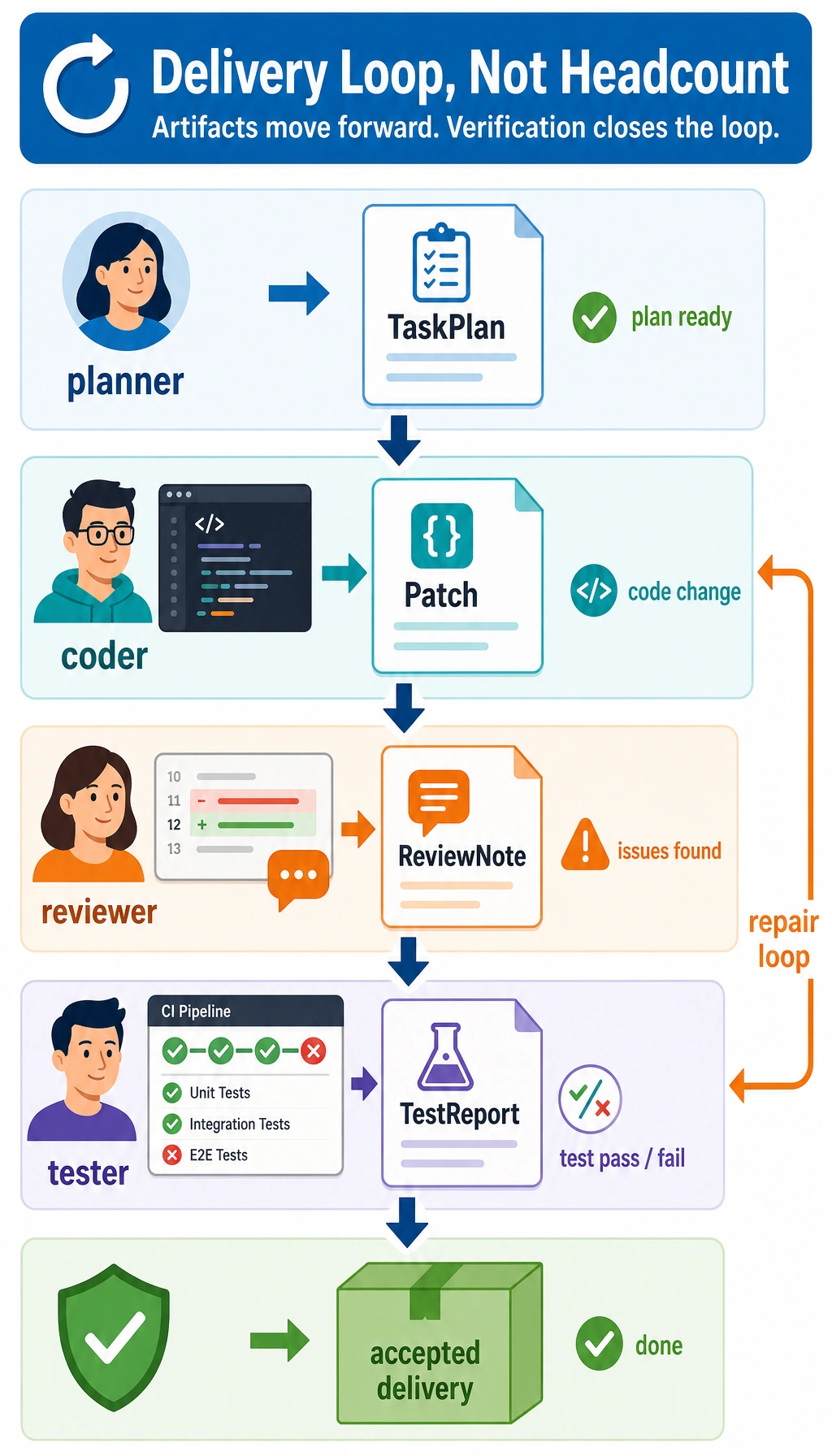
These four roles are already enough to demonstrate:
- Task decomposition
- Implementation
- Review
- Verification
If you add too many roles at the start, the system can easily look busy while actually spinning in place.
First, run a role artifact handoff example
Section titled “First, run a role artifact handoff example”This example does not actually modify code, but it will show the structure of the most important “handoff artifacts.”
from dataclasses import dataclass

@dataclassclass TaskPlan:    goal: str    files_to_change: list    acceptance_test: str

@dataclassclass Patch:    summary: str    changed_files: list

@dataclassclass ReviewNote:    approved: bool    issues: list

@dataclassclass TestReport:    passed: bool    cases: list

plan = TaskPlan(    goal="Fix inconsistent status labels on the refund page",    files_to_change=["status.py", "test_status.py"],    acceptance_test="Given '  OPEN ', the normalized result should be 'open'",)
patch = Patch(    summary="Fix status normalization logic and add tests",    changed_files=["status.py", "test_status.py"],)
review = ReviewNote(    approved=False,    issues=["Unclear variable naming", "Incomplete edge case tests"],)
test_report = TestReport(    passed=False,    cases=["test_status_normalize_basic", "test_status_normalize_empty"],)
print(plan)print(patch)print(review)print(test_report)
Expected output:
TaskPlan(goal='Fix inconsistent status labels on the refund page', files_to_change=['status.py', 'test_status.py'], acceptance_test="Given ' OPEN ', the normalized result should be 'open'")Patch(summary='Fix status normalization logic and add tests', changed_files=['status.py', 'test_status.py'])ReviewNote(approved=False, issues=['Unclear variable naming', 'Incomplete edge case tests'])TestReport(passed=False, cases=['test_status_normalize_basic', 'test_status_normalize_empty'])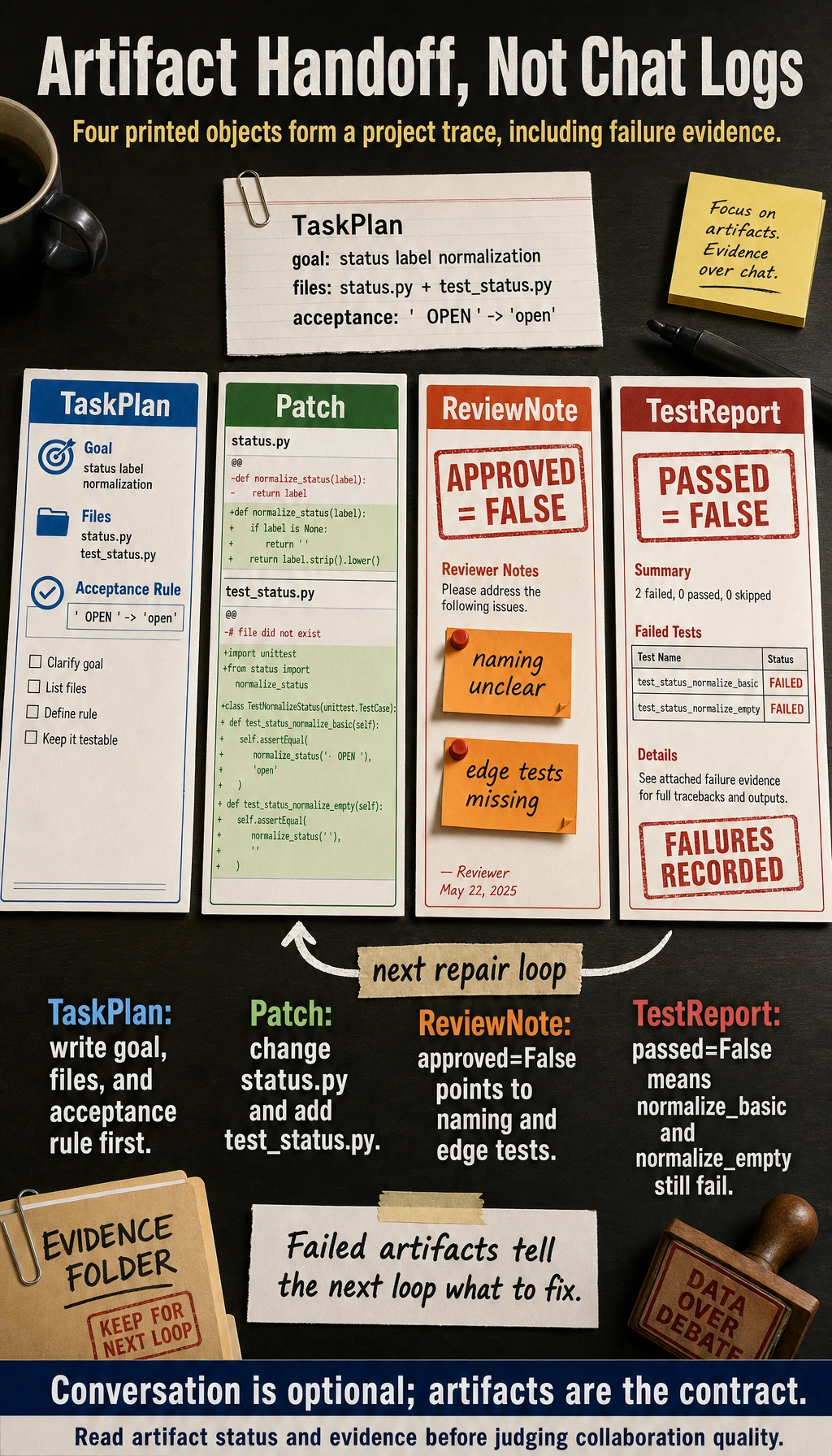
What is the most important part of this example?
Section titled “What is the most important part of this example?”It shows that what a multi-Agent project should really demonstrate is not plain chat logs, but:
- Handoff artifacts
- Task status
- Result verification
Why are artifacts more important than conversation?
Section titled “Why are artifacts more important than conversation?”Because artifacts are the inputs that later roles actually depend on. If you only look at conversation, it is hard to tell whether the system can collaborate reliably.
A minimal workflow loop
Section titled “A minimal workflow loop”Continue in the same file or Python session, because this block reuses the dataclasses from the previous example.
Now connect the four roles into a minimal flow:
def planner(goal):    return TaskPlan(        goal=goal,        files_to_change=["status.py", "test_status.py"],        acceptance_test="Given '  OPEN ', the normalized result should be 'open'",    )

def coder(plan):    return Patch(        summary=f"Implement according to the task goal: {plan.goal}",        changed_files=plan.files_to_change,    )

def reviewer(patch):    if "test_status.py" not in patch.changed_files:        return ReviewNote(approved=False, issues=["Missing test file changes"])    return ReviewNote(approved=True, issues=[])

def tester(review_note):    if not review_note.approved:        return TestReport(passed=False, cases=["review_failed"])    return TestReport(passed=True, cases=["test_status_normalize_basic", "test_status_normalize_empty"])

goal = "Fix inconsistent status labels on the refund page"plan = planner(goal)patch = coder(plan)review = reviewer(patch)test_report = tester(review)
print(plan)print(patch)print(review)print(test_report)
Expected output:
TaskPlan(goal='Fix inconsistent status labels on the refund page', files_to_change=['status.py', 'test_status.py'], acceptance_test="Given ' OPEN ', the normalized result should be 'open'")Patch(summary='Implement according to the task goal: Fix inconsistent status labels on the refund page', changed_files=['status.py', 'test_status.py'])ReviewNote(approved=True, issues=[])TestReport(passed=True, cases=['test_status_normalize_basic', 'test_status_normalize_empty'])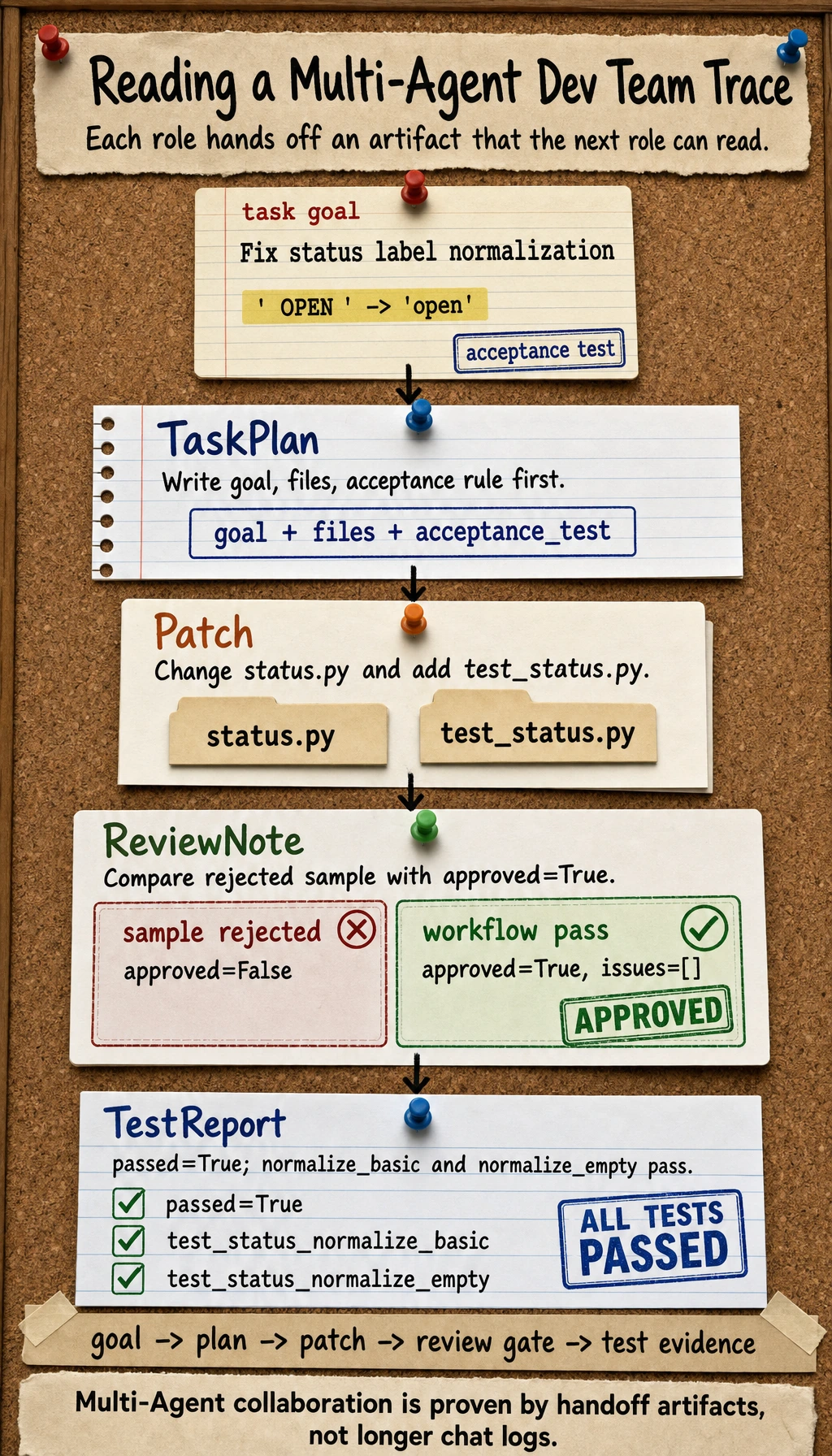
Why does this loop already feel like a real project?
Section titled “Why does this loop already feel like a real project?”Because it captures the three most important things in a multi-Agent project:
- Role division of labor
- Clear artifact handoffs
- A review-and-test feedback loop
If reviewer does not approve, why should tester not continue?
Section titled “If reviewer does not approve, why should tester not continue?”This shows that a multi-Agent system is not “everyone works in parallel on their own,” but must respect:
- Stage dependencies
- Handoff quality
What should a portfolio-level project show?
Section titled “What should a portfolio-level project show?”A complete task trace
Section titled “A complete task trace”For example:
- Task goal
- plan
- patch
- review issues
- test report
One failure rollback
Section titled “One failure rollback”This is very convincing. For example:
- reviewer rejects the patch
- coder fixes it a second time
- tester verifies again
Clear role boundaries
Section titled “Clear role boundaries”Your portfolio should be able to answer:
- Why do we need these 4 roles?
- What are the input and output of each role?
Evidence to Keep
Section titled “Evidence to Keep”Keep this page’s proof of learning as a small evidence card:
- Project Goal
- what the agent should accomplish and what it must not do
- Baseline
- single-agent loop before adding advanced features
- Trace Pack
- goal, plan, tool calls, observations, memory, evaluation
- Failure Log
- one failed or unsafe run with root cause
- Deliverable
- README, run command, trace screenshot/log, next step
The most common pitfalls
Section titled “The most common pitfalls”Many roles, but unclear boundaries
Section titled “Many roles, but unclear boundaries”This makes the system look complex, but in reality it is just duplicate work.
No shared state or unified artifact format
Section titled “No shared state or unified artifact format”This makes it hard for roles to hand off work reliably.
Only showing the success path
Section titled “Only showing the success path”A good multi-Agent project should also show:
- How rollback happens after failure
- Which step is most likely to go wrong
Summary
Section titled “Summary”The most important thing in this lesson is to establish a portfolio-level judgment:
The real value of a multi-Agent development team project is not having more and more roles, but whether task decomposition, artifact handoff, and failure rollback can be organized into a stable closed loop.
Once this loop is in place, the project becomes a very good way to demonstrate your true understanding of multi-Agent systems.
Suggested version roadmap
Section titled “Suggested version roadmap”| Version | Goal | Delivery focus |
|---|---|---|
| Basic | Get the minimal closed loop working | Can input, process, and output, while keeping a set of examples |
| Standard | Become a presentable project | Add configuration, logging, error handling, README, and screenshots |
| Challenge | Approach portfolio quality | Add evaluation, comparison experiments, failure sample analysis, and a next-step roadmap |
It is recommended to finish the basic version first; do not pursue something huge and complete from the start. With every version upgrade, write into the README: “What new capability was added, how was it verified, and what problems remain.”
Exercises
Section titled “Exercises”- Add an
ops_agentto the workflow and think about where it should be inserted. - Think about why “a unified artifact format” is more important than “roles that can chat” in a multi-Agent project.
- If reviewer frequently rejects patches, which layer should you optimize first?
- If you turn this project into a demo page, which complete trace would you most want to show?
Project reference and review notes
- Add
ops_agentafter implementation and before final release review. It should check run commands, environment variables, logging, rollback notes, and deployment risks. - A unified artifact format matters because agents need stable inputs and outputs to coordinate. Chat alone is hard to test, replay, diff, or hand off to another agent.
- If the reviewer often rejects patches, first optimize task specification and acceptance criteria. Then inspect coder context, test feedback, and whether review comments are actionable.
- A strong demo trace shows requirement -> plan -> patch -> test result -> review rejection or approval -> revision -> final artifact. That trace makes the collaboration structure visible.