
13.2 Hands-on: Run, Train, and Serve an Open-Source LLM
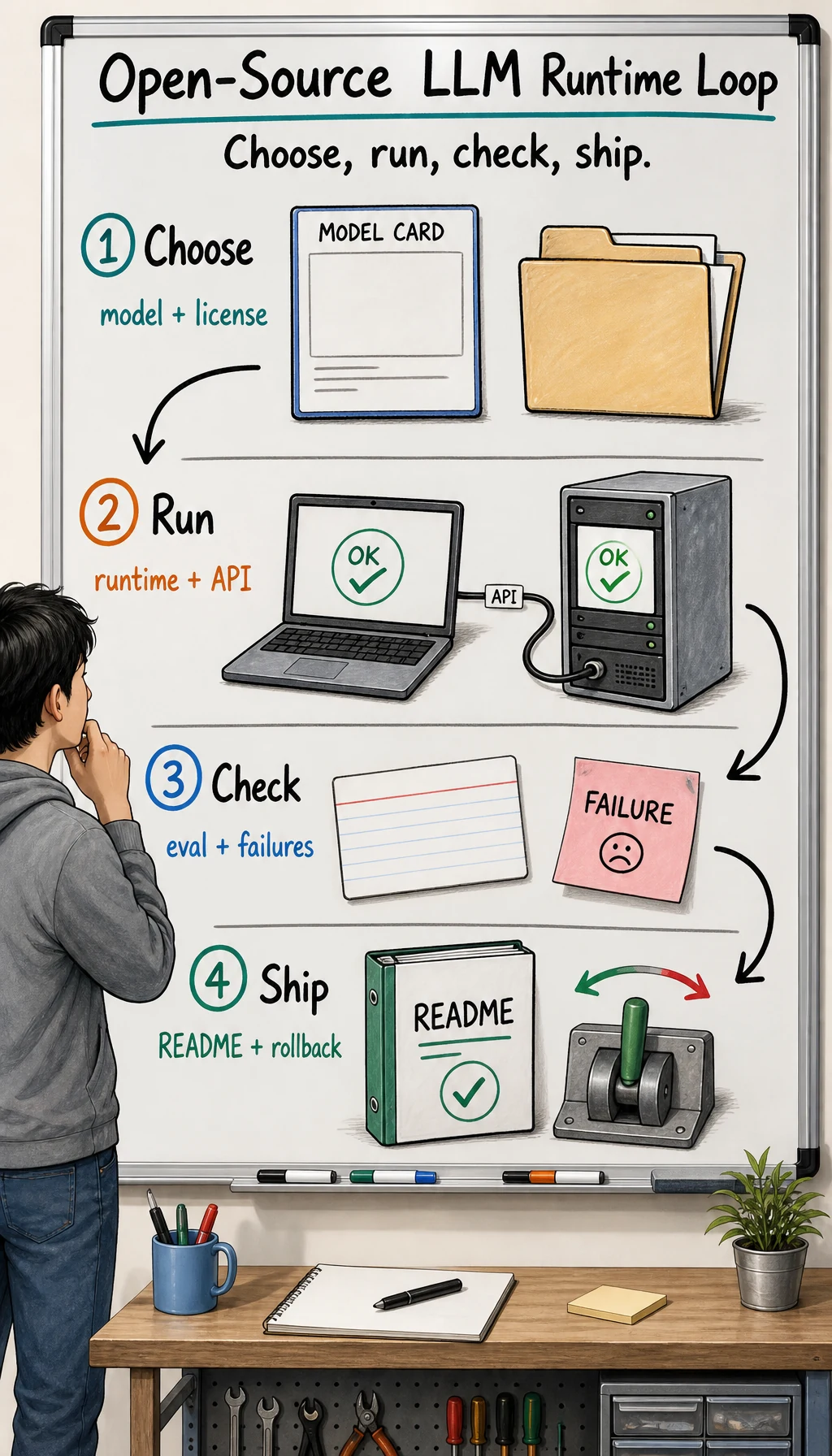
This page is the runnable lab. You will start with a tiny model and prove the whole loop: environment, inference, evaluation, API serving, and shutdown. You will also run a mini GPT-2 training rehearsal so you know what real GPU training evidence looks like. The default model is not chosen for answer quality. It is chosen so the code path can run on an ordinary machine before you spend time or money on a larger model.
Before you begin, choose a route in 13.1 Compute Routes: Local CPU, Free Colab, Rented GPU. This lab is written so the first pass works on local CPU. Colab and rented GPU are upgrades after the evidence loop is clear.
After the loop works, replace MODEL_ID with Qwen, Llama, InternLM, ChatGLM, or another model family. Self-LLM is useful because it has model-specific routes; this page gives you the shared engineering skeleton first.
What You Will Produce
Section titled “What You Will Produce”Your folder should end with:
openllm_lab/ environment_report.py environment_report.txt requirements-freeze.txt model_decision.md run_local_llm.py first_run.md eval_cases.csv eval_openllm.py eval_results.csv eval_summary.json serve_openai_like.py gpu_plan.md mini_gpt2_train.py openllm_gpu_training_run/ environment_report.json training_log.csv mini_gpt2_checkpoint.pt sample.txt README.md lora_decision.md README.mdThe pass bar is not “the model sounds smart.” The pass bar is:
- the environment report is reproducible;
- the local model loads and generates text;
- five fixed cases can be evaluated again;
- the API can be called with
curl; - a mini GPT-2 training script produces a log, checkpoint, and sample text;
- you know how to stop the service and archive evidence.
CPU or MPS training is only a smoke test. The final training evidence should include one run where environment_report.json says "device": "cuda" and training_log.csv has at least three logged loss rows.
0. Confirm The Compute And Model Route
Section titled “0. Confirm The Compute And Model Route”Create compute_route.md from the previous lesson and keep it next to this lab. For the first run, it can be simple:
# Compute Route
route: local_cpuselected_model: sshleifer/tiny-gpt2runtime: Transformerswhat_this_proves: environment, model loading, generation, evaluation, local APIwhat_this_does_not_prove: answer quality, vLLM throughput, 7B-class servingfallback_route: stay on tiny model until the loop is reproduciblestop_or_rollback: Ctrl+C for local API
Then choose the model route:
Smoke test: sshleifer/tiny-gpt2
Good for any ordinary computer. It proves the code path, not assistant quality.
Small real model: Qwen/Qwen2.5-0.5B-Instruct
Good for a machine with stable network and disk. It is closer to a real chat model, but it takes longer to download.
GPU serving: 7B-class instruct model
Good for a rented GPU or enough local VRAM. Run the small loop first, then upgrade to vLLM.
Start with the smoke test. Do not begin by downloading a large model.
First write model_decision.md:
# Model Decision
## Task
Course knowledge assistant, first validating the local model runtime path.
## Selected model
- Smoke test: sshleifer/tiny-gpt2- Next model: Qwen/Qwen2.5-0.5B-Instruct
## License and source
- Source: Hugging Face model page- License check: read the model card before real deployment
## Runtime
- First run: Transformers- GPU server candidate: vLLM
## Rejected for now
- 7B model: wait until the tiny and 0.5B loops have evidence- Fine-tuning: wait until fixed eval cases show repeated failures
Self-LLM can guide the exact model route later, but this decision card should stay in your own project.
1. Create the Project Environment
Section titled “1. Create the Project Environment”mkdir openllm_labcd openllm_lab
python -m venv .venvsource .venv/bin/activate
python -m pip install -U pippython -m pip install "torch" "transformers>=4.41" "accelerate" "safetensors" "sentencepiece" "fastapi" "uvicorn"python -m pip freeze > requirements-freeze.txtIf torch fails to install, use the PyTorch website to choose the command for your operating system and accelerator. Do not skip this step; every later model load depends on it.
requirements-freeze.txt is not something to memorize. It is evidence of the exact package environment where this run happened.
2. Write the Environment Check
Section titled “2. Write the Environment Check”Create environment_report.py:
import platformimport shutilimport subprocessfrom pathlib import Path

def run_optional(command):    try:        return subprocess.check_output(command, text=True, stderr=subprocess.STDOUT).strip()    except Exception as exc:        return f"not available: {exc!r}"

lines = [    f"python_platform: {platform.platform()}",    f"python_version: {platform.python_version()}",]
try:    import torch
    lines.extend(        [            f"torch_version: {torch.__version__}",            f"cuda_available: {torch.cuda.is_available()}",            f"cuda_device: {torch.cuda.get_device_name(0) if torch.cuda.is_available() else 'cpu'}",            f"mps_available: {getattr(torch.backends, 'mps', None) is not None and torch.backends.mps.is_available()}",        ]    )except Exception as exc:    lines.append(f"torch_check_failed: {exc!r}")
disk = shutil.disk_usage(".")lines.append(f"disk_free_gb: {round(disk.free / 1024**3, 2)}")lines.append("nvidia_smi:")lines.append(run_optional(["nvidia-smi", "--query-gpu=name,memory.total", "--format=csv,noheader"]))
report = "\n".join(lines) + "\n"Path("environment_report.txt").write_text(report, encoding="utf-8")print(report)
Run it:
python environment_report.pyRead it this way:
cuda_available: Truemeans NVIDIA GPU is usable;mps_available: Truemeans Apple Silicon may use MPS;- neither one is fine for the default tiny model;
environment_report.txtis required evidence.
3. Write Local Inference
Section titled “3. Write Local Inference”Create run_local_llm.py:
import argparseimport osimport timefrom pathlib import Path
import torchfrom transformers import AutoModelForCausalLM, AutoTokenizer

def pick_device():    if torch.cuda.is_available():        return "cuda"    if getattr(torch.backends, "mps", None) is not None and torch.backends.mps.is_available():        return "mps"    return "cpu"

def load_model(model_id):    tokenizer = AutoTokenizer.from_pretrained(model_id, trust_remote_code=True)    if tokenizer.pad_token is None:        tokenizer.pad_token = tokenizer.eos_token
    device = pick_device()    kwargs = {"trust_remote_code": True}    if device == "cuda":        kwargs["device_map"] = "auto"        kwargs["torch_dtype"] = "auto"
    model = AutoModelForCausalLM.from_pretrained(model_id, **kwargs)    if device != "cuda":        model.to(device)    model.eval()    return tokenizer, model, device

def build_inputs(tokenizer, prompt, device):    messages = [{"role": "user", "content": prompt}]    if getattr(tokenizer, "chat_template", None):        input_ids = tokenizer.apply_chat_template(            messages,            add_generation_prompt=True,            return_tensors="pt",        ).to(device)        return {"input_ids": input_ids}, input_ids.shape[-1]
    inputs = tokenizer(prompt, return_tensors="pt")    inputs = {key: value.to(device) for key, value in inputs.items()}    return inputs, inputs["input_ids"].shape[-1]

def generate_once(tokenizer, model, device, prompt, max_new_tokens=80):    inputs, input_length = build_inputs(tokenizer, prompt, device)    pad_id = tokenizer.pad_token_id if tokenizer.pad_token_id is not None else tokenizer.eos_token_id    started = time.time()    with torch.inference_mode():        output_ids = model.generate(            **inputs,            max_new_tokens=max_new_tokens,            do_sample=False,            pad_token_id=pad_id,        )    elapsed = time.time() - started    new_tokens = output_ids[0][input_length:]    text = tokenizer.decode(new_tokens, skip_special_tokens=True).strip()    return text or "(empty output)", elapsed

def main():    parser = argparse.ArgumentParser()    parser.add_argument("--model", default=os.environ.get("MODEL_ID", "sshleifer/tiny-gpt2"))    parser.add_argument("--prompt", default=os.environ.get("PROMPT", "Explain what a local LLM runtime does in one sentence."))    parser.add_argument("--max-new-tokens", type=int, default=80)    args = parser.parse_args()
    tokenizer, model, device = load_model(args.model)    answer, elapsed = generate_once(tokenizer, model, device, args.prompt, args.max_new_tokens)
    report = f"""# First local LLM run
model: {args.model}device: {device}prompt: {args.prompt}latency_seconds: {elapsed:.2f}
## Output
{answer}"""    Path("first_run.md").write_text(report, encoding="utf-8")    print(report)

if __name__ == "__main__":    main()
Run the default model:
python run_local_llm.pyThe output may be odd. That is fine because tiny-gpt2 is only a smoke test. Passing means the script downloaded a model, loaded weights, generated text, and wrote first_run.md.
Then try a small real model:
MODEL_ID="Qwen/Qwen2.5-0.5B-Instruct" \PROMPT="Explain in three sentences why a local LLM deployment should keep an environment report." \python run_local_llm.pyIf the download is slow, do not switch models yet. Run the evaluation and API service with the tiny model first.
4. Fix Five Evaluation Cases
Section titled “4. Fix Five Evaluation Cases”Create eval_cases.csv:
id,prompt,expected_behavior,must_include_anycase_001,Explain why model license matters before deployment.,mentions license or usage limits,license|usage|restriction|permissioncase_002,Give one reason to run a fixed eval set before LoRA.,mentions before after comparison,before|after|compare|evaluationcase_003,What should be saved after the first local model run?,mentions command prompt output or environment,command|prompt|output|environmentcase_004,Why should a rented GPU be stopped after the experiment?,mentions cost or billing,cost|billing|money|chargecase_005,When should RAG be tried before fine-tuning?,mentions private knowledge or retrieval,private|retrieval|document|knowledgeCreate eval_openllm.py:
import csvimport jsonimport osfrom pathlib import Path
from run_local_llm import generate_once, load_model

model_id = os.environ.get("MODEL_ID", "sshleifer/tiny-gpt2")tokenizer, model, device = load_model(model_id)
rows = []with open("eval_cases.csv", newline="", encoding="utf-8") as file:    for case in csv.DictReader(file):        output, elapsed = generate_once(tokenizer, model, device, case["prompt"], max_new_tokens=80)        output_lower = output.lower()        keywords = [item.strip().lower() for item in case["must_include_any"].split("|") if item.strip()]        matched_keywords = [keyword for keyword in keywords if keyword in output_lower]        passed = bool(matched_keywords)        rows.append(            {                "id": case["id"],                "prompt": case["prompt"],                "expected_behavior": case["expected_behavior"],                "must_include_any": case["must_include_any"],                "passed": passed,                "matched_keywords": "|".join(matched_keywords),                "latency_seconds": round(elapsed, 2),                "output": output.replace("\n", " "),            }        )
with open("eval_results.csv", "w", newline="", encoding="utf-8") as file:    writer = csv.DictWriter(file, fieldnames=rows[0].keys())    writer.writeheader()    writer.writerows(rows)
summary = {    "model": model_id,    "device": device,    "total": len(rows),    "passed_keyword_check": sum(row["passed"] for row in rows),}Path("eval_summary.json").write_text(json.dumps(summary, indent=2), encoding="utf-8")print(json.dumps(summary, indent=2))
Run it:
python eval_openllm.pyThis is a rough keyword check. tiny-gpt2 may fail it, and that is useful: “runs locally” and “solves the task” are different claims. In a real project, open eval_results.csv, review answers manually, and replace passed with real pass/fail notes.
Read the eval table through three questions:
-
Is it repeatable? Can the same prompts run again after changing model, runtime, or settings?
-
Can failures be bucketed? Is the issue missing knowledge, wrong format, wrong language, refusal, or high latency?
-
Does the next step change only one factor? Fix the eval set first, then change model, prompt, RAG, quantization, or LoRA. Do not change everything at once.
Fixed cases matter more than one good chat because they let you compare model, runtime, quantization, or LoRA changes.
5. Serve a Local OpenAI-Style API
Section titled “5. Serve a Local OpenAI-Style API”Create serve_openai_like.py:
import osimport time
from fastapi import FastAPIfrom pydantic import BaseModel
from run_local_llm import generate_once, load_model

MODEL_ID = os.environ.get("MODEL_ID", "sshleifer/tiny-gpt2")tokenizer, model, device = load_model(MODEL_ID)app = FastAPI(title="Open LLM local lab")

class Message(BaseModel):    role: str    content: str

class ChatRequest(BaseModel):    model: str | None = None    messages: list[Message]    max_tokens: int = 120

@app.get("/health")def health():    return {"status": "ok", "model": MODEL_ID, "device": device}

@app.post("/v1/chat/completions")def chat_completions(request: ChatRequest):    prompt = "\n".join(        f"{message.role}: {message.content}"        for message in request.messages        if message.role != "system"    )    answer, elapsed = generate_once(tokenizer, model, device, prompt, request.max_tokens)    return {        "id": f"local-{int(time.time())}",        "object": "chat.completion",        "model": MODEL_ID,        "choices": [            {                "index": 0,                "message": {"role": "assistant", "content": answer},                "finish_reason": "stop",            }        ],        "usage": {"latency_seconds": round(elapsed, 2)},    }
Start it:
uvicorn serve_openai_like:app --host 127.0.0.1 --port 8000Open another terminal:
curl http://127.0.0.1:8000/health
curl http://127.0.0.1:8000/v1/chat/completions \  -H "Content-Type: application/json" \  -d '{    "messages": [      {"role": "user", "content": "Give one deployment checklist item for a local LLM."}    ],    "max_tokens": 80  }'
Stop the server:
Ctrl+CSave the health response, request JSON, and response JSON. If a service cannot be stopped cleanly, it is not production-ready.
6. Upgrade to vLLM When You Have a GPU
Section titled “6. Upgrade to vLLM When You Have a GPU”The small FastAPI service is a teaching skeleton, not a high-throughput server. With an NVIDIA GPU, try vLLM:
First write gpu_plan.md:
# GPU Plan
- Goal: serve one small instruct model through an OpenAI-compatible endpoint- Max budget: write your limit here- Stop time: write the exact planned stop time here- Instance: GPU type, VRAM, disk, region- Access: SSH key, no public model API by default- Evidence to copy back: environment_report.txt, first_run.md, eval_results.csv, README.md- Shutdown proof: screenshot or provider stop note
On the remote machine, bind the service locally first and test through an SSH tunnel:
python -m pip install "vllm"vllm serve Qwen/Qwen2.5-0.5B-Instruct --host 127.0.0.1 --port 8000Open another terminal on your local machine:
ssh -L 8000:127.0.0.1:8000 user@your-gpu-hostThen test it:
curl http://127.0.0.1:8000/v1/chat/completions \ -H "Content-Type: application/json" \ -d '{ "model": "Qwen/Qwen2.5-0.5B-Instruct", "messages": [{"role": "user", "content": "Explain vLLM in one sentence."}] }'On a rented GPU, keep the security rule simple:
- do not expose the port to the public internet by default;
- use an SSH tunnel or platform-private network first;
- record the start and stop commands;
- stop the instance immediately after copying evidence back.
7. Run a Mini GPT-2 GPU Training Rehearsal
Section titled “7. Run a Mini GPT-2 GPU Training Rehearsal”Serving an existing model and training a model are different skills. Before LoRA or full fine-tuning, run one tiny GPT-style training loop and save the evidence. This does not produce a useful assistant; it proves the real training path: data -> tokenizer -> embedding -> causal attention -> loss -> optimizer -> checkpoint -> generation.
Download the course script:
curl -O https://airoads.org/examples/ch13-open-llm-lab/mini_gpt2_train.pyFor a quick CPU or Apple Silicon smoke test:
python mini_gpt2_train.py --steps 20 --batch-size 8For the course acceptance run on Colab, Kaggle, RunPod, AutoDL, or another rented GPU:
python mini_gpt2_train.py \ --output-dir openllm_gpu_training_run \ --device cuda \ --steps 500 \ --batch-size 64 | tee gpu_train_log.txtIf you are using a Notebook, use this cell order:
| Cell | Run |
|---|---|
| 1 | !nvidia-smi |
| 2 | !python -V && python -c "import torch; print(torch.__version__, torch.cuda.is_available())" |
| 3 | Upload or curl mini_gpt2_train.py |
| 4 | !python mini_gpt2_train.py --device cuda --steps 500 --batch-size 64 | tee gpu_train_log.txt |
| 5 | List openllm_gpu_training_run and download the evidence files |
| 6 | Stop the GPU runtime or rented instance |
Expected log shape:
device: cudacuda_name: Tesla T4parameters: 108836step 0001 | loss 3.7427 | elapsed 0.2sstep 0050 | loss 3.21xx | elapsed 1.8sstep 0500 | loss lower than the first logged losscheckpoint: openllm_gpu_training_run/mini_gpt2_checkpoint.pttraining_log: openllm_gpu_training_run/training_log.csv--- sample ---Open-source language models...Do not judge this run by the generated prose. Judge it by evidence:
| Evidence | What It Proves |
|---|---|
environment_report.json | Python, torch, CUDA, GPU name, parameter count, training settings |
training_log.csv | loss was logged repeatedly on the selected device |
mini_gpt2_checkpoint.pt | weights were saved after training |
sample.txt | the trained model can generate tokens |
gpu_train_log.txt | terminal trace includes device, loss, checkpoint, and sample |
| shutdown screenshot or provider note | rented GPU cost stopped after the experiment |
If device is cpu or mps, mark the run as a smoke test. If device is cuda, the run can count as the GPU training evidence for this chapter.
8. Decide Whether LoRA Is Needed
Section titled “8. Decide Whether LoRA Is Needed”Do not fine-tune because one answer was bad. Bucket failures in eval_results.csv first:
Missing private knowledge
Try RAG, better documents, and better retrieval first. Consider LoRA only when retrieval is correct but behavior remains wrong.
Unstable format
Try schema constraints, few-shot examples, and a parser first. Consider LoRA only when the same format failure repeats in fixed cases.
Unstable style
Try the system prompt and examples first. Consider LoRA only when the style issue repeats across many examples.
Slow inference
Try a smaller model, quantization, and vLLM first. Move toward training only when behavior is good but runtime constraints still fail.
If LoRA is justified, prepare these before training:
train.jsonl # high-quality training sampleseval_cases.csv # fixed eval cases, separate from training database_model_note.md # base model, license, version, and reasonAlso write lora_decision.md:
# LoRA Decision
## Repeated failure
Fixed eval case IDs that keep failing:
## Tried before LoRA
- Prompt/schema:- RAG/retrieval:- Smaller or larger model:- Decoding settings:
## Training data
- Sample count:- Data owner:- Privacy check:- Train/eval split:
## Decision
Current choice: no_lora / prepare_lora / full_finetune_not_allowed
Reason:
Self-LLM’s LoRA chapters fit after this point: you already have an environment report, base-model choice, fixed evaluation set, first-run evidence, and a small training evidence pack.
9. Debug by Symptom
Section titled “9. Debug by Symptom”If environment_report.py fails, first check the Python version, whether the virtual environment is active, and whether torch was installed into that environment. Do not switch models yet.
If run_local_llm.py downloads slowly, keep using sshleifer/tiny-gpt2 until the full loop works. A large-model download is a model-choice issue; it should not block environment, evaluation, and API practice.
If the output is empty, first simplify the prompt, check whether pad_token_id produced an error, and retry with fewer max_new_tokens.
If the API does not start, check whether port 8000 is already occupied, then confirm that uvicorn serve_openai_like:app --host 127.0.0.1 --port 8000 is being run inside openllm_lab.
If vLLM reports out-of-memory, try a smaller model or lower concurrency first. Do not jump straight to LoRA; memory pressure is usually not solved by training.
If the mini GPT-2 training script fails on --device cuda, first check nvidia-smi, the CUDA-enabled PyTorch install, and whether the Notebook runtime actually has GPU enabled. Do not pay for a larger GPU until the smoke test runs.
The final acceptance check is the evidence bundle: environment_report.txt, first_run.md, eval_results.csv, eval_summary.json, and the API health/request/response records.
Evidence to Keep
Section titled “Evidence to Keep”After completing this page, keep these files as experiment evidence:
compute_route.mdmodel_decision.mdenvironment_report.txtrequirements-freeze.txtfirst_run.mdeval_cases.csveval_results.csveval_summary.jsonserve_openai_like.pygpu_plan.mdopenllm_gpu_training_run/environment_report.jsonopenllm_gpu_training_run/training_log.csvopenllm_gpu_training_run/mini_gpt2_checkpoint.ptopenllm_gpu_training_run/sample.txtgpu_train_log.txtlora_decision.mdREADME.mdThis evidence set should answer five questions: where the run happened, which model was used, how the fixed cases behaved, whether a real training loop ran, and how the service or GPU instance can stop or roll back.
10. Write the README
Section titled “10. Write the README”Create README.md:
# Open LLM Lab
## Model
- Smoke test: sshleifer/tiny-gpt2- Next model to try: Qwen/Qwen2.5-0.5B-Instruct
## Run
```bashsource .venv/bin/activatepython environment_report.pypython run_local_llm.pypython eval_openllm.pyuvicorn serve_openai_like:app --host 127.0.0.1 --port 8000python mini_gpt2_train.py --device cuda --steps 500 --batch-size 64```
## Evidence
- environment_report.txt- requirements-freeze.txt- model_decision.md- first_run.md- eval_cases.csv- eval_results.csv- eval_summary.json- gpu_plan.md- openllm_gpu_training_run/environment_report.json- openllm_gpu_training_run/training_log.csv- openllm_gpu_training_run/mini_gpt2_checkpoint.pt- openllm_gpu_training_run/sample.txt- gpu_train_log.txt- lora_decision.md
## Stop
Use Ctrl+C to stop the local API. Stop rented GPU instances immediately after copying evidence back. Keep a shutdown screenshot or provider stop note.
Check reasoning and explanation
A passing lab can stay on sshleifer/tiny-gpt2 as long as the evidence is complete. The tiny model proves the engineering path, not answer quality.
Review the bundle in this order:
compute_route.mdexplains local CPU, free Colab, or rented GPU and names what the route does not prove.environment_report.txtandrequirements-freeze.txtmake the run reproducible.first_run.mdrecords model, prompt, device, latency, and output.eval_cases.csv,eval_results.csv, andeval_summary.jsonseparate “the model ran” from “the model solved the task.”- The API evidence shows
/health, one/v1/chat/completionsrequest, one response, and the stop path. openllm_gpu_training_run/proves you have seen a real training loop, not only inference.gpu_plan.mdandlora_decision.mdavoid premature upgrades: larger serving and fine-tuning need repeated eval evidence.
The common mistake is to replace the smoke test with a large model before the loop works. Upgrade only after the same fixed cases can run again.
After this page, you have not merely read that open-source models can be deployed. You have run one reproducible path: environment -> model -> output -> evaluation -> API -> GPU training evidence -> shutdown.