
2.0 Study Guide and Task Sheet: Python Programming Fundamentals
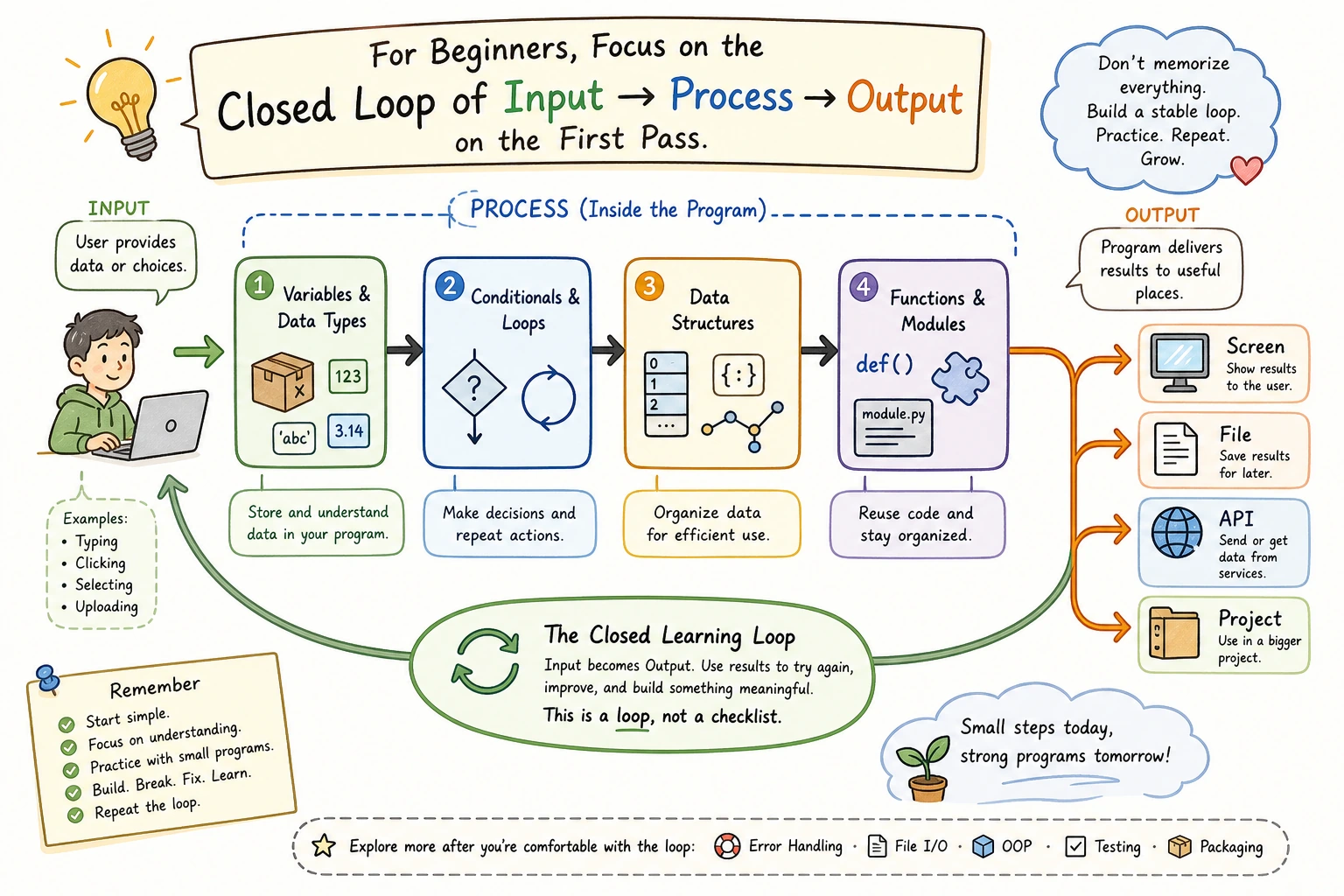
The main study route is now in Chapter 2 entry. Use this page only as a quick checklist while you practice.
One-Line Mental Model
Section titled “One-Line Mental Model”inputdata structurefunctionfile/API/output
If a topic does not help this loop yet, skim it first and return later.
Practice Checklist
Section titled “Practice Checklist”| Check | Evidence |
|---|---|
| I can run 5 tiny scripts with variables, conditions, and loops | practice/ folder |
| I can choose between list, dict, tuple, and set | short data-structure note |
| I can turn repeated code into a function | refactored script |
| I can save and reload JSON | tasks.json |
| I can handle one broken file or bad input | debug note |
| I can finish the workshop | ch02_output/ |
Depth Checks
Section titled “Depth Checks”| Skill | Challenge |
|---|---|
| Data choice | Store the same task as a list item and as a dictionary. Explain which one is easier to extend. |
| Error handling | Break tasks.json on purpose, then make the program recover without hiding the error from the user. |
| Refactoring | Move repeated code into a function whose input and return value can be tested without touching files. |
| Communication | Write a README command that a new terminal can run without guessing hidden setup steps. |
Check reasoning and explanation
- The minimum pass is a rerunnable folder with small scripts and workshop output, not screenshots alone.
- A data-structure note should explain the tradeoff, such as using a dictionary for task
id,status, anddue_date, but a list for the ordered sequence of tasks. - A refactored function should have clear inputs and a return value, and be testable without calling
input()or reading a file. - Broken JSON recovery should tell the user the file was reset or backed up. It should not silently erase data.
- A README passes when another learner can create the environment, run the script, and see the same expected output.
Ready To Continue
Section titled “Ready To Continue”Continue to Chapter 3 when your task manager can add a task, save it, reload it, and explain the run command in a README.
Evidence to Keep
Section titled “Evidence to Keep”Keep this page’s proof of learning as a small evidence card:
- Program Loop
- input, processing, output, and saved state if any
- Code File
- Python file or notebook cell that can be rerun
- Output
- printed result, file result, or user-facing behavior
- Failure Check
- syntax, path, type, dependency, or control-flow issue
- Expected Output
- a rerunnable Python artifact that prepares for data and AI apps