
12.5.1 Integrated Project Roadmap: Creative Package Workflow
The capstone is not about connecting many model APIs. It is about giving a user a workflow: input a brief, generate assets, compare versions, edit, review, and export a usable content package.
See the Product Loop First
Section titled “See the Product Loop First”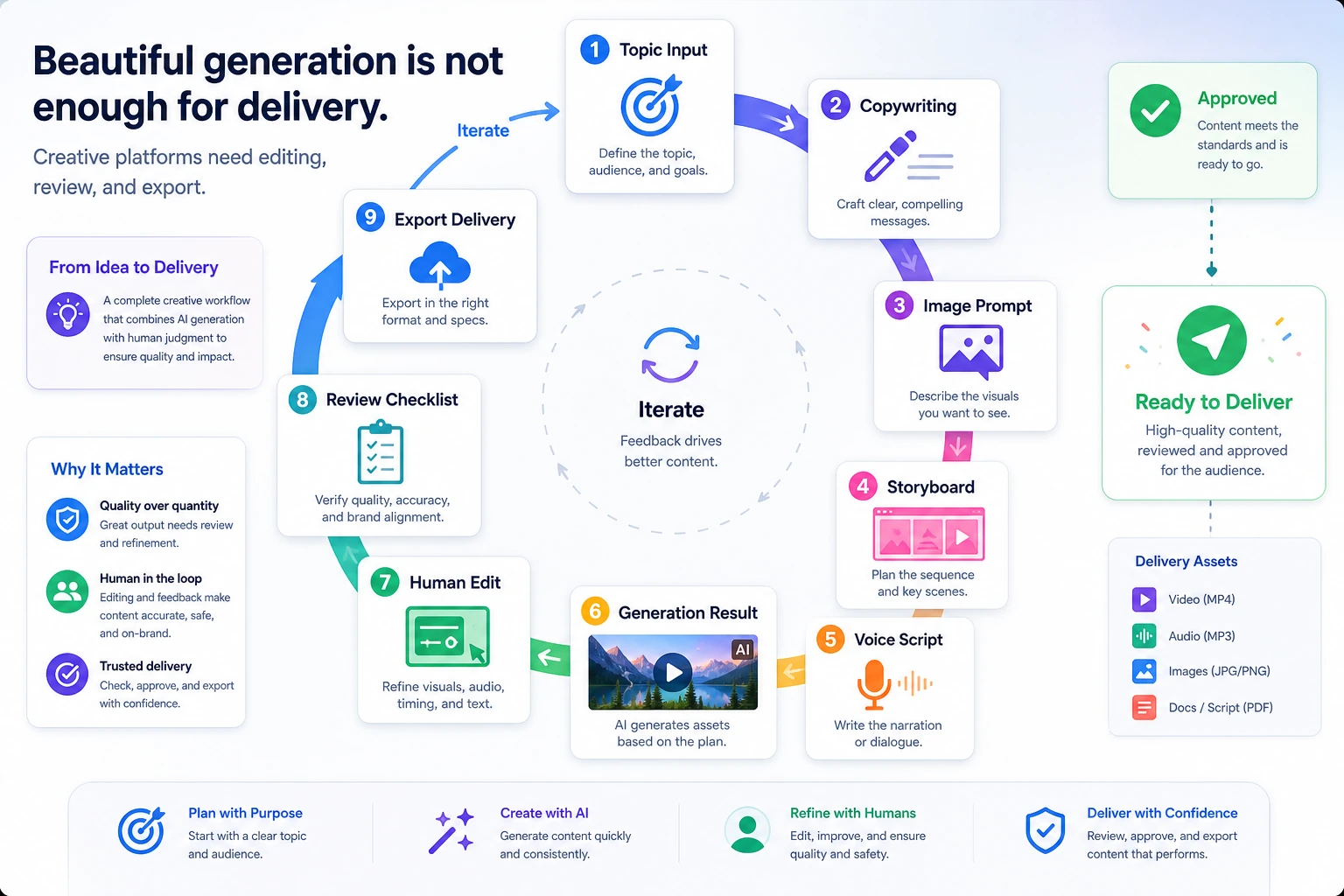
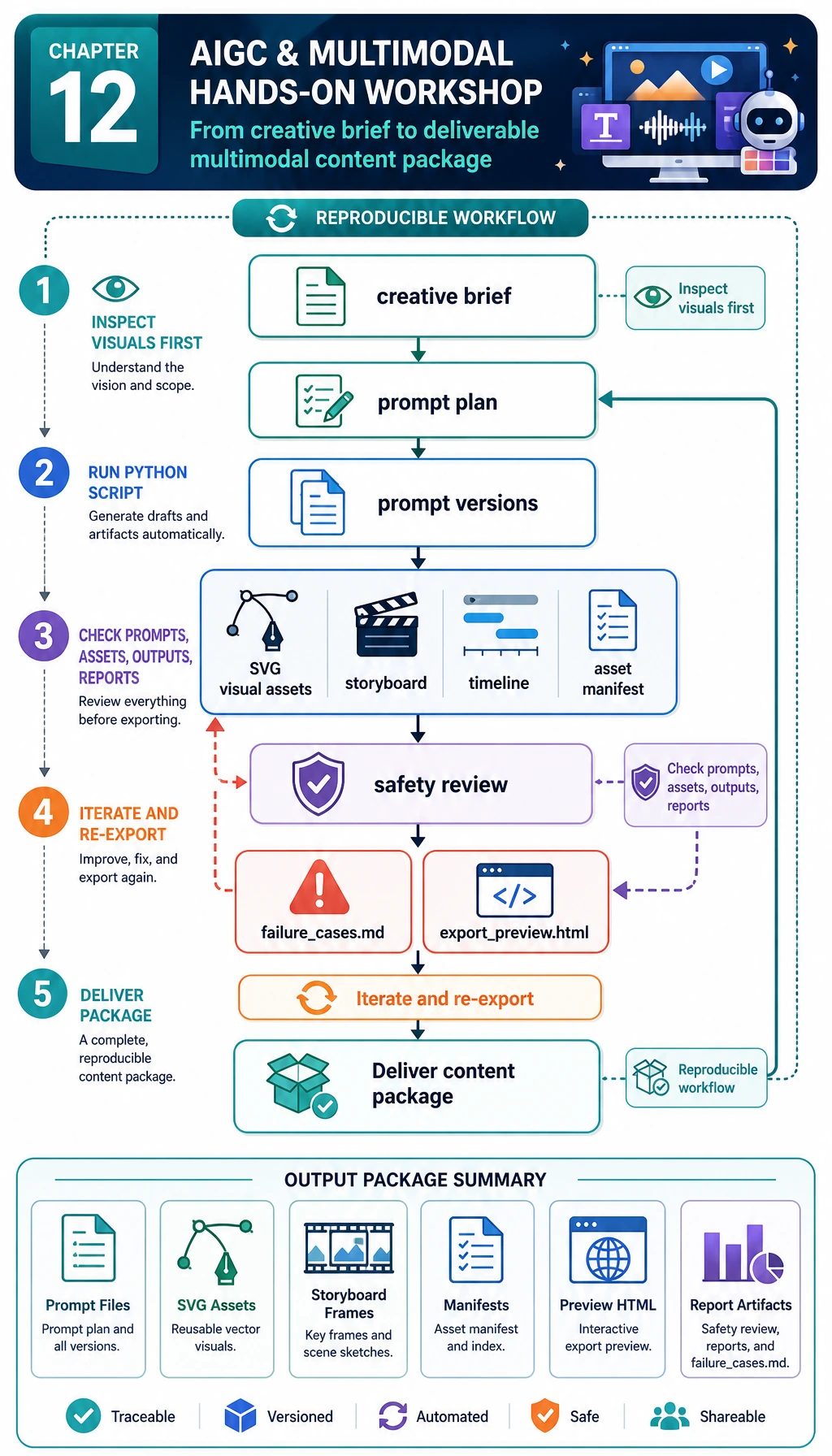
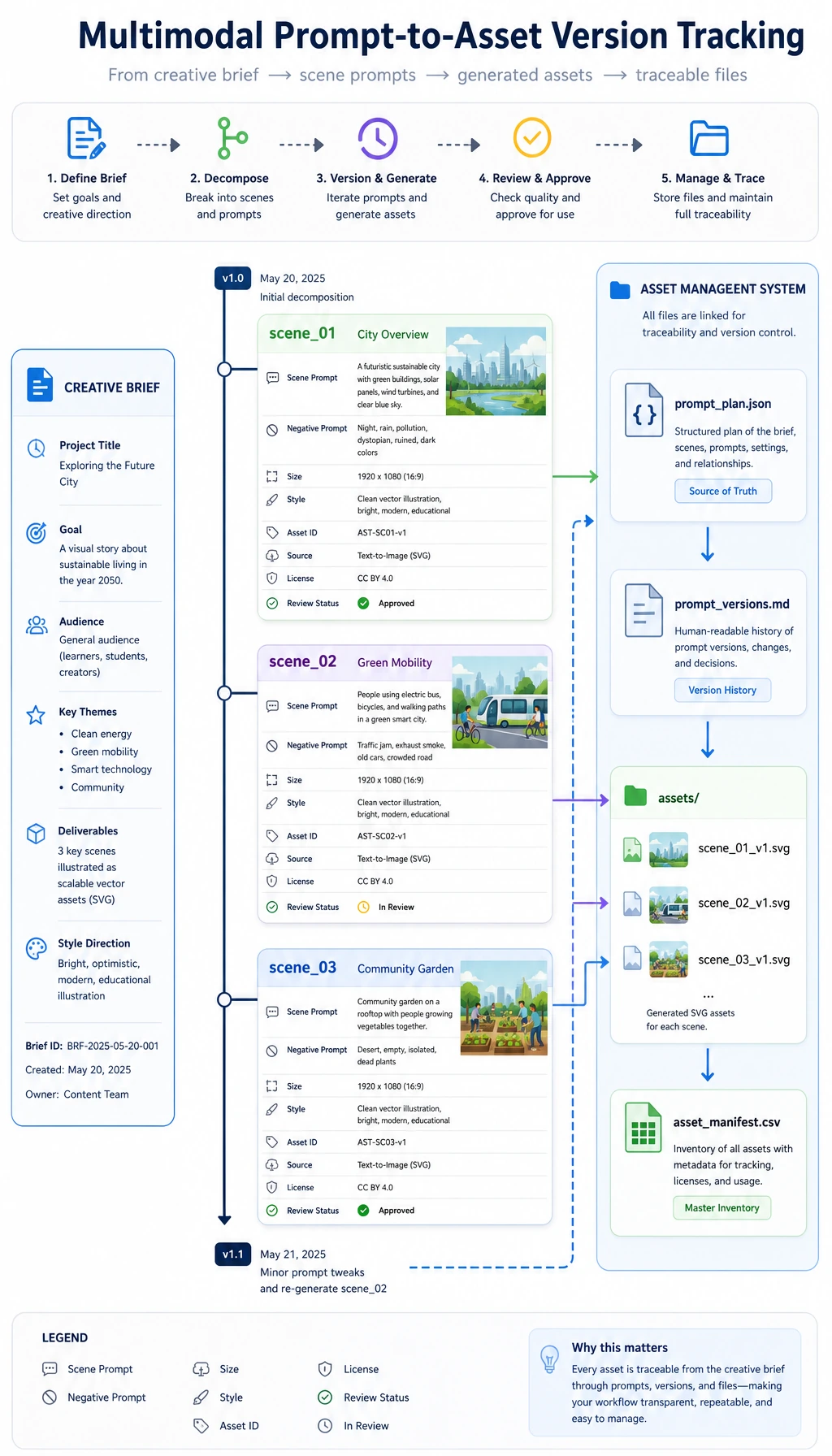
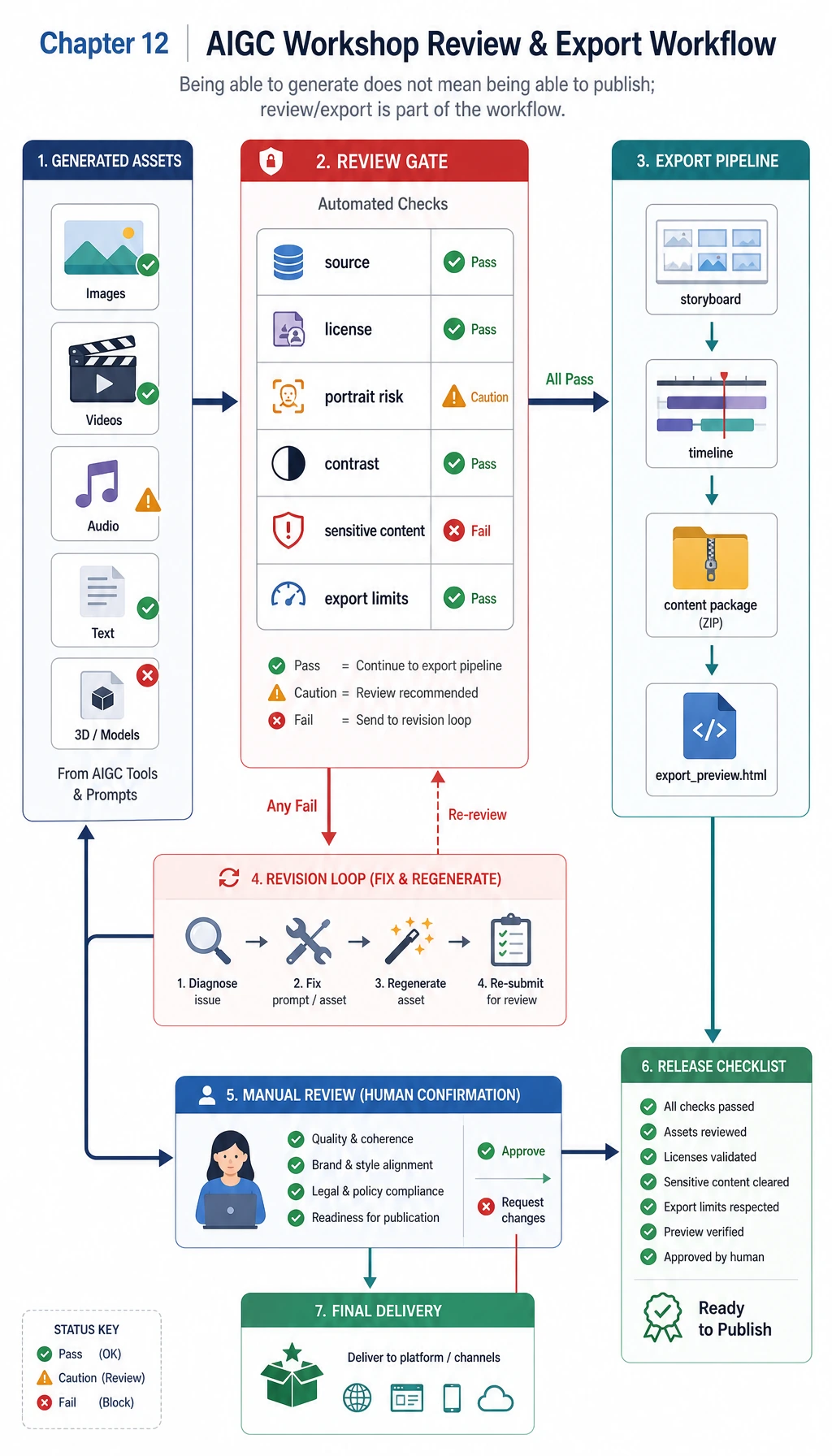
The first habit is to save every generated result as an asset with source, prompt, version, review status, and export target.
Build the Minimum Package State
Section titled “Build the Minimum Package State”brief = { "topic": "RAG mini course", "audience": "new learners",}package = { "brief_ready": True, "assets": ["title", "cover_prompt", "video_script", "review_checklist"], "has_versions": True, "has_review": True,}
ready = package["brief_ready"] and package["has_versions"] and package["has_review"] and len(package["assets"]) >= 4
print("package_ready:", ready)print("assets:", ", ".join(package["assets"]))Expected output:
package_ready: Trueassets: title, cover_prompt, video_script, review_checklist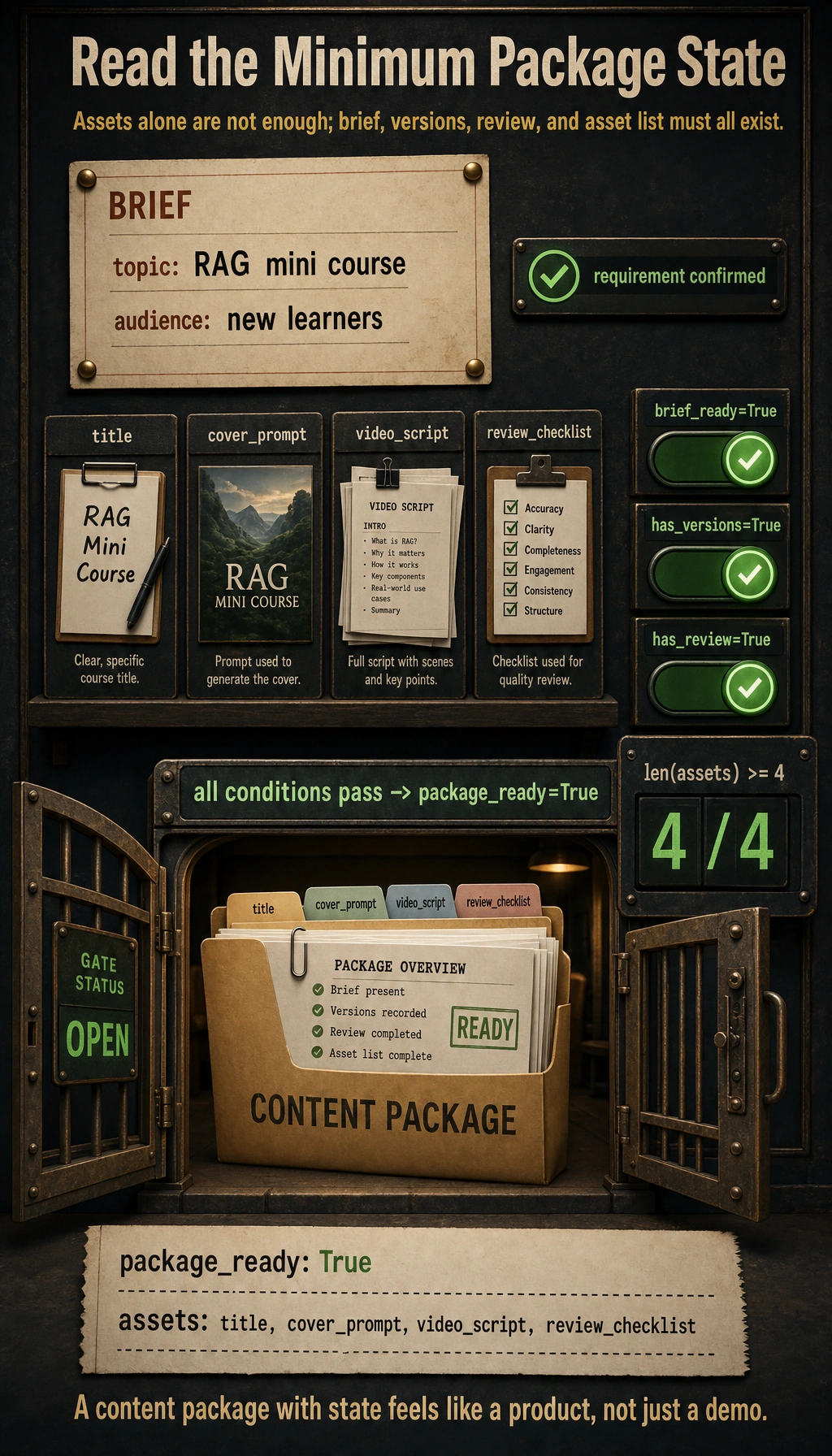
If this state is missing, the project will look like a demo instead of a product.
Start with the Workshop
Section titled “Start with the Workshop”Run 12.5.3 Hands-on: Build a Reproducible Multimodal Creative Package before expanding the larger creative platform. It gives you the smallest reproducible loop for brief intake, prompt records, asset versions, storyboard export, safety review, and failure analysis.
Project Deliverable Standards
Section titled “Project Deliverable Standards”| Deliverable | Minimum Requirement |
|---|---|
| README | Goal, run command, dependencies, material sources, examples |
| Sample package | One complete brief with generated assets and review notes |
| Version records | At least two candidate outputs or one edited revision |
| Safety review | Copyright, portrait, voice, sensitive content, export label |
| Failure note | One real failure case and the next fix |
Evidence to Keep
Section titled “Evidence to Keep”Keep this page’s proof of learning as a small evidence card:
- Brief
- user goal, audience, assets, constraints, and export format
- Artifacts
- source files, prompts, generated candidates, selected output, and rejected versions
- Review
- factual check, copyright/portrait/sensitive-content check, and human decision
- Integration
- RAG record, Agent trace, creative package, storyboard, or export preview
- Expected Output
- reproducible asset package with README, review checklist, and failure notes
Pass Check
Section titled “Pass Check”You pass this chapter when your project can accept a brief, produce a structured creative package, keep versions, run review, and export Markdown or JSON that another person can inspect.
Check reasoning and explanation
- A passing answer names the modalities involved, the input-output contract, and how text, image, audio, or video evidence is aligned.
- The evidence should include a real media artifact or trace, plus a note on quality, safety, and failure cases.
- A good self-check explains whether the task needs generation, understanding, retrieval, tool orchestration, or human review rather than treating every multimodal problem as the same kind of demo.