
10.6.1 Project Roadmap: Build a Vision Evidence Pack
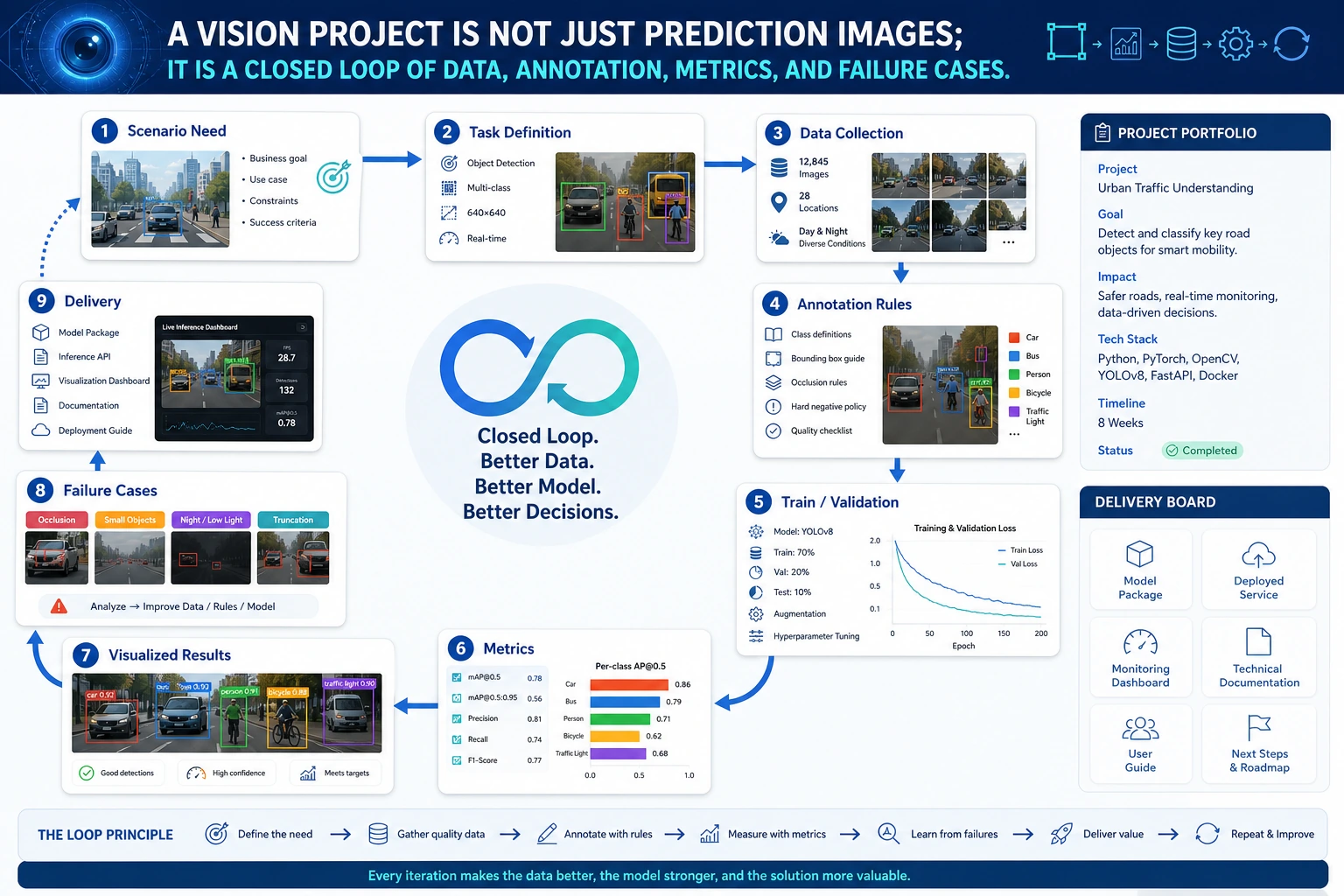
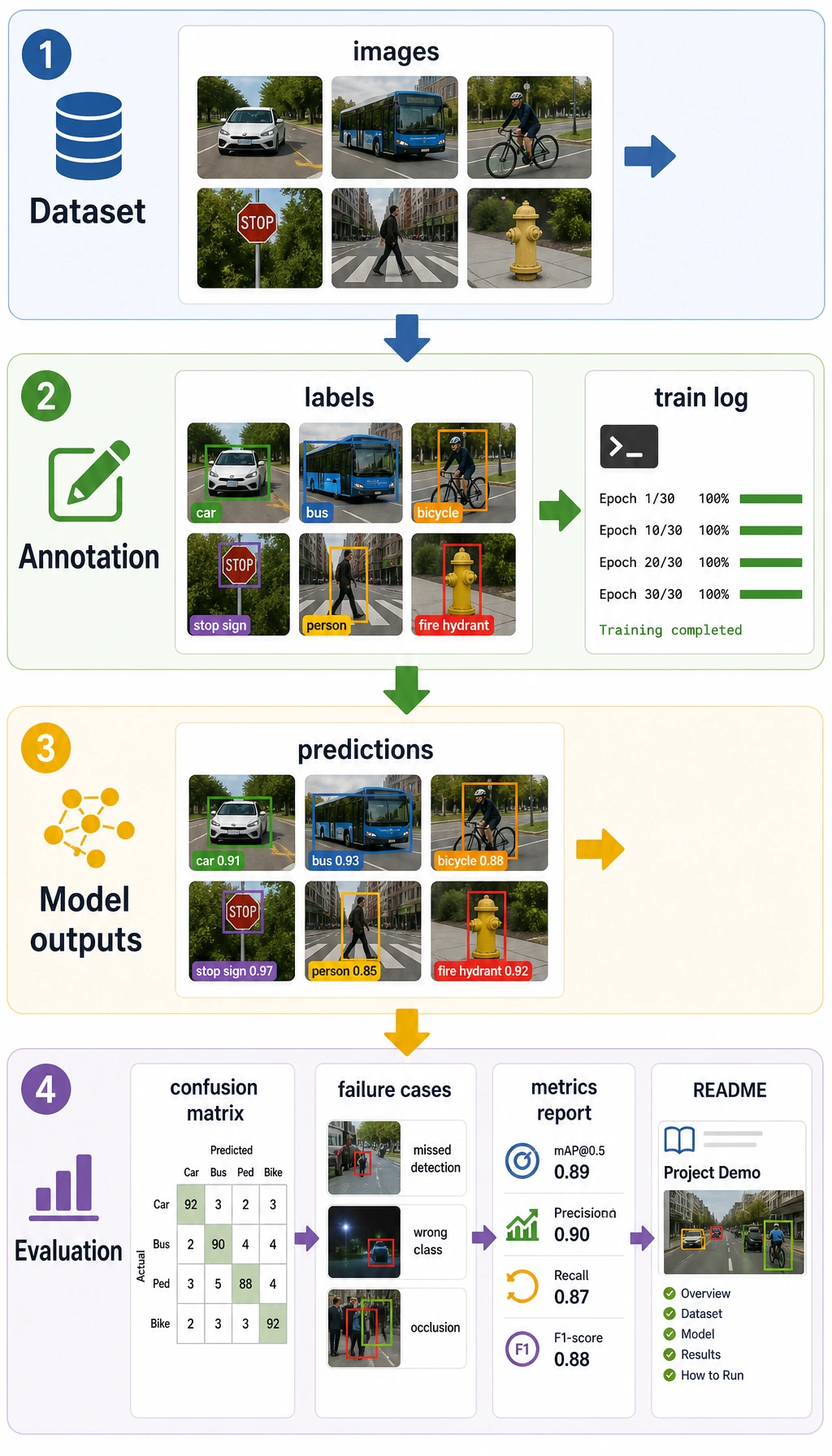
A computer vision project is not “I used a model.” It is a loop of data, annotation, model output, metrics, failure cases, and presentation.
See the Project Loop First
Section titled “See the Project Loop First”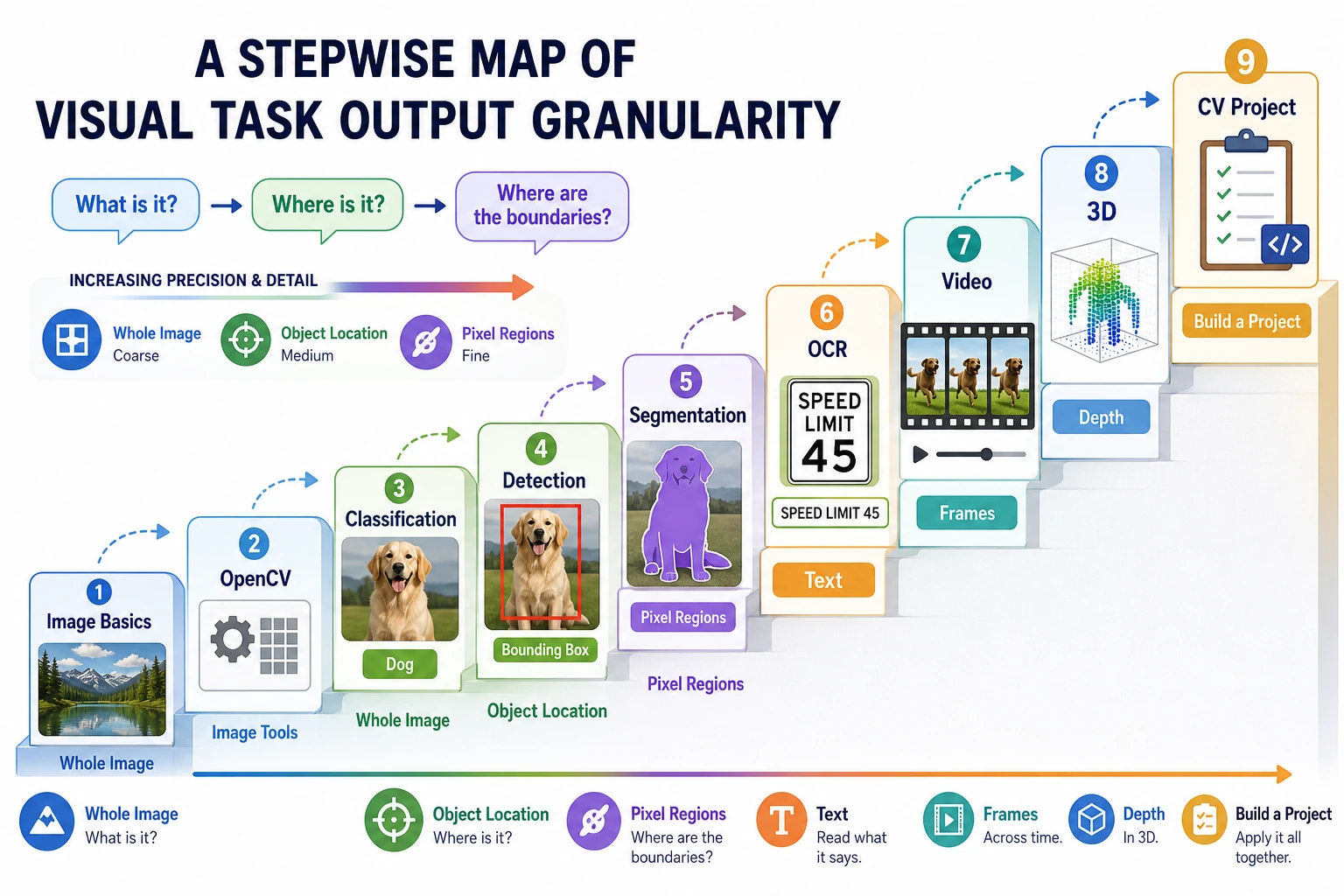
Start with classification if you need the fastest complete loop. Move to detection for boxes, segmentation for masks, and OCR/video/3D for specialized scenarios.
Run a Project Readiness Check
Section titled “Run a Project Readiness Check”Use this before you call the project presentable.
project = {    "task": "helmet detection",    "has_data_note": True,    "has_metric": True,    "has_failure_case": True,    "has_annotation_rule": True,}
ready = all(project[key] for key in ["has_data_note", "has_metric", "has_failure_case", "has_annotation_rule"])
print("task:", project["task"])print("presentable:", ready)
Expected output:
task: helmet detectionpresentable: TrueIf a project has no annotation rule or failure case, it is still a demo, not a portfolio project.
Learn in This Order
Section titled “Learn in This Order”| Step | Project Type | Evidence |
|---|---|---|
| 1 | Classification | Dataset split, accuracy/F1, confusion examples |
| 2 | Detection | Box annotations, IoU/mAP, false positives and missed detections |
| 3 | Segmentation | Masks, IoU/Dice, boundary failures |
| 4 | Industry scenario | Risk notes, user impact, deployment idea |
| 5 | Hands-on workshop | Reproducible mini pipeline before larger project pages |
Run 10.6.4 Hands-on: Build a Reproducible Vision Mini Pipeline before expanding the project.
Project Deliverable Standards
Section titled “Project Deliverable Standards”| Deliverable | Minimum Requirement | Stronger Portfolio Version |
|---|---|---|
| README | Goal, run command, dependencies, examples | Add task boundary, data source, deployment idea |
| Data and annotation | Image source, class list, annotation format | Add annotation examples, quality checks, bias notes |
| Results | At least 1 input image and prediction result | Add correct, false positive, false negative, boundary cases |
| Evaluation | Accuracy, F1, mAP, IoU, Dice, or OCR hit rate | Add error analysis by class, scenario, lighting, clarity |
| Failure analysis | At least 1 real failure | Add suspected cause, fix action, regression check |
| Presentation | Screenshot or short GIF proving it runs | Build a clear visual project page |
Evidence to Keep
Section titled “Evidence to Keep”Keep this page’s proof of learning as a small evidence card:
- Task Output
- classification label, detection box, segmentation mask, OCR text, or video event
- Artifacts
- original image, processed image, prediction overlay, metrics file, and failure samples
- Metric
- accuracy/F1, mAP, IoU, Dice, latency, or scenario-specific review score
- Failure Check
- data quality, label error, preprocessing mismatch, threshold, or deployment constraint
- Expected Output
- a reproducible run folder with visual outputs and a short failure report
Pass Check
Section titled “Pass Check”You pass this chapter when your vision project can be reproduced, has clear data and annotation rules, reports proper metrics, and shows where the model fails.
Check reasoning and explanation
- A passing answer maps the task to the right visual output: class label, bounding box, mask, OCR text, embedding, or video event.
- The evidence should include a rendered visual artifact and one metric or qualitative error note.
- A good self-check names one visual failure mode such as class confusion, missed objects, bad masks, lighting shift, domain shift, or weak annotation quality.