
6.1.5 Optimizers
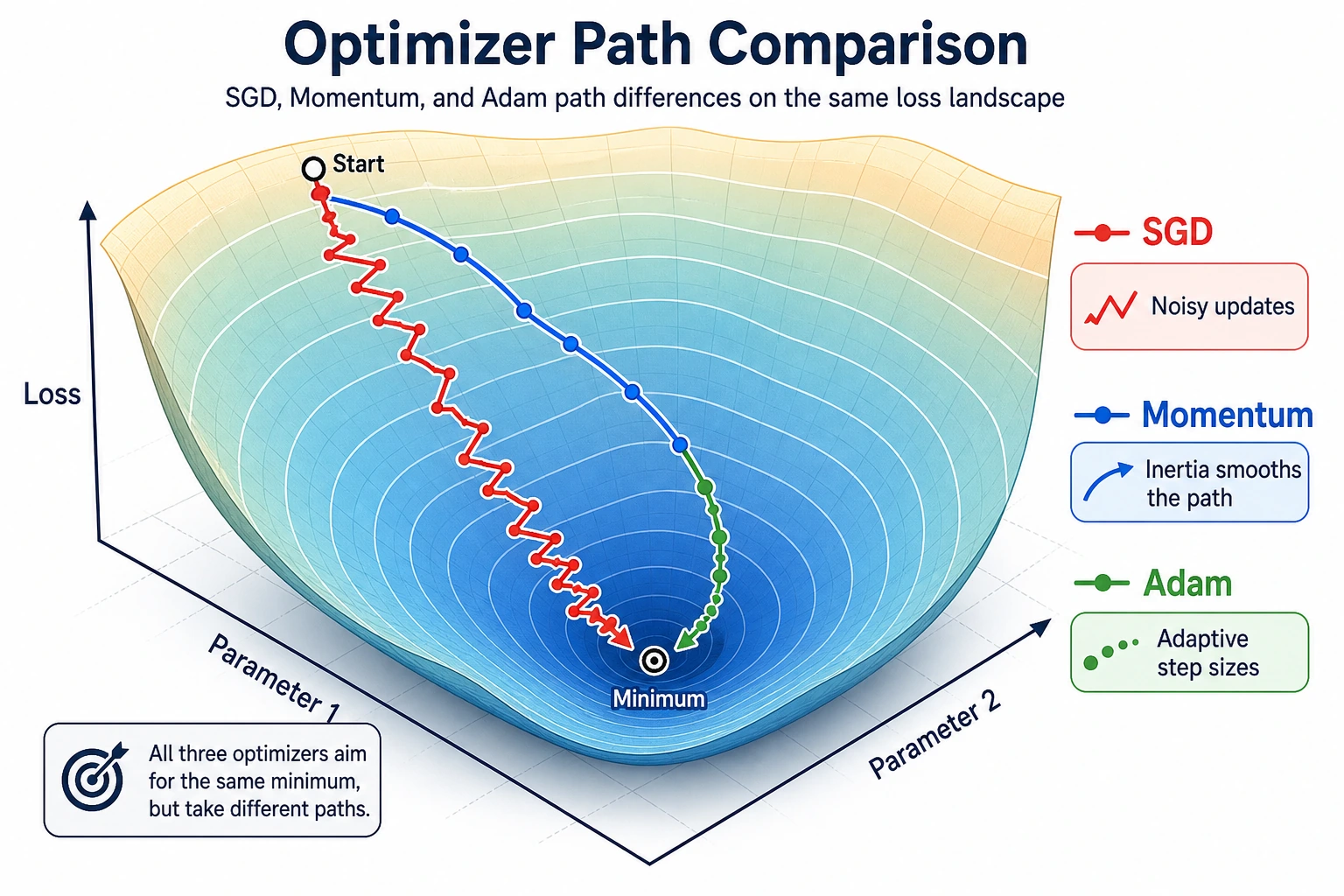
What You Will Build
Section titled “What You Will Build”This lesson runs a tiny PyTorch optimization lab:
- compare SGD, Momentum, and Adam on the same simple loss;
- see overshooting directly;
- test learning-rate sensitivity;
- learn a safe optimizer choice order.
python -m pip install -U torchRun the Complete Lab
Section titled “Run the Complete Lab”Create optimizer_lab.py:
import torch

def run_optimizer(name, optimizer_factory, steps=25):    torch.manual_seed(42)    w = torch.nn.Parameter(torch.tensor([5.0]))    optimizer = optimizer_factory([w])    for step in range(1, steps + 1):        loss = (w - 2).pow(2).mean()        optimizer.zero_grad()        loss.backward()        optimizer.step()        if step in [1, 5, 10, 25]:            print(f"{name:<8} step={step:<2} w={w.item():.3f} loss={loss.item():.4f}")

print("optimizer_comparison")run_optimizer("sgd", lambda params: torch.optim.SGD(params, lr=0.1))run_optimizer("momentum", lambda params: torch.optim.SGD(params, lr=0.1, momentum=0.9))run_optimizer("adam", lambda params: torch.optim.Adam(params, lr=0.1))
print("learning_rate_check")for lr in [0.01, 0.1, 1.1]:    torch.manual_seed(42)    w = torch.nn.Parameter(torch.tensor([5.0]))    optimizer = torch.optim.SGD([w], lr=lr)    for _ in range(10):        loss = (w - 2).pow(2).mean()        optimizer.zero_grad()        loss.backward()        optimizer.step()    final_loss = (w - 2).pow(2).item()    print(f"lr={lr:<4} final_w={w.item():.3f} final_loss={final_loss:.4f}")
Run it:
python optimizer_lab.pyExpected output:
optimizer_comparisonsgd step=1 w=4.400 loss=9.0000sgd step=5 w=2.983 loss=1.5099sgd step=10 w=2.322 loss=0.1621sgd step=25 w=2.011 loss=0.0002momentum step=1 w=4.400 loss=9.0000momentum step=5 w=0.259 loss=0.8571momentum step=10 w=2.013 loss=0.6767momentum step=25 w=2.475 loss=0.0200adam step=1 w=4.900 loss=9.0000adam step=5 w=4.502 loss=6.7648adam step=10 w=4.014 loss=4.4535adam step=25 w=2.739 loss=0.6569learning_rate_checklr=0.01 final_w=4.451 final_loss=6.0085lr=0.1 final_w=2.322 final_loss=0.1038lr=1.1 final_w=20.575 final_loss=345.0386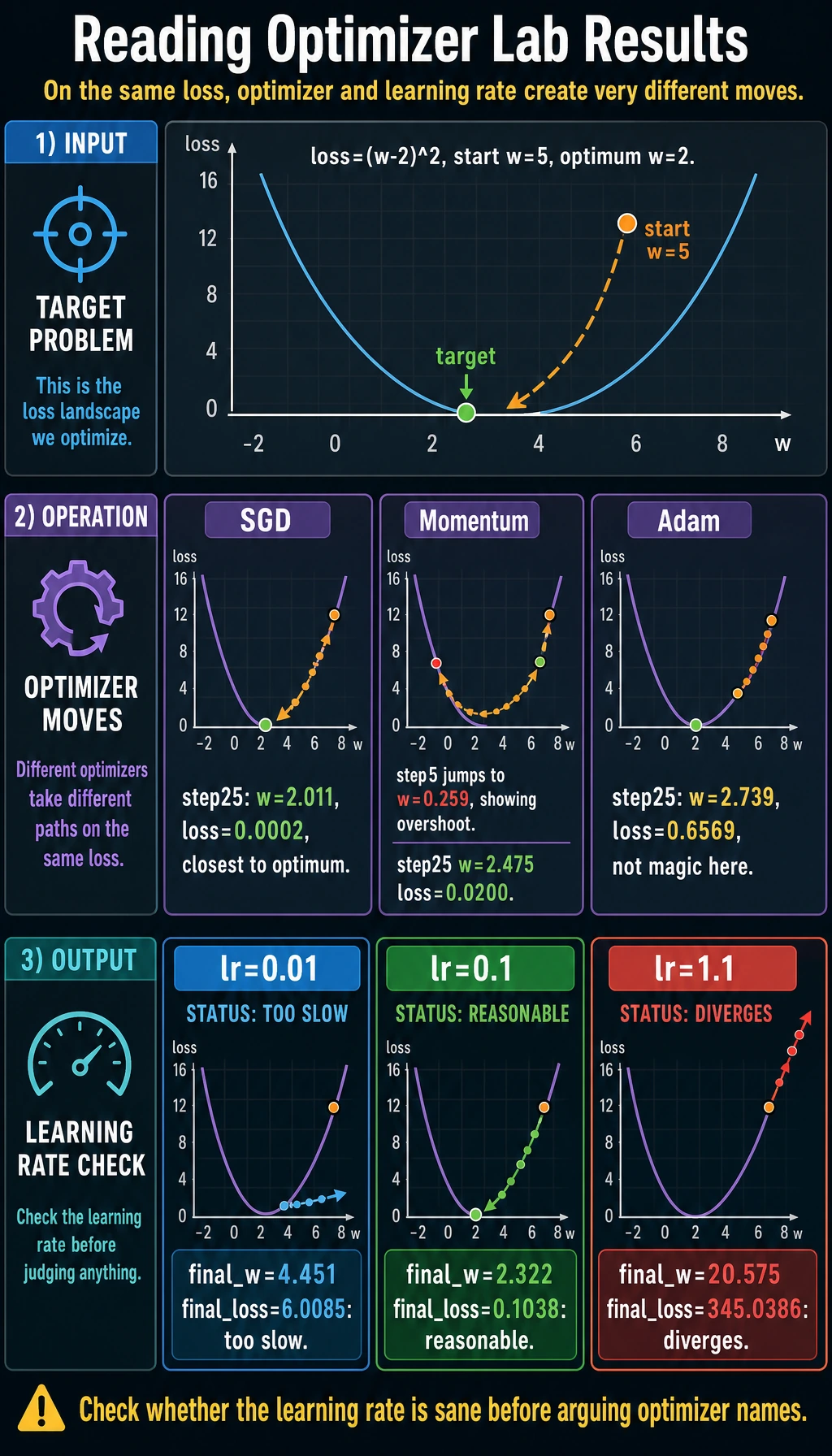
Read the Experiment
Section titled “Read the Experiment”The loss is:
loss = (w - 2)^2The best value is w=2. All optimizers start from w=5.
In this simple example, SGD with a good learning rate works extremely well:
sgd step=25 w=2.011 loss=0.0002Momentum moves faster, but it can overshoot:
momentum step=5 w=0.259Adam is a very common default in deep learning, but it is not magic. With lr=0.1 on this tiny problem, it moves more slowly than tuned SGD. The lesson is not “Adam is bad”; the lesson is:
Always inspect training behavior. Optimizer choice and learning rate work together.
Learning Rate Is the First Knob
Section titled “Learning Rate Is the First Knob”The learning-rate check is intentionally blunt:
lr=0.01 final_w=4.451 final_loss=6.0085lr=0.1 final_w=2.322 final_loss=0.1038lr=1.1 final_w=20.575 final_loss=345.0386Too small: training crawls.
Reasonable: training approaches the optimum.
Too large: training diverges.
Evidence to Keep
Section titled “Evidence to Keep”Keep one optimizer comparison table in your notes:
- Same Loss
- (w - 2)^2
- Same Start
- w = 5
- Sgd Result
- approaches w = 2 with lr=0.1
- Momentum Result
- moves faster but overshoots
- Bad Lr Result
- lr=1.1 diverges
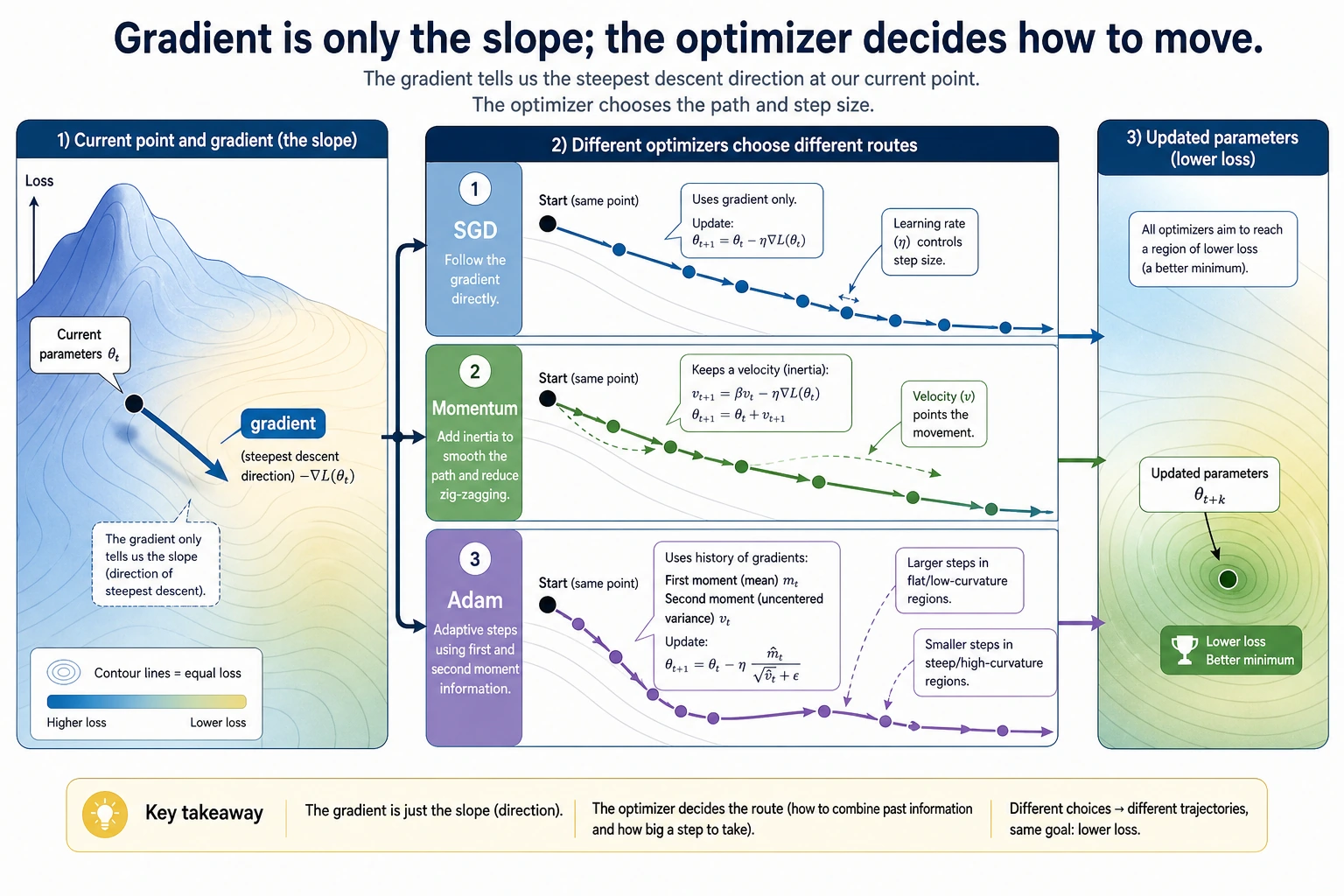
This evidence is more useful than memorizing optimizer names. It shows the real rule: gradients give direction, while optimizer settings decide the size and style of movement.
Optimizer Intuition
Section titled “Optimizer Intuition”| Optimizer | Intuition | Good first use |
|---|---|---|
| SGD | move directly against the gradient | simple baseline, controlled experiments |
| SGD + Momentum | keep velocity from previous steps | smoother progress in noisy directions |
| Adam | adapt step sizes using gradient history | strong default for many neural networks |
For real neural networks, Adam or AdamW is often a practical starting point. For final training, always compare with the task’s validation metric.
Practical Selection Order
Section titled “Practical Selection Order”- Start with Adam or AdamW for a neural network baseline.
- Tune learning rate before arguing about optimizer names.
- Watch training and validation loss curves.
- If validation is unstable, lower LR or add scheduling.
- If training is slow but stable, try LR schedule or optimizer change.
Practical Debugging Checklist
Section titled “Practical Debugging Checklist”| Symptom | Likely cause | Fix |
|---|---|---|
| loss explodes | learning rate too high | lower LR |
| loss decreases too slowly | LR too low or poor scaling | raise LR carefully, normalize inputs |
| training loss drops but validation worsens | overfitting | regularize, add data, stop earlier |
| loss oscillates | momentum/LR too aggressive | lower LR or momentum |
| Adam works but final quality is weak | optimizer hides other issues | check data, architecture, regularization |
Practice
Section titled “Practice”- Change SGD learning rate to
0.05,0.2, and0.8. - Change momentum from
0.9to0.5. Does overshooting reduce? - Try
AdamWinstead ofAdam. - Print
w.gradeach step to connect gradients with updates. - Plot
wover steps for each optimizer.
Reference implementation and walkthrough
- A smaller learning rate should move more slowly; a moderate one should converge faster; a very large one may bounce around or diverge.
- Lower momentum usually reduces overshooting, but it can also remove useful acceleration. Compare both the path of
wand the final loss. AdamWoften behaves like Adam on this toy problem, but its weight decay is decoupled from the adaptive update. That distinction matters more in larger models.w.gradpoints in the direction that would increase loss, so the optimizer usually moves parameters against that gradient. The update size depends on optimizer state and learning rate.- The
wplot should show whether the optimizer crawls, heads smoothly to the optimum, overshoots, or oscillates. This is easier to trust than a single final number.
Pass Check
Section titled “Pass Check”You are done when you can explain:
- gradients say which direction changes loss;
- optimizers decide how far parameters move;
- learning rate can make training crawl, converge, or diverge;
- momentum can speed movement but can overshoot;
- Adam is useful, but not a substitute for checking curves.