
8.3.1 Application Development Roadmap: API, Tools, State
LLM application development is not just an input box plus a model API. A real feature validates input, calls models, uses tools, keeps state, parses output, logs errors, and gives users a recoverable experience.
See the Application Loop First
Section titled “See the Application Loop First”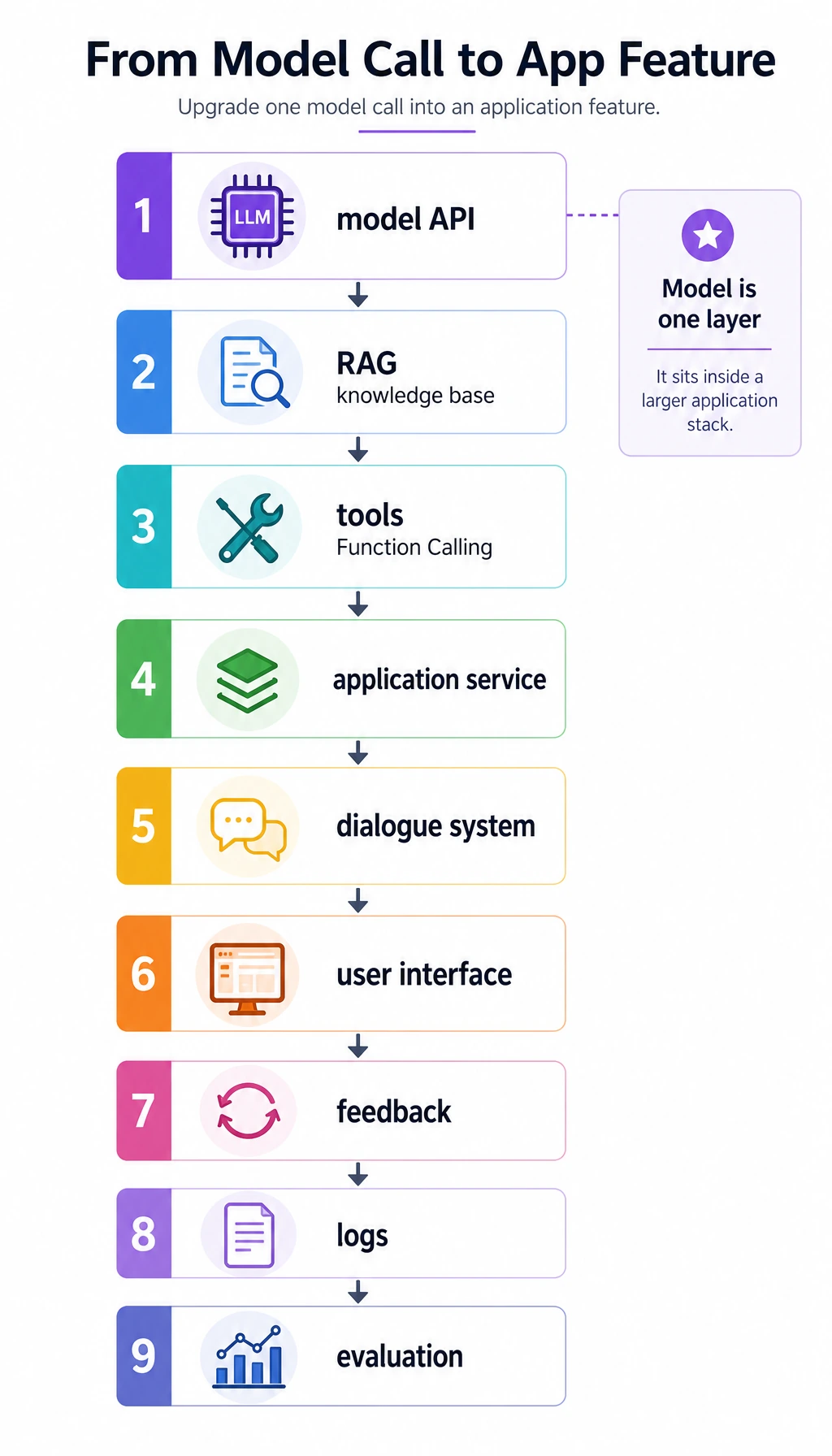
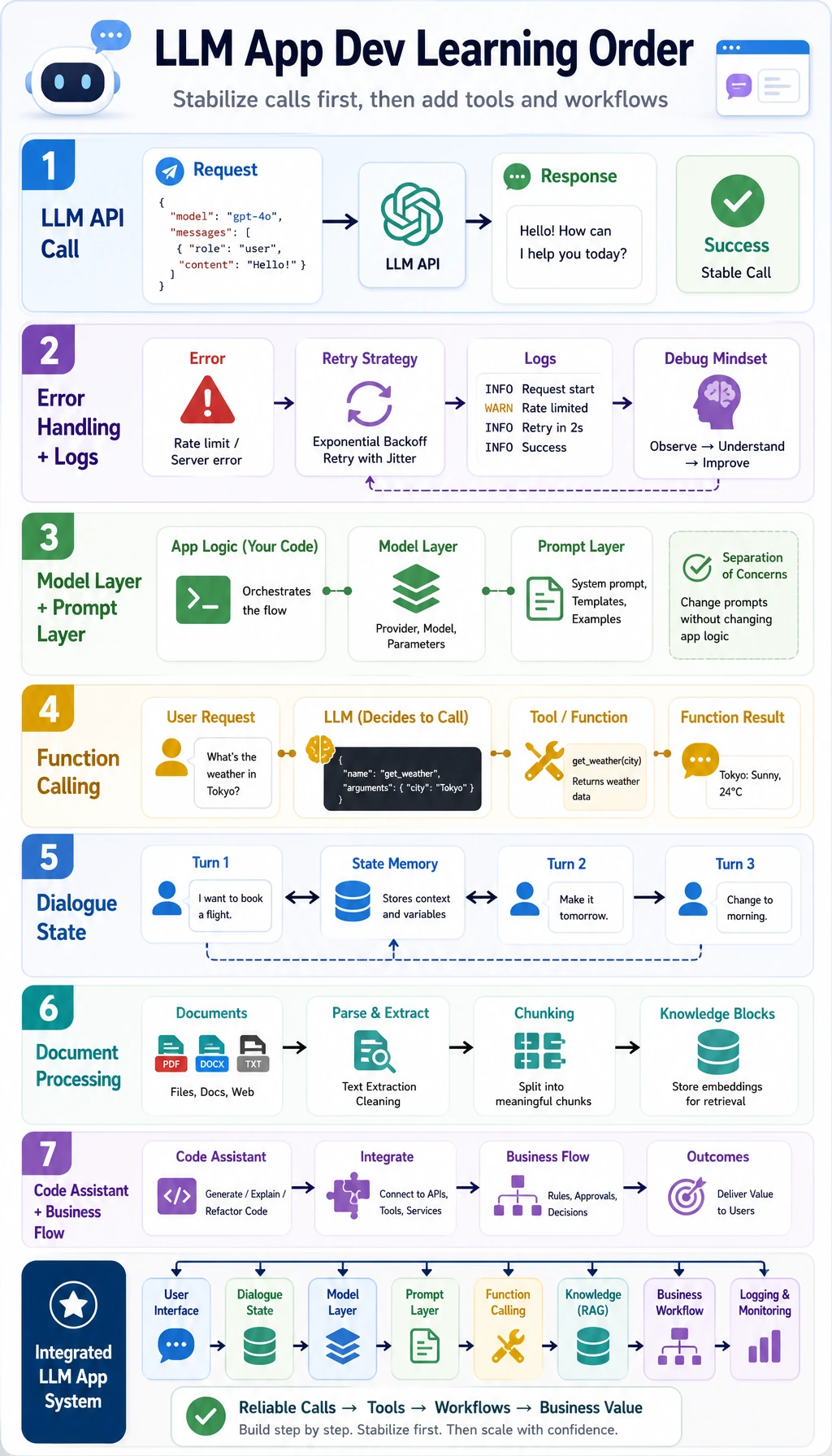
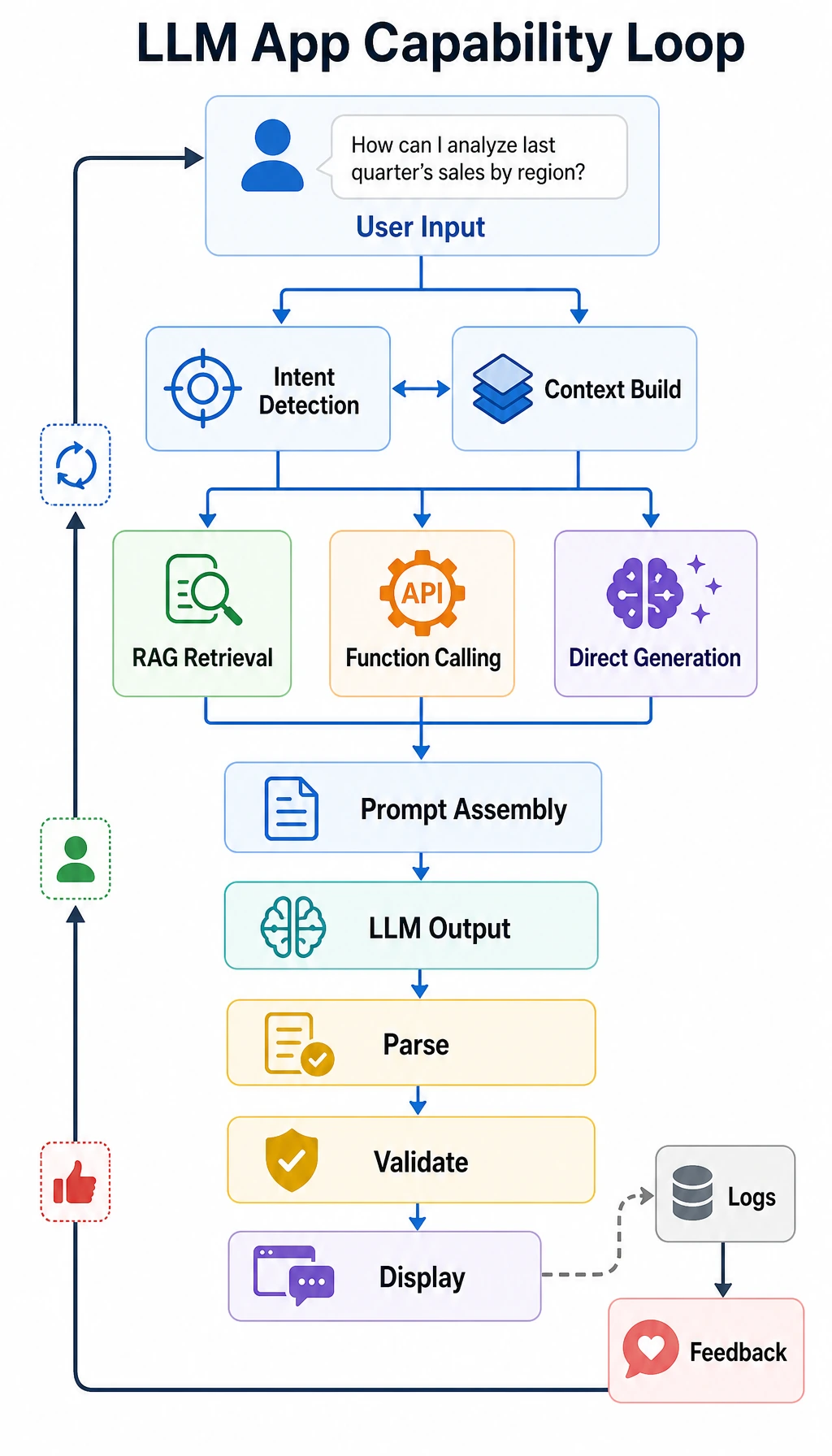
The chapter upgrades one model call into a maintainable application loop: input, prompt/context, model, optional tool, validation, output, feedback.
Run a Tool Dispatch Check
Section titled “Run a Tool Dispatch Check”Function Calling means the model proposes structured action arguments, but your application must validate and dispatch them.
model_output = {    "tool": "search_docs",    "arguments": {"query": "RAG citations"},}
allowed_tools = {    "search_docs": {"required": ["query"]},    "create_ticket": {"required": ["title", "priority"]},}
tool = model_output["tool"]required = allowed_tools[tool]["required"]validation_ok = all(name in model_output["arguments"] for name in required)
print("validation_ok:", validation_ok)print("dispatch:", tool if validation_ok else "block")
Expected output:
validation_ok: Truedispatch: search_docsNever execute tool calls directly from model text. Validate tool name, argument schema, permission, and failure path.
Learn in This Order
Section titled “Learn in This Order”| Step | Read | Practice Output |
|---|---|---|
| 1 | LLM API practice | Write a robust call wrapper with timeout and error handling |
| 2 | Framework basics | Split prompt, model, tool, memory, retrieval, and parser roles |
| 3 | Function Calling | Validate structured tool arguments before dispatch |
| 4 | Hugging Face ecosystem | Know when hosted, local, or browser-side models fit |
| 5 | Dialogue systems | Store session state, slots, memory, and user feedback |
| 6 | Document and template apps | Turn parsing, extraction, and generation into modules |
Evidence to Keep
Section titled “Evidence to Keep”Keep this page’s proof of learning as a small evidence card:
- Request
- input, state, tools/context, and expected output contract
- Validated Output
- parser/schema or business-rule check result
- Trace
- model call, tool/function call, document parse, or dialogue state
- Failure Check
- invalid format, missing field, stale state, or wrong tool
- Next Action
- prompt, schema, state, API, or parsing improvement
Pass Check
Section titled “Pass Check”You pass this chapter when you can build a small assistant loop that handles one API call, one optional tool call, one structured output, and one error path.
The exit mini project is a course Q&A and study-planning assistant that classifies the user request, optionally retrieves knowledge, returns structured suggestions, and logs feedback.
Check reasoning and explanation
- A passing answer traces the full path from query to chunks, retrieval scores, cited evidence, answer, and fallback behavior.
- The evidence should include retrieved passages, source metadata, a cited answer, and at least one empty-retrieval or wrong-retrieval case.
- A good self-check explains whether a failure came from chunking, retrieval, ranking, prompt assembly, missing sources, or unsupported generation.