
10.2.4 Image Classification Training Tricks
Learning Objectives
Section titled “Learning Objectives”- Be able to identify common causes of non-converging training, overfitting, and underfitting
- Understand the roles of learning rate, batch size, data augmentation, and regularization
- Know how class imbalance and data leakage affect classification results
- Use error sample analysis to guide the next round of improvements
First, Look at the Training Problem Map
Section titled “First, Look at the Training Problem Map”flowchart TD A[Poor classification performance] --> B[Data issues] A --> C[Training issues] A --> D[Evaluation issues] B --> B1[Too few samples / Wrong labels / Class imbalance] C --> C1[Unfit learning rate / Overfitting / Underfitting] D --> D1[Validation leakage / Single metric]Learning Rate Is the First Knob to Check
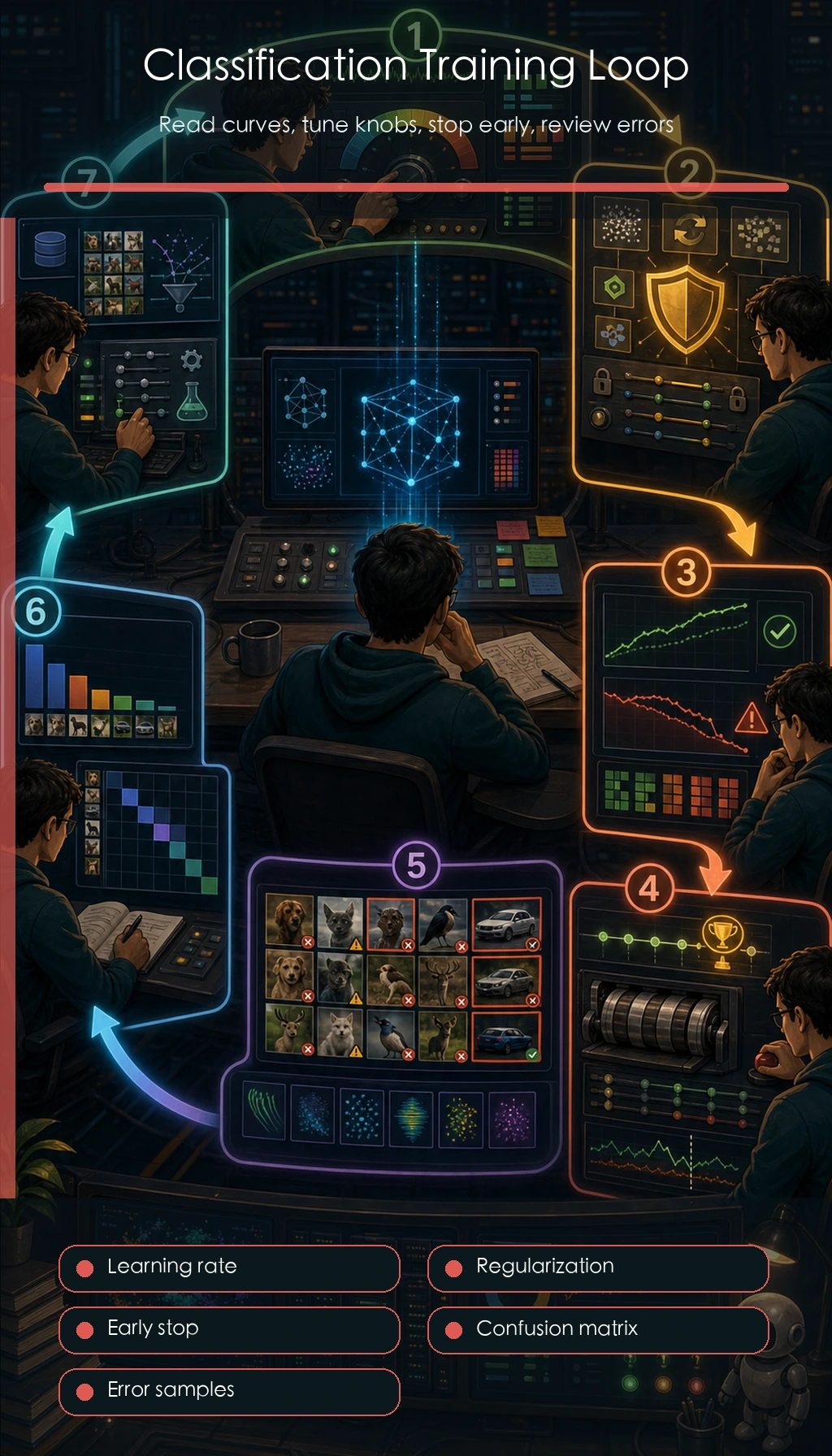
Section titled “Learning Rate Is the First Knob to Check”If the learning rate is too large, the loss may oscillate or even diverge; if it is too small, training will be very slow, and the model may look like it is not learning anything. When you are starting out, begin with a common default value and then observe the training curve.
Start with the scheduling idea before binding it to a framework. The tiny example below mirrors a common StepLR policy: keep the learning rate for a few epochs, then multiply it by gamma.
initial_lr = 1e-3step_size = 5gamma = 0.1
for epoch in [1, 5, 6, 10, 11]:    lr = initial_lr * (gamma ** ((epoch - 1) // step_size))    print(f"epoch={epoch:02d} lr={lr:.5f}")
Expected output:
epoch=01 lr=0.00100epoch=05 lr=0.00100epoch=06 lr=0.00010epoch=10 lr=0.00010epoch=11 lr=0.00001If both the training loss and validation loss are high, the model may be underfitting or the learning rate may be inappropriate. If the training loss is very low but the validation loss is very high, it is usually overfitting or a problem with the data split.
Data Augmentation Should Match Real-World Scenarios
Section titled “Data Augmentation Should Match Real-World Scenarios”Data augmentation is not about doing as much as possible, but about simulating changes that may occur in the real world. For cat-and-dog classification, horizontal flipping is fine; but for digit recognition, rotating an image by 180 degrees at random may change the meaning. Medical images also cannot be augmented arbitrarily in ways that break imaging logic.
augmentation_policy = [    {"name": "RandomResizedCrop", "label_safe": True, "reason": "object usually remains recognizable"},    {"name": "HorizontalFlip", "label_safe": True, "reason": "left-right direction is not part of the label"},    {"name": "Rotate180", "label_safe": False, "reason": "may change digit or orientation-sensitive labels"},]
for rule in augmentation_policy:    status = "use" if rule["label_safe"] else "avoid"    print(f"{status}: {rule['name']} - {rule['reason']}")
Expected output:
use: RandomResizedCrop - object usually remains recognizableuse: HorizontalFlip - left-right direction is not part of the labelavoid: Rotate180 - may change digit or orientation-sensitive labelsThe principle for augmentation is: apply augmentation to the training set, not to the validation set with random transforms; augmentation should preserve the label semantics; and after augmentation, it is best to manually inspect a few images.
How to Tell Overfitting from Underfitting
Section titled “How to Tell Overfitting from Underfitting”| Phenomenon | Possible Cause | First Step to Take |
|---|---|---|
| Both training and validation are poor | Model too weak, not enough training, learning rate issue | Train more epochs, adjust learning rate, switch backbone |
| Training is good but validation is poor | Overfitting, too little data, insufficient augmentation | Stronger augmentation, regularization, early stopping, more data |
| Training fluctuates a lot | Batch too small, learning rate too large | Lower the learning rate, increase batch size, check data |
| Validation score is unusually high | Data leakage | Check for duplicate images and whether the same subject appears across splits |
For Class Imbalance, Check the Confusion Matrix
Section titled “For Class Imbalance, Check the Confusion Matrix”Accuracy can be very misleading when classes are imbalanced. For example, if 95% of images are normal samples, a model that always predicts normal can still get 95% accuracy, but it completely fails to recognize abnormal cases.
labels = ["normal", "scratch", "stain"]y_true = ["normal", "normal", "scratch", "scratch", "stain", "stain"]y_pred = ["normal", "normal", "normal", "scratch", "normal", "stain"]
index = {label: i for i, label in enumerate(labels)}matrix = [[0 for _ in labels] for _ in labels]
for truth, pred in zip(y_true, y_pred):    matrix[index[truth]][index[pred]] += 1
print("confusion_matrix:")for label, row in zip(labels, matrix):    print(label, row)
print("\nrecall_by_class:")for label, row in zip(labels, matrix):    recall = row[index[label]] / sum(row)    print(label, round(recall, 2))
Expected output:
confusion_matrix:normal [2, 0, 0]scratch [1, 1, 0]stain [1, 0, 1]
recall_by_class:normal 1.0scratch 0.5stain 0.5
For class imbalance, you can consider resampling, class weights, focal loss, or adding more data for minority classes. Which method to choose depends on whether the minority-class samples are reliable enough.
Error Sample Analysis
Section titled “Error Sample Analysis”After each training run, manually inspect at least 20 error samples. Group them into categories: wrong labels, poor image quality, blurry class boundaries, the model focusing on the wrong area, or too few similar samples in the training set. Error sample analysis is often more useful for the next step than blindly switching models.
Minimal Training Log Template
Section titled “Minimal Training Log Template”In your README or experiment notes, it is recommended to keep: dataset version, training/validation split method, model architecture, input size, augmentation strategy, learning rate, batch size, number of epochs, best metric, confusion matrix, screenshots of error samples, and the next action plan.
Evidence to Keep
Section titled “Evidence to Keep”Keep this page’s proof of learning as a small evidence card:
- Dataset Split
- train/test images, class names, and class balance
- Prediction
- label, confidence, and at least one misclassified image
- Metric
- accuracy, F1, confusion matrix, and class-level errors
- Failure Check
- augmentation changes label meaning, class imbalance, leakage, or overfitting
- Expected Output
- model result table and saved error examples
Common Mistakes
Section titled “Common Mistakes”The first mistake is looking only at accuracy and not class-level metrics. The second mistake is using random augmentation on the validation set. The third mistake is having the same object or the same video frames appear in both training and validation, causing leakage. The fourth mistake is switching models as soon as performance looks poor, without first checking the data and training curves.
Exercises
Section titled “Exercises”- Train a small classification model and plot the train loss and val loss curves.
- Use weak augmentation and strong augmentation on the same model, and compare validation results.
- Output the confusion matrix and identify the two most easily confused classes.
- Organize 10 error samples and write one possible reason for each.
Solution approach and explanation
- For loss curves, train loss falling while validation loss rises usually means overfitting. Both staying high suggests underfitting, and violent oscillation often points to learning rate or data issues.
- Weak augmentation may leave overfitting; strong augmentation may make training too hard or change labels. Compare validation metrics and inspect augmented images before deciding.
- A confusion matrix should reveal which two classes are most often confused. If classes are imbalanced, normalized rates are easier to interpret than raw counts alone.
- A good set of 10 error samples groups failures by cause: label issue, blur, occlusion, class ambiguity, background shortcut, or preprocessing mismatch.
Passing Standard
Section titled “Passing Standard”After finishing this section, you should be able to identify common problems from training curves, design reasonable data augmentation, use the confusion matrix to analyze class issues, and write error sample analysis into the README of an image classification project.